SnapRoamer.com – The best cases for mounting smartphone lenses depend on your workflow: professional photographers should prioritize precision bayonet systems like Moment for optical clarity, while casual users benefit from universal clip-on systems like Apexel. For maximum protection during field use, rugged cases like Rokform offer military-grade durability alongside lens security.
Moment’s glass lenses won’t degrade your images in the way plastic lenses do, and their metal construction is designed to hold up to heavy, frequent use.
Workflow Comparison: Bayonet Mounts vs. Universal Clips
Professional workflows favor bayonet mount systems (e.g., Moment, ShiftCam) because they provide precise, repeatable alignment for high-quality glass lenses. Casual workflows utilize universal clip-on lenses (e.g., Apexel, Criacr), which offer versatility across different phone models but often struggle with centering and optical consistency.
The Precision of Bayonet Systems
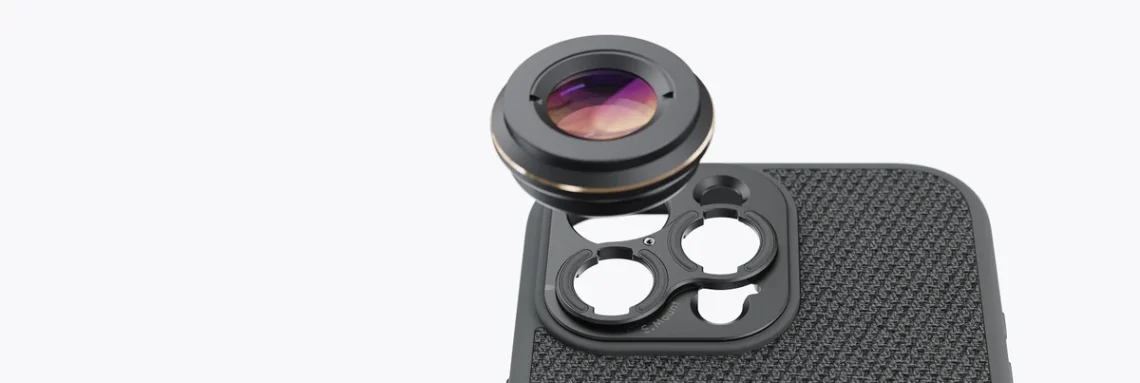
High-end photography requires a secure connection that prevents microscopic shifts during a shot. Bayonet systems, such as those from Moment or ShiftCam, use a specialized mounting interface that locks the lens into a fixed position. This prevents the common failure mode where a lens shifts slightly, resulting in asymmetrical sharpness. While a Moment Photo Case might cost around $29.00 for specific older models, the investment ensures that the optical axis of the lens remains perfectly aligned with the smartphone sensor.
Stability is critical because even expensive glass can be rendered ineffective by a loose mount. While a clip-on from Criacr might be easier to attach, it lacks the structural integrity required for professional-grade optics. As noted by Wirecutter, the bayonet mount requires one of Moment’s Cases to function correctly.
The Versatility of Clip-on Kits
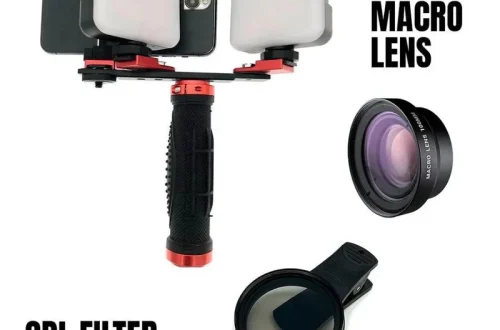
For users who switch between different mobile devices frequently, universal kits like Apexel provide a low-cost entry point. These systems are highly portable, but they introduce several variables that can degrade image quality. If the clip is not centered directly over the camera sensor, the resulting image will suffer from severe edge blur. This makes them unsuitable for professional work where consistency is mandatory.
| Mounting System | Primary Benefit | Key Manufacturer | Ideal User |
|---|---|---|---|
| Bayonet Mount | High Precision | Moment | Professionals |
| Universal Clip | High Versatility | Apexel | Casual Users |
| Specialized Mount | Anamorphic Focus | Moondog Labs | Cinematographers |
Stability, Ergonomics, and the ‘Bulk Factor’
Adding high-quality glass to a mobile device significantly alters the center of gravity and weight distribution. When utilizing heavy anamorphic lenses from Moondog Labs, the increased mass can make the smartphone feel unbalanced during handheld operation. This shift increases the risk of micro-jitters, which are much more noticeable when using high magnification. A tripod becomes an essential tool to maintain stability when the setup exceeds a standard smartphone weight.
The physical footprint of a lens system also impacts ergonomics. A bayonet mount system adds a specific thickness to the camera bump, which may require a case designed specifically for that mounting interface. Failure to use a compatible case can lead to a “wobble” effect, where the lens sits at a slight angle, causing uneven focus across the frame. This misalignment is a primary cause of corner blur in mobile photography.
Managing Handheld Shake with Heavy Glass
Hand movement becomes much more noticeable when using magnification. According to research on smartphone astrophotography, a tripod is essential to keep the phone steady and prevent blurry images, especially when using lenses that extend the device’s lever arm.
The Impact of Mounting Dials on Alignment
Some professional systems incorporate adjustment dials to fine-tune the lens position. While these allow for precise centering, they introduce a specific failure mode: the dial can be easily bumped during shooting or during the mounting/unmounting process. This accidental movement affects the lens alignment and can lead to sudden loss of sharpness in specific quadrants of the frame.
Choosing the Right Lens Series for Your Hardware
Select Moment T-Series lenses for newer smartphones equipped with wider lenses and larger sensors to ensure optimal coverage. For older smartphone models, the M-Series remains the standard, though users should note that T-Series II lenses are expected to refresh in Spring 2026.
The distinction between lens series is critical for image coverage. The M-Series, which has been a standard since 2017, was designed for the sensor dimensions and lens placements of older smartphone generations. However, as mobile manufacturers move toward larger sensors and wider-angle primary lenses, the T-Series (introduced in 2023) provides the necessary glass diameter to cover the entire sensor without vignetting. Using an older M-Series lens on a modern wide-angle sensor will often result in heavy black borders around the edges of the photo.
Rugged Protection and Environmental Durability
Photographers working in extreme environments require cases that meet rigorous standards. Rokform provides specialized protection designed to handle significant physical and thermal stress.
When selecting a case for lens-heavy setups, prioritize these durability specifications:
- Thermal Resistance: High-end cases are tested to remain functional in temperatures ranging from -40°F to 160°F.
- Impact Absorption: Look for cases rated for drops from at least 6 feet to protect the sensitive glass elements.
- Humidity Control: Protection against up to 95% humidity is vital for preventing internal lens fogging.
MIL-STD-810G: Testing Beyond the Studio
Ruggedized cases are designed to withstand more than just a drop on a carpet. For mobile photographers, this means the case can protect the lens assembly during sudden temperature shifts or in high-humidity environments. This level of protection is essential when the phone is being used as a primary imaging device in the field.
The Criticality of Raised Camera Edges
To prevent the lens from touching abrasive surfaces, use a case with a significant raised edge around the camera bump. For devices like the iPhone 15 Pro, where the camera bump can reach heights of 2mm, a raised bezel is a primary defense against direct contact.
Installation and Maintenance Best Practices
To ensure the lens mount remains flush and aligned, follow the specific mounting sequence required for bayonet systems like Moment.
Shortcut: To quickly check alignment, look for the white alignment line on the lens and ensure it matches the corresponding mark on the case before rotating.
Step-by-Step: Attaching a Moment Drop-in Mount
To install a drop-in mount correctly, follow these steps:
- Hold the case without the phone inserted.
- Pop out the original camera bezel.
- Drop in the lens mount, snapping the top edge first, then the perimeter.
- Ensure the mount is perfectly flush against the case.
- Place the phone into the case.
- Align the white line on the lens with the line on the case and turn clockwise 90 degrees.
Avoiding Alignment Failure and Corner Blur
image quality can be compromised if the lens assembly is tilted by physical contact with the case edge. To mitigate corner blur, users should focus on maintaining a proper focusing distance and using a narrower aperture when possible.
Common Pitfalls in Mobile Lens Mounting
Interface errors between the lens and smartphone hardware are a frequent source of mounting issues. Even experienced users can face challenges when the connection is not perfectly seated.
One frequent issue is the loss of sharpness due to digital zoom. While many modern phones offer high digital zoom, using it in conjunction with a mobile lens often results in significant grain and loss of detail. Furthermore, users must be careful with Moondog Labs mounts, as the adjustment dial is prone to being bumped during the mounting/unmounting process, which causes alignment failure.
Another common mistake involves attempting to fix out-of-focus images using software like Adobe Lens Blur. While digital depth-of-field effects can add realism, they cannot recover the actual optical data lost if the shot was captured with a poor focus distance or through clouds. High-quality mobile photography relies on optical precision, not post-processing fixes.
FAQ
Will a clip-on lens work for professional astrophotography?
No, clip-on lenses cannot replace professional tracking mounts and high-end telescopes, though they can be used with a tripod for basic celestial shots.
How do I prevent my smartphone lens from scratching?
Use a case with a significant raised edge around the camera bump to ensure the lens never touches flat surfaces when the phone is laid down.
Why is my smartphone lens image blurry at the corners?
Corner blur can be mitigated by using a proper focusing distance, a narrower aperture, or employing focus stacking techniques.