SnapRoamer.com – Improving smartphone camera focus requires a dual approach: addressing physical lens hygiene and mastering software controls. Most focus issues stem from smudged lenses or AI interference, but professional results come from using AE/AF lock, Pro Mode manual sliders, or third-party apps like Open Camera for advanced techniques like focus stacking. Since 2003, Sony has utilized Hologram AF Laser technology in devices like the Cyber-shot to solve focus challenges that standard sensors struggle with.
The Computational Focus Trap: When AI Sabotages Your Shot
computational photography can sabotage focus when AI scene recognition (like Samsung’s Scene Optimizer) overrides manual intent. To prevent this, disable ‘Scene Optimizer’ in settings or switch to ‘Pro Mode’ to bypass automated algorithms that misinterpret subjects, especially in complex lighting or portrait scenarios.
How Scene Optimization overrides manual intent
Samsung’s Scene Optimizer can interfere with manual focus control by attempting to “correct” the focal plane based on what the software perceives as the subject. This often results in a failure mode where the AI prioritizes a background element or a high-contrast edge over the actual intended subject. For example, in a portrait setting, the software might miscalculate the depth of field, leading to a soft image despite the user’s intent.
Bypassing AI via Pro Mode
To regain authority over your images, you must bypass these automated layers. Users of the Samsung Galaxy series can navigate to the Camera mode selector to find “Pro Mode.” By utilizing this mode, the device stops applying aggressive scene-based heuristics and instead allows for direct control. This is particularly useful when the software’s 1 or 2 primary algorithms fail to recognize a subject in non-standard environments.
Troubleshooting Matrix: Why Your Camera is Hunting or Soft
Smartphone camera focus problems often stem from simple causes like dirty lenses or software glitches. According to Samsung, focus hunting or failure can occur specifically when the camera lens is smudged or dirty.
| Symptom | Primary Cause | Likely Solution |
|---|---|---|
| Focus Hunting | Low light or low contrast | Increase light or use AE/AF Lock |
| Soft/Blurry Edges | Smudged or dirty lens | Clean with microfiber cloth |
| Focus Jumping | AI Scene Optimizer interference | Disable Scene Optimizer in settings |
| Constant Misfocus | Software glitch | Restart camera app or check updates |
A lens that appears clean can still cause issues. Microscopic oils from skin contact can create a diffuse layer that scatters light. Additionally, focusing issues in low light occur because the camera needs light to identify edges; without sufficient contrast, the system cannot accurately calculate distance.
Understanding the Hardware: PDAF vs. Contrast Detection
Phase Detection AF (PDAF) is a high-speed system that calculates distance via phase shifts, making it ideal for tracking moving subjects, though it can suffer from internal misalignment. Contrast Detection AF measures edge sharpness without actual distance calculation, offering higher accuracy for portraits but slower performance.
The evolution of these technologies changed how mobile devices capture motion. Since the introduction of on-sensor PDAF in 2009, smartphones have become significantly faster at acquiring focus. However, this speed comes with a trade-off in reliability.
The speed of Phase Detection
PDAF is highly efficient because it compares light patterns to determine distance almost instantly. It is notably more accurate at closer distances because the same amount of defocus produces a larger phase shift when the subject is near the camera. However, industry analysts note that PDAF is prone to errors due to internal misalignment issues within the lens assembly.
The precision of Contrast Detection
Contrast detection AF does not involve actual distance measurement at all. Instead, the lens moves until the sensor detects the highest level of edge contrast. While this method is slower, it is often used to “fine-tune” a shot once PDAF has gotten the lens into the general vicinity. As Wikipedia notes, “The double effort is typically used to mutually compensate for the intrinsical weaknesses of the various methods in order to increase the overall reliability and accuracy or to speed up AF function.”
| Feature | Phase Detection (PDAF) | Contrast Detection |
|---|---|---|
| Speed | High (Fast acquisition) | Low (Slower searching) |
| Subject Tracking | Ideal for moving subjects | Poor for moving subjects |
| Accuracy | Prone to misalignment | High (Edge-based) |
| Distance Method | Calculates via phase shifts | Measures edge sharpness |
Mastering Manual Control and Pro Mode
When “Tap to Focus” is insufficient, Samsung Galaxy series users can access the Pro Mode via the camera mode selector to gain direct control. This menu provides the necessary tools to override the device’s internal logic.
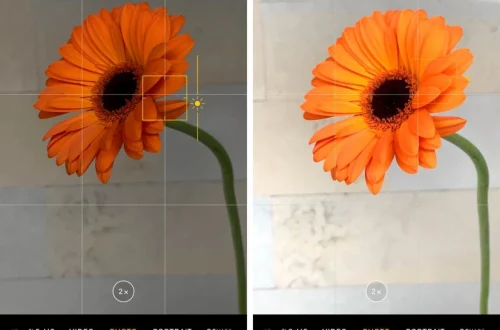
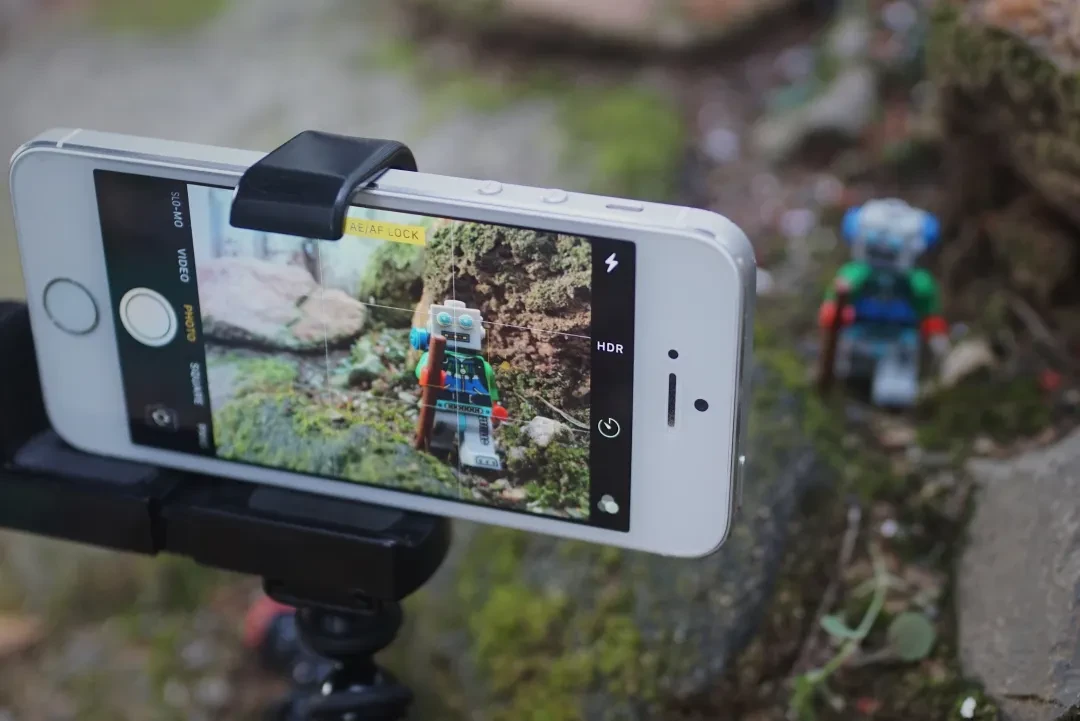
- AE/AF Lock: Perform a long press on the screen area you want to keep in focus. This locks both the focus and exposure, preventing the camera from refocusing if the subject moves.
- Manual Focus Slider: Located within the Pro Mode menu, this allows you to manually sweep through focal planes to find the exact point of sharpness.
- Tap to Focus: The most basic method, where touching the screen tells the sensor which object to prioritize.
Navigating the Manual Focus Slider requires patience. Instead of letting the camera decide, you should manually move the slider to find the “sweet spot.” This is particularly helpful when dealing with wide apertures, where manufacturing tolerances can lead to focusing errors. If you find the focus is still slightly off, use the manual slider to fine-tune the depth of field.
Advanced Techniques: Focus Stacking and Macro Workflows
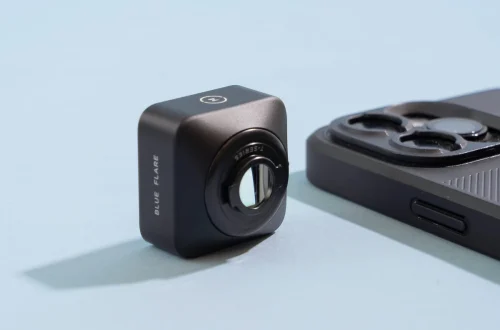
When shooting extremely close subjects, autofocus may fail to acquire the subject due to physical distance limits. To overcome this, users can utilize the Open Camera app, which provides a dedicated focus stacking mode.
Focus stacking allows you to capture multiple images at different focal planes and merge them to create an image with a much deeper depth of field than a single shot could provide.
- Use a Self-Timer: When performing focus stacking or macro shots, set your self-timer to 2 or 5 secs. This prevents the camera shake caused by your finger touching the device.
- Apply 3×3 Grid Guides: Enable grid lines in your settings to help you compose the shot and ensure your subject is placed correctly within the focal plane.
- Focus Stacking Workflow: Start with the closest part of your subject and gradually move the focus to the farthest part, taking a shot at each increment.
macro photography requires managing the lens’s physical limits. If a subject is too close, the camera may hunt indefinitely. Instead of moving the phone, use the manual focus tools or third-party apps to manage the focal plane precisely.
FAQ
Why does my phone camera struggle to focus in the dark?
Low light reduces the available contrast that sensors need to identify edges. Both PDAF and Contrast Detection rely on light and contrast to function; without it, the system cannot accurately calculate distance or sharpness.
How do I lock the focus on a specific object?
Use the AE/AF Lock technique by performing a long press on the area of the screen you want to keep in focus. This prevents the camera from refocusing if the subject moves or the lighting changes.
Can I use manual focus on my iPhone or Samsung?
Yes. Users can use ‘Pro Mode’ via the camera mode selector to access a manual focus slider. iPhone users can use ‘Tap to Focus’ and ‘AE/AF Lock’ for more granular control over the focus plane.