SnapRoamer.com – To upgrade smartphone photography from casual snapshots to professional-grade imagery, you must move beyond built-in optics. This guide demonstrates how to integrate specialized lenses, manual control software, and stability tools to bypass the limitations of tiny mobile sensors and automatic software processing. Lenses are actually the reason why professional photographers’ and artists’ photos look so good, according to Andre Pel.
The Software-Hardware Synergy: Bypassing ‘Auto-Everything’ Limitations
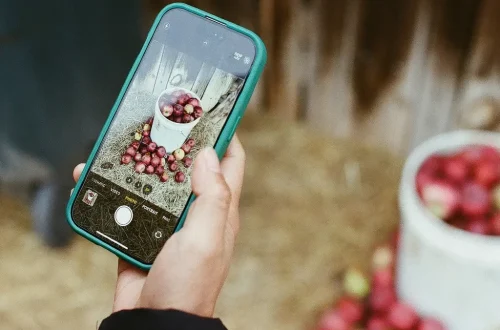
To maximize accessory performance, pair physical filters like ND or Polarizers with manual camera apps such as Halide or Moment Pro Camera. Native smartphone apps are often ‘auto-everything,’ making it difficult to control exposure when using external glass. Manual apps allow you to lock settings and effectively utilize professional-grade optical filters.
Why Native Apps Fail with ND Filters
ND and Polarizer filters are difficult to use in native smartphone apps because those applications are designed as “auto apps.” When a Neutral Density (ND) filter is attached, the software often attempts to compensate for the darkened view by artificially boosting ISO or adjusting shutter speed. Using manual applications like Halide allows you to override these automated decisions.
Essential Manual Controls to Master
To effectively use specialized glass, practitioners must master specific manual parameters within apps like Halide or Moment Pro Camera. Controlling these variables manually prevents the software from ruining the intended optical effect:
- Shutter Speed: Essential for using ND filters to create motion blur in waterfalls or moving water.
- ISO: Keep this as low as possible to maintain image clarity when using light-reducing filters.
- manual focus: Vital when using macro lenses to ensure the depth of field is precisely placed.
- white balance: Prevents the “auto-correction” that can shift colors when using colored filters or specific lighting.
The Compatibility Matrix: Ensuring Your Gear Actually Fits
Achieving high-quality results requires matching accessories to the physical constraints of your device. Even premium glass from brands like Moment or Sandmarc may fail to perform if the mounting mechanism is obstructed by a protective case.
| Accessory Category | Top Brand Recommendation | Best For |
|---|---|---|
| Lenses | Moment | High-end optical expansion |
| Cages & Mounts | SmallRig | Professional filmmaking setups |
| Lighting | Aputure / LumeCube | Controlled studio environments |
| Stabilization | Insta360 | Dynamic movement and vlogging |
Mobile creators use these primary manufacturers to bridge the gap between consumer phones and professional gear. Selection depends on whether a workflow requires filmmaking tools like SmallRig cages or portable lighting like LumeCube.
Case Thickness vs. Lens Seating
A common mistake is attempting to use high-quality lenses over a standard protective case. Most specialized lens systems, such as those from Moment or Sandmarc, require direct contact with the phone’s chassis or a specific mounting case to ensure optical alignment. If a case is too thick, the lens will sit at an angle, causing severe edge distortion or complete light leakage. For example, Sandmarc probe lenses may require specific thread sizes, such as 17-mm, to ensure a secure and light-tight connection.
The Camera Bump Obstacle
Modern smartphones feature increasingly large camera bumps that can interfere with the mounting of cages or external lenses. While SmallRig offers filmmaking cages that are often future-proof for larger phones, Neewer provides options that may be more snug for specific models. Practitioners should verify that the accessory’s mounting path does not collide with the physical protrusion of the camera module, which can cause the lens to tilt and lose sharpness.
Mastering Optical Expansion: From Macro to Anamorphic
Creators can achieve specific visual styles by utilizing specialized focal lengths and multipliers:
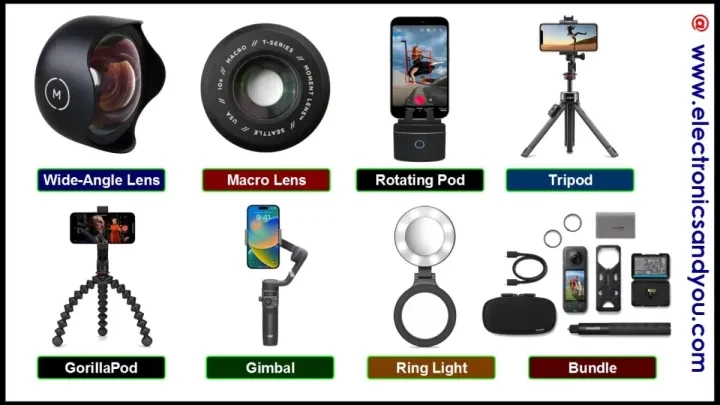
- Macro Photography: Use 10X magnification lenses from brands like Apexel to capture intricate textures impossible for standard mobile optics.
- Ultra-Wide Perspectives: A 14-mm fisheye lens provides a dramatic, distorted field of view for architectural or landscape shots.
- Cinematic Aspect Ratios: An anamorphic lens with a 1.33X multiplier allows for the capture of a wider field of view that can be desqueezed in post-production, providing a characteristic widescreen aesthetic.
Choosing Between M-Series and T-Series
The distinction between lens generations is critical for image quality. The Moment T-Series, launched in 2023, is designed specifically to take advantage of the larger image sensors found in modern flagship smartphones. Conversely, the M-Series (2nd generation, 2017) was developed for older device models with smaller sensors. Using an M-Series lens on a modern device with a massive sensor can result in vignetting or soft corners because the glass was not engineered for the increased light-gathering area.
Achieving the Cinematic Look
To move away from the “smartphone look,” creators utilize specific focal lengths and aspect ratios:
- Macro Photography: Use 10X magnification lenses from brands like Apexel to capture intricate textures impossible for standard mobile optics.
- Ultra-Wide Perspectives: A 14-mm fisheye lens provides a dramatic, distorted field of view for architectural or landscape shots.
- Cinematic Aspect Ratios: An anamorphic lens with a 1.33X multiplier allows for the capture of a wider field of view that can be desqueezed in post-production, providing a characteristic widescreen aesthetic.
Stability and Lighting: Eliminating Blur and Harsh Flashes
Achieving professional images requires managing both device stability and light quality. Even high-end glass cannot compensate for a shaky hand or improper illumination.
The built-in flash on most smartphones is of poor quality. As noted by Digital Photography School, the flash on your phone camera is not flattering for photos, whether you’re shooting in the daytime, late at night, landscapes, flowers, or portraits. Instead of relying on this harsh, direct light, professional workflows utilize external LED sources.
Why You Should Avoid the Built-in Flash
Built-in flashes create “flat” lighting, which destroys the depth and dimension of a subject. To achieve professional results, integrate dedicated lighting tools:
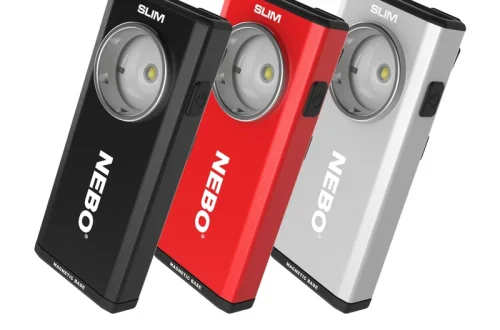
- Portable LEDs: LumeCube or KraftGeek (specifically the HaloGlow) provide much more controlled, directional light.
- Professional LED panels: Aputure offers higher-end lighting solutions for more complex setups.
Tripods vs. Gimbals: When to Use Which
The choice between a tripod and a gimbal depends on the type of movement required. For long-exposure shots or still landscapes, a tripod is non-negotiable. The Peak Design Travel Tripod is a highly regarded option for mobile users seeking portability. For video, stabilizers like the Insta360 Flow 2 (priced around $160) help smooth out walking motions. However, practitioners should note that smartphone gimbals can be bulky and time-consuming to set up, which may not always justify their use in fast-paced environments.
The Professional Workflow: RAW Capture and Post-Processing
Shooting in the RAW image format is essential for professional editing. Adobe Lightroom Mobile allows users to process these files to retain critical data regarding color, highlights, and shadows.
Adobe Lightroom Mobile is the industry standard for processing these files on a mobile device. By shooting RAW, you provide yourself with the “digital negative” needed to correct exposure errors or fine-tune white balance without the destructive artifacts common in compressed files.
Shortcut: To capture photos more discreetly during a shoot, use the physical volume buttons on your smartphone hardware rather than tapping the screen.
Troubleshooting Accessory Failure Modes
Technical issues can impact image quality. Common problems include:
- Lens Flare: Cheap clip-on lenses often lack the multi-coating found on premium glass, leading to significant lens flare when shooting near light sources.
- Gimbal Motor Strain: Using an overly heavy protective case or an oversized lens can cause gimbal motor strain, leading to jittery movement or battery drain.
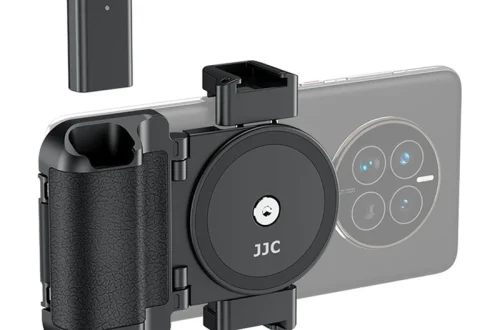
- Micro-Blur: Touching the phone to trigger the shutter can cause enough vibration to ruin a long exposure. Use a remote shutter or a timer to ensure total stability.
FAQ
Should I buy Moment M-Series or T-Series lenses?
Choose T-Series (3rd Generation, 2023) for modern phones with larger sensors. Use M-Series (2nd Generation, 2017) only if you are using older device models to ensure the optical coverage matches your sensor size.
How can I take photos more discreetly?
Instead of tapping the screen, use the physical volume buttons on your smartphone hardware to trigger the shutter. This method is more discreet and reduces the physical vibration caused by touching the screen.
Why are my mobile photos blurry even with a tripod?
Blur often occurs from touching the phone to take the shot. To ensure total stability during long exposures, use a remote shutter or a built-in timer to avoid any physical contact with the device at the moment of capture.