SnapRoamer.com – Travel photography for beginners requires mastering practical skills such as using natural light during golden hours—early morning or late afternoon—to capture warm, soft tones that enhance colors and textures. Robert Capa famously advised, “If your pictures aren’t good enough, you aren’t close enough,” emphasizing the importance of getting physically closer to subjects for more intimate, impactful images. Additionally, understanding camera settings like aperture, shutter speed, and ISO, as well as applying compositional rules like the rule of thirds, can significantly improve the quality of your travel photos.
Updated with insights from the 2024 travel photography tips guide by The Roaming Renegades.
What are the best travel photography tips for smartphone users?
Smartphone travel photography tips include using recommended apps for manual control, shooting during golden hours for optimal light, leveraging editing apps for post-processing, and keeping your lens clean. These tips help beginners maximize image quality without expensive gear.
Recommended smartphone apps
Apps like Adobe Lightroom Mobile and ProCamera unlock manual controls on smartphones, allowing users to adjust ISO, shutter speed, and focus manually. Lightroom Mobile’s Develop module enables precise color grading and exposure adjustments, accessible via the menu path Edit > Light > Exposure. These tools surpass default camera apps, empowering beginners with DSLR-like controls.
Mobile editing tips
Editing apps such as Snapseed offer selective adjustments and healing brushes that remove distractions. Beginners should aim for subtle enhancements; for example, increasing brightness by 10-15% and contrast by 8-12% yields balanced images without over-processing. Using the crop tool at a 4:3 aspect ratio refines composition post-capture.
Common smartphone pitfalls
Keeping the lens clean is critical—smudges can reduce sharpness drastically. Contrary to popular belief, digital zoom often degrades image quality significantly; instead, move physically closer to subjects. Also, shooting exclusively in auto mode limits creativity; manual or pro modes are recommended. A frequent failure mode occurs when bright midday sunlight causes harsh shadows, which smartphones struggle to balance due to limited dynamic range.
- Use Lightroom Mobile or ProCamera for manual controls
- Edit with Snapseed for selective color and detail adjustments
- Clean the lens regularly to avoid blurry images
- Avoid digital zoom; get closer physically
- Shoot during golden hours to avoid harsh light
How can travel photographers manage common failure scenarios like bad weather or lost gear?
Handling failure modes involves preparing for bad weather with weather-sealed gear or protective covers, carrying backup equipment, adapting shooting techniques to conditions, and having plans for lost gear such as cloud backups and insurance.
Protecting gear in bad weather
Weather-sealed cameras like the Sony a7 IV help prevent damage during rain. Alternatively, using rain covers and plastic bags combined with lens hoods shields equipment. Avoid exposing gear directly to heavy rain for more than 10 minutes. Viktor Elizarov’s experience on a two-week trip in Hawaii underscored the importance of protective measures against unexpected tropical showers.
Backup strategies for gear and data
Backing up photos daily to cloud storage such as Google Drive or Adobe Creative Cloud is essential. Carrying two memory cards and swapping them each day mitigates data loss risk. The menu path Camera Settings > Memory Card Setup > Auto Switch enables automatic card switching in many mirrorless cameras, reducing failure risk. Insurance for lost or stolen gear provides financial safety nets.
Adapting shooting techniques in challenging conditions
In low-visibility or stormy weather, increasing ISO to 800-1600 compensates for reduced light but may introduce noise. Using a tripod with a remote shutter release helps maintain sharpness despite slower shutter speeds. Counterintuitively, shooting in fog can add atmosphere, but autofocus often struggles, requiring manual focus adjustments.
- Use weather-sealed cameras or protective rain covers
- Back up photos daily to cloud services
- Use dual memory cards with auto-switch enabled
- Increase ISO cautiously in low light, balance noise
- Avoid lens changes in poor weather to prevent damage
What are the key differences between mirrorless, DSLR, and smartphone cameras for travel photography beginners?
Mirrorless cameras are smaller, lighter, and less likely to attract theft compared to DSLRs, making them ideal for travel. DSLRs offer durability and optical viewfinders, while smartphones provide convenience and ease of use but with limited manual controls.
Size and weight comparison
Mirrorless cameras typically weigh between 400-700 grams, whereas DSLRs often exceed 900 grams with lenses attached. For example, the Sony a7C mirrorless camera weighs 509 grams, making it easier for all-day travel use compared to the Canon 5D Mark IV DSLR at 890 grams. Smartphones weigh around 150-200 grams, offering unparalleled portability.
Security and theft risk
Kent Yu notes, “Security is better with mirrorless cameras, you are less likely to be targeted by thieves” because their compact size appears less professional. DSLRs are more conspicuous, increasing theft risk in crowded tourist areas. Smartphones, always on hand, have the lowest risk profile but limited zoom capabilities.
Ease of use and features
Mirrorless cameras feature electronic viewfinders with focus peaking and live histograms, aiding manual focus and exposure precision. DSLR optical viewfinders offer zero lag but lack such overlays. Smartphones rely on LCD screens, limiting visibility in bright light. The menu path to enable focus peaking on Sony mirrorless cameras is Menu > Camera Settings > Focus Peaking > On.
| Camera Type | Size & Weight | Security & Theft Risk | Ease of Use | Recommended Use Cases |
|---|---|---|---|---|
| Mirrorless | 400-700 grams (e.g., Sony a7C at 509g) | Lower theft risk due to compact size | Electronic viewfinder, focus peaking, live histogram | Travel, street, low-light, versatile shooting |
| DSLR | 900+ grams (e.g., Canon 5D Mark IV at 890g) | Higher theft risk; more conspicuous | Optical viewfinder, no focus peaking | Durability needed; professional portrait and sports |
| Smartphone | 150-200 grams | Lowest theft risk; always on hand | LCD screen only; limited manual controls | Casual travel, social media, quick shots |
How can beginners improve travel photography composition effectively?
To improve composition, beginners should apply the rule of thirds by enabling the grid overlay through Camera Settings > Grid Display > Rule of Thirds. As travel photography advisor Kevin explains, using foreground elements like rocks or plants creates depth that guides the viewer’s eye through the photo. Additionally, incorporating leading lines such as roads or rivers can connect foreground and background for a more dynamic image. Including a familiar object like a person adds scale, making landscapes more relatable. These techniques help simplify scenes while enhancing visual impact.
Rule of thirds explained
The rule of thirds divides the frame into a 3×3 grid. Placing subjects on the intersections or along gridlines creates dynamic balance. For example, positioning a person along the left vertical gridline rather than center enhances viewer engagement. The menu path Camera Settings > Grid Display > Rule of Thirds activates this overlay on most cameras.
Using leading lines and foreground elements
Leading lines such as roads, rivers, or fences guide the eye through the image, connecting foreground, midground, and background. Including objects in the foreground like rocks or plants creates depth and dimension. Kevin, a travel photography advisor, highlights that “using foreground elements can create a sense of depth that leads the viewer’s eye.”
Simplifying composition and removing distractions
Keeping images simple by focusing on a single central subject avoids clutter. Removing distracting elements enhances emotional impact. Contrary to some beliefs, more detail does not equal better photos. Jenny Rogers advises, “Work hard to spot and eliminate distractions. A clean, uncluttered composition can evoke a stronger emotional response.” Including a familiar object like a person provides scale, helping viewers relate to landscapes.
- Activate rule of thirds grid for framing
- Incorporate leading lines for eye guidance
- Use foreground elements to add depth
- Focus on one central subject to simplify
- Include scale references like people or cars
What camera settings should beginners master for better travel photos?
Mastering aperture, shutter speed, and ISO is essential for creative control. Use apertures from f/2.8 to f/16 depending on the subject—for instance, landscapes benefit from f/11–f/16 for sharpness, while portraits look better with f/2.8–f/4 for background blur. Adjust shutter speed manually via Camera Settings > Shutter Speed to freeze motion at 1/500s or faster, or create blur with speeds like 1/15s using a tripod. Keep ISO low (100-400) to reduce noise, but increase cautiously in low light. These settings form the foundation of quality travel photos.
Aperture and depth of field
Aperture controls the size of the lens opening, affecting depth of field. For landscapes, use narrow apertures like f/11 to f/16 for maximum sharpness. Portraits benefit from wider apertures such as f/2.8 to f/4 to blur backgrounds. Sony’s 24-105mm f/4 lens is a versatile choice for beginners mastering aperture control.
Shutter speed for motion
Shutter speed determines how long the sensor is exposed. To freeze fast action, use speeds of 1/500s or faster. For motion blur effects, slow shutter speeds like 1/15s or less work well. Beginners should use the menu path Camera Settings > Shutter Speed to adjust manually. Remember that slower shutter speeds require tripods to prevent blur.
ISO and noise management
ISO affects sensor sensitivity to light. Higher ISO (e.g., 1600 or above) allows shooting in low light but introduces noise. Beginners should keep ISO as low as possible—usually 100-400—for best quality. Modern mirrorless cameras handle noise better at high ISO, but excessive noise remains a failure mode to avoid.
- Use aperture f/2.8 to f/16 depending on subject
- Set shutter speed from 1/15s to 1/500s for motion control
- Keep ISO between 100-400 for minimal noise
- Use tripod for slow shutter speeds
- Adjust camera settings manually for creative control
When is the best time to shoot travel photos for optimal lighting?
The golden hours—early morning and late afternoon—offer soft, warm light that enhances colors and textures, making them ideal for travel photography. Avoid harsh midday light or use shade for softer results.
Golden hour benefits
Golden hours occur roughly one hour after sunrise and one hour before sunset. The sun’s low angle creates long shadows and warm tones. Lauren Wells emphasizes that this light “adds depth and mood to landscape and portrait photos.” Shooting during these times reduces contrast and minimizes blown highlights.
Handling harsh light
Midday sun produces harsh shadows and high contrast that can ruin images. Using shaded areas or overcast conditions softens light naturally. Counterintuitively, some photographers use reflectors or diffusers to manage harsh light but beginners should prioritize shooting during golden hours to avoid complexity.
Shooting in overcast conditions
Cloud cover diffuses sunlight, creating even light with low contrast. While colors may appear muted, overcast conditions are excellent for portraits and macro shots. Adjust white balance settings to “Cloudy” to warm tones. Avoid shooting landscapes without foreground interest, or images may appear flat.
- Shoot during golden hours for warm, soft light
- Avoid harsh midday sun; seek shade if necessary
- Use overcast days for portraits and close-ups
- Adjust white balance to match lighting conditions
- Plan shoots around sunrise and sunset timing
How can beginners use post-processing to enhance their travel photos?
Post-processing transforms good images into great ones by emphasizing key elements. For instance, cropping with the rule of thirds grid helps tighten composition and focus on the main subject, as recommended by Artifact Uprising. Increasing contrast by 10-15% enriches tones without overdoing it, while adjusting vibrance instead of saturation preserves natural colors. Adobe Lightroom’s menu path Edit > Color > Vibrance offers precise control. Moderation is crucial; avoid over-sharpening or extreme HDR effects that can create artificial looks.
Cropping for impact
Cropping tightens composition by removing unnecessary background space. Artifact Uprising recommends cropping to focus on the main subject and improve framing balance. Beginners should use the crop tool with grid overlays like rule of thirds to maintain harmony.
Adjusting color and contrast
Increasing contrast by about 10-15% enriches colors and tones. Adjusting vibrance instead of saturation avoids unnatural hues. Tools like Adobe Lightroom’s Edit > Color > Vibrance slider provide precise control. White balance corrections ensure natural colors, especially in mixed lighting.
Avoiding over-processing
Excessive sharpening, saturation, or HDR effects create artificial looks. Beginners should apply gradual edits, checking results on different devices. The failure mode of over-processing often results in loss of detail and viewer distraction. Moderation is key for authentic travel photos.
- Crop images to remove distractions and focus subjects
- Increase contrast by 10-15% for richer tones
- Adjust vibrance rather than saturation
- Correct white balance for natural colors
- Avoid over-sharpening or extreme HDR effects
What gear should beginners consider for travel photography?
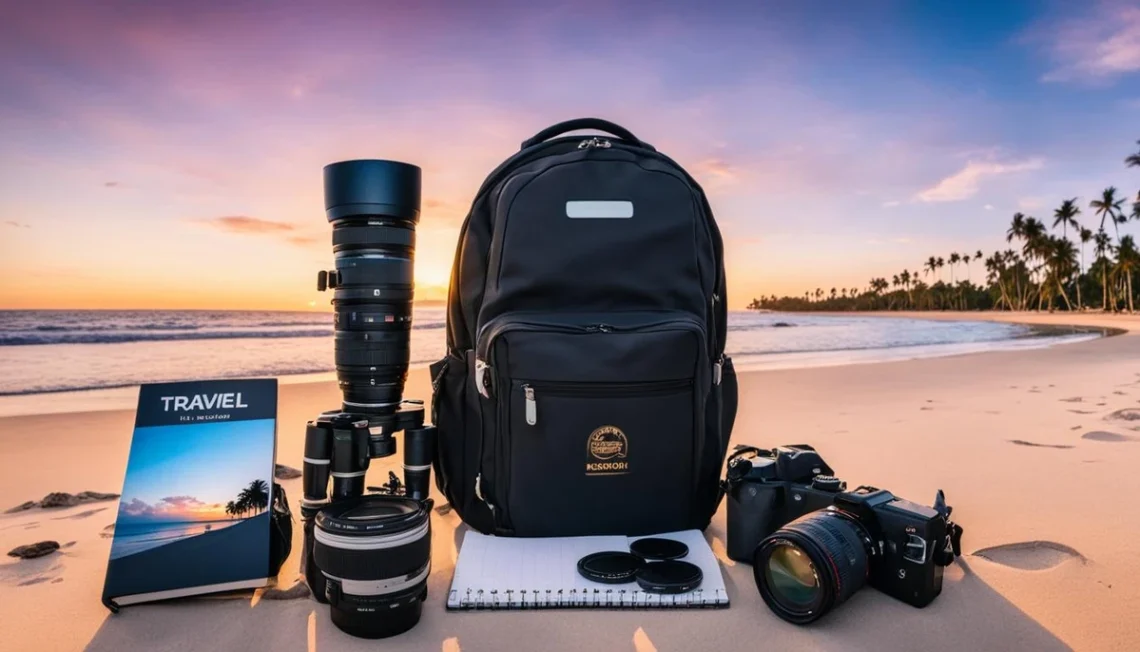
Beginners should prioritize lightweight, versatile gear such as a mirrorless camera with a 24-105mm f/4 lens, a sturdy tripod, and optional telephoto lenses for wildlife or low light. Avoid cheap tripods to prevent instability.
Recommended lenses
The Sony 24-105mm f/4 lens is a versatile all-around choice for travel, covering wide-angle to short telephoto. Ling and Jace recommend an optional 70-200mm f/2.8 telephoto lens for wildlife or distant subjects. These lenses balance weight and image quality effectively.
Tripod selection tips
Investing in a sturdy tripod avoids blur in low-light photography. Ling and Jace’s experience with a $20 USD cheap tripod showed it was unstable and frustrating. Brands like Manfrotto or Peak Design offer compact tripods between 1-1.5 kg that fold small for travel.
Essential accessories
Carry extra batteries, memory cards, and lens cleaning kits. A remote shutter release or smartphone app for wireless triggering reduces camera shake. The menu path Setup > Remote Control > Enable activates wireless shutter on many mirrorless models.
| Gear | Recommended Model | Weight | Use Case | Notes |
|---|---|---|---|---|
| Camera | Sony a7C Mirrorless | 509 grams | Lightweight travel | Weather-sealed, focus peaking |
| Lens | Sony 24-105mm f/4 | 663 grams | Versatile zoom | Good for landscapes, portraits |
| Telephoto Lens | Sony 70-200mm f/2.8 | 1480 grams | Wildlife, sports | Optional; heavier |
| Tripod | Manfrotto Befree | 1.3 kg | Stable low-light shots | Avoid <$20 cheap tripods |
| Accessories | Extra batteries, remote shutter | Varies | Essential for reliability | Enables wireless triggering |
How can beginners prepare and organize their travel photography workflow?
Organizing your workflow involves researching destinations beforehand, giving yourself enough time to shoot, backing up photos regularly during trips, and planning your shooting schedule to capture the best light and moments.
Researching your destination
Pre-trip research helps visualize shots and identify unique locations. The Roaming Renegades recommends studying local landmarks and photography styles before arrival. This reduces wasted time and increases creative focus.
Time management for shooting
Allocating 1-2 hours per location allows experimentation without rushing. The travel photography checklist blog post dated July 1, 2025, emphasizes that “giving yourself enough time” improves results considerably. Early morning or late evening shoots maximize golden hour benefits.
Backing up photos on the go
Use portable SSDs or cloud backups. Set camera to auto-transfer via Wi-Fi or Bluetooth after each session. The menu path Setup > Connectivity > Auto-Transfer enables this on Sony mirrorless models. Regular backups prevent irreversible data loss due to theft or damage.
- Research location photography online pre-trip
- Schedule 1-2 hours per shooting spot
- Use auto-transfer features for backups
- Carry portable SSD or reliable cloud service
- Prioritize golden hour timing in planning
What ethical and cultural considerations should travel photographers keep in mind?
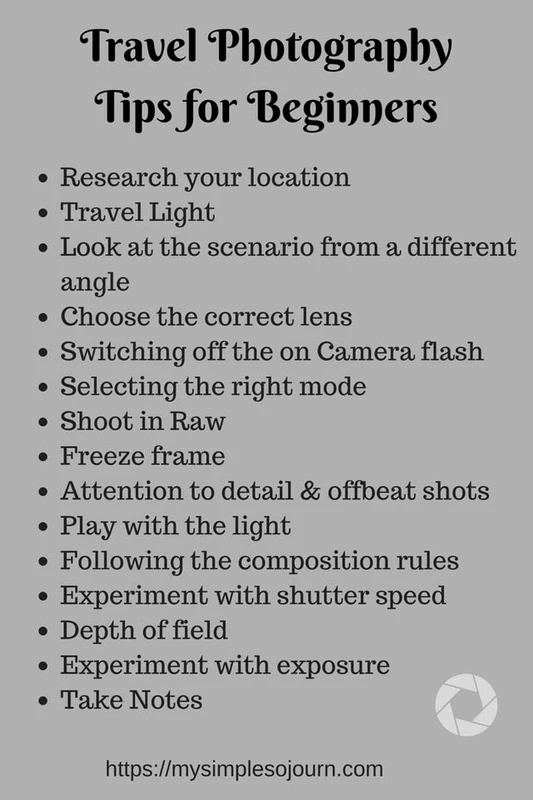
Respect local cultures by asking permission before photographing people, understanding legal restrictions, and practicing environmental responsibility to avoid disturbing wildlife or natural sites.
Asking permission and legalities
Many cultures require explicit consent before photographing individuals. Viktor Elizarov stresses the importance of respect when capturing human subjects. Research local laws on photography permits to avoid fines or confiscation. Using the smartphone shortcut “Voice Memo” to record verbal permission can serve as proof.
Environmental responsibility
Avoid trampling vegetation or disturbing wildlife habitats. Stay on marked trails and comply with park regulations. Artifact Uprising advises photographers to “leave no trace” to preserve sites for future visitors and photographers.
Cultural sensitivity tips
Dress modestly and avoid photographing sacred or private ceremonies without consent. Approach subjects with humility and patience. Counterintuitively, sometimes candid shots without prior notice are inappropriate; always prioritize respect over convenience.
- Always ask permission before photographing people
- Research local photography laws and permits
- Respect natural environments; stay on trails
- Dress appropriately for cultural contexts
- Prioritize ethical considerations over quick shots
FAQ
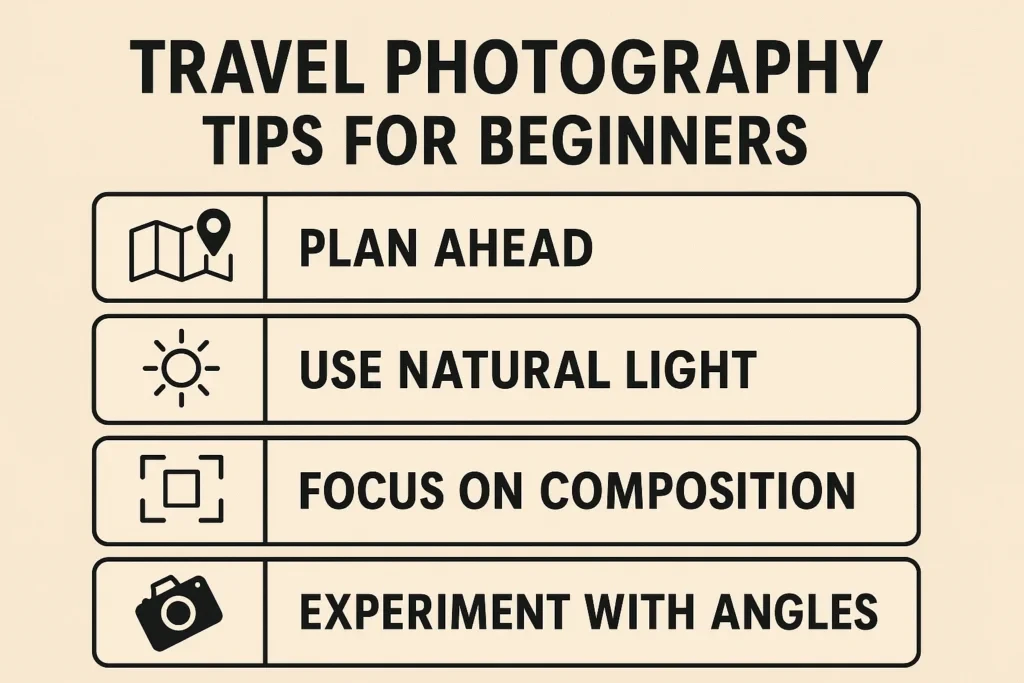
What is the best time of day to take travel photos?
The golden hours in early morning and late afternoon provide soft, warm light that enhances colors and textures, making them optimal for travel photography. Shooting during these times reduces harsh shadows and highlights (fact_sheet.claims, fact_sheet.techniques).
Should beginners use mirrorless or DSLR cameras for travel photography?
Mirrorless cameras are preferred for travel due to their smaller size, lighter weight, and better security compared to DSLRs, which are bulkier and more prone to theft (fact_sheet.comparisons, fact_sheet.claims).
How important is post-processing for travel photography?
Post-processing can elevate good images into great ones by enhancing color, contrast, and cropping to emphasize subjects, making photos more impactful and professional-looking (fact_sheet.claims, fact_sheet.techniques).
What gear is essential for beginner travel photographers?
A versatile lens such as the Sony 24-105mm f/4, a sturdy tripod, and optional telephoto lenses are recommended. Avoid cheap tripods as they cause instability and image blur (fact_sheet.comparisons, fact_sheet.pitfalls).
How can travel photographers respect local cultures and environments?
Ask permission before photographing people, understand legal restrictions, and practice environmental responsibility to avoid disturbing wildlife or natural sites (fact_sheet.serp_gaps.differentiation_opportunities, fact_sheet.entities).