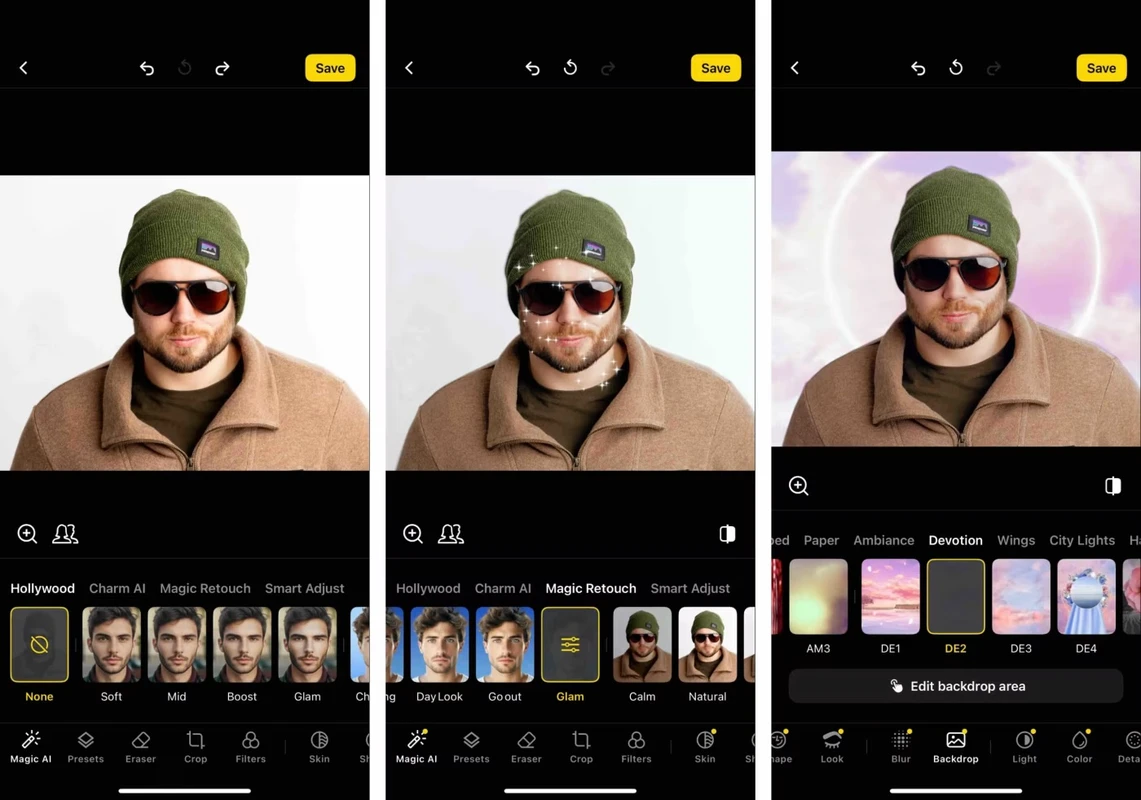
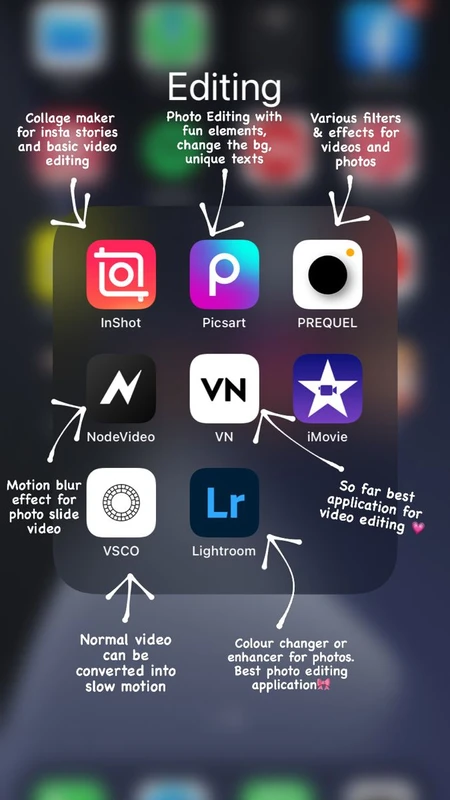
SnapRoamer.com – Mobile photo editing software has evolved into an indispensable tool for photographers and casual users alike, with 2026 marking a significant leap in combining professional-grade capabilities and user-friendly interfaces. Among the myriad options available, Adobe Lightroom Mobile stands out as the premier choice, delivering sophisticated RAW editing, selective adjustments, and seamless cloud sync across both iOS and Android platforms. Its broad feature set, coupled with a robust free tier and subscription options, caters to a diverse user base ranging from beginners to seasoned professionals. Meanwhile, alternatives such as Snapseed, VSCO, and PhotoDirector offer specialized strengths in free access, stylistic presets, and AI integration, respectively, reflecting the varied demands of contemporary mobile editing workflows.
Evaluating mobile photo editing apps requires careful consideration of several critical factors. Editing depth remains paramount, with RAW support and non-destructive workflows serving as benchmarks for professional use. Selective adjustments—allowing precise control over exposure, color, and detail—have become standard expectations for advanced editing. Compatibility across mobile platforms ensures accessibility, with most leading apps supporting both iOS and Android to maintain user flexibility. Pricing models have diversified, ranging from entirely free apps with ad-free experiences to subscription-based services offering premium features, necessitating transparency for informed user decisions. AI-powered tools increasingly augment traditional editing, automating complex tasks such as content-aware fills, sky replacement, and style transfer, thereby accelerating workflows without compromising creative control. Finally, user interface design and learning curve heavily influence app adoption, with a growing emphasis on intuitive navigation and customizable presets to streamline both casual and professional editing.
Adobe Lightroom Mobile remains the benchmark for mobile photo editing in 2026, particularly for professional photographers and serious enthusiasts. It supports comprehensive RAW DNG editing through a non-destructive workflow, preserving original image data while enabling extensive modifications. The app offers a vast library of preset filters, customizable selective adjustment brushes, and advanced healing tools. Cloud synchronization via Adobe Creative Cloud ensures cross-device continuity, allowing users to start edits on a smartphone and seamlessly continue on desktop versions. Its free tier includes core editing tools and standard presets, while subscription plans, starting at $4.99 per month, unlock premium profiles, AI-driven masking, and batch editing features. However, the subscription model may deter casual users, and the app’s complexity can present a steeper learning curve for novices.
Snapseed, developed by Google, provides a compelling free alternative without ads or subscription requirements, appealing to users seeking powerful yet straightforward editing tools. It supports selective local adjustments that enable precise control over brightness, contrast, and saturation in targeted image areas. The app also incorporates unique features such as HDR Scape for dynamic range enhancement and a sophisticated healing tool for object removal. While Snapseed excels in user accessibility and remains regularly updated, it lacks cloud sync capabilities and advanced AI automation found in premium apps, making it better suited for casual to intermediate users.
VSCO’s strength lies in its emphasis on aesthetic, filter-driven editing combined with a vibrant artistic community, positioning it as the best choice for users prioritizing style and social sharing. Its subscription pricing, starting at $7.99 monthly, grants access to an extensive library of presets inspired by film photography, alongside video editing tools. VSCO’s minimalist interface supports a streamlined workflow, but its relative lack of advanced RAW editing features and limited selective adjustment options may frustrate professionals requiring granular control.
PhotoDirector stands out for integrating AI-powered tools that expedite complex edits while maintaining creative flexibility. Features such as content-aware object removal, AI sky replacement, and automated scene detection enable quick transformations suitable for social media content creators and time-sensitive workflows. The app also offers a comprehensive effects library and supports RAW editing on mobile devices. However, some AI functionalities require paid subscriptions, and the app’s algorithmic adjustments may occasionally produce unnatural results without manual refinement.
Luminar Neo, traditionally known as a desktop powerhouse, has extended its AI-enhanced editing capabilities to mobile platforms, blending manual controls with intelligent automation. Available on both iOS and Android, Luminar Neo offers features like AI structure enhancement, portrait retouching, and atmosphere creation, designed to optimize images with minimal user intervention. The app includes a money-back guarantee and periodic discount offers, making it an attractive option for users seeking a hybrid of hands-on and AI-assisted editing without long-term commitments.
For casual users embedded within specific ecosystems, Apple Photos and Google Photos provide basic yet effective editing functionalities integrated directly within native photo libraries. Apple Photos offers simple cropping, filters, and lighting adjustments optimized for iOS devices, while Google Photos extends these features across Android and web platforms with automatic enhancements and easy sharing options. Both apps lack advanced tools such as RAW editing and selective adjustments but serve as convenient, cost-free entry points for everyday photo enhancements.
Emerging trends in mobile photo editing underscore the growing influence of AI-powered tools, which are increasingly embedded across software to automate tasks like background removal, portrait enhancement, and style transfer. This evolution enhances editing speed and accessibility, reducing reliance on manual techniques without sacrificing quality. RAW editing capabilities have significantly improved on mobile devices, supported by advances in hardware and software optimization, enabling professional workflows once confined to desktop environments. Cloud synchronization plays a pivotal role in user experience, facilitating seamless editing across multiple devices and platforms via services like Adobe Creative Cloud and proprietary sync solutions. Subscription and freemium pricing models continue to shape user adoption, with companies balancing free access against premium feature monetization, prompting users to carefully evaluate cost-benefit dynamics based on their editing needs.
Selecting the most appropriate mobile photo editing app hinges on aligning its capabilities with the user’s skill level, editing objectives, and budget. Professionals and advanced amateurs typically prioritize apps like Adobe Lightroom Mobile and Luminar Neo for their comprehensive RAW support, selective adjustments, and cloud integration, despite higher subscription costs. Casual users or social media enthusiasts may prefer Snapseed or VSCO for their ease of use, preset-driven styles, and community features. Budget-conscious users embedded within Apple or Google ecosystems often find native apps sufficient for basic retouching. Device ecosystem compatibility remains a crucial factor, as some apps optimize performance and feature sets differently across iOS and Android platforms, influencing overall user satisfaction.
| App | Platform Compatibility | RAW Editing Support | AI Features | Pricing Model | Cloud Sync |
|---|---|---|---|---|---|
| Adobe Lightroom Mobile | iOS, Android | Full RAW DNG support | AI masking, auto adjustments | Free tier + $4.99/month subscription | Yes (Adobe Creative Cloud) |
| Snapseed | iOS, Android | Limited RAW support | Basic AI enhancements | Free | No |
| VSCO | iOS, Android | RAW support with subscription | Style-based AI presets | Subscription from $7.99/month | Yes |
| PhotoDirector | iOS, Android | RAW support | AI content-aware tools | Free + in-app purchases | Partial |
| Luminar Neo | iOS, Android | RAW support | Advanced AI enhancements | One-time purchase or subscription | Yes |
| Apple Photos | iOS only | No | Basic auto adjustments | Free | Yes (iCloud) |
| Google Photos | iOS, Android, Web | No | Auto enhancements, AI filters | Free | Yes (Google Drive) |
Mobile photo editing in 2026 reflects a dynamic intersection of technological innovation and evolving user demands, with AI integration and cloud synchronization driving advancements. As editing apps continue to mature, users can expect increasingly seamless workflows that combine professional-grade tools with accessibility across devices. The competitive landscape encourages developers to refine subscription models and feature offerings to cater to diverse audiences, balancing cost, capability, and convenience. Future developments may emphasize augmented reality and deeper AI personalization, further transforming mobile photography into a powerful creative platform.
FAQ

What is the best mobile photo editing app for professional photographers in 2026?
Adobe Lightroom Mobile is widely regarded as the best option due to its comprehensive RAW editing, non-destructive workflow, advanced selective adjustments, and cloud synchronization across iOS and Android. Its integration with Adobe Creative Cloud enables seamless editing continuity between mobile and desktop environments.
Are there any powerful free photo editing apps without subscription fees?
Snapseed offers a robust free editing experience without ads or subscription requirements, featuring selective adjustments, healing tools, and HDR effects. However, it lacks cloud sync and some advanced AI functionalities found in paid apps.
How important are AI-powered tools in current mobile photo editing apps?
AI tools have become integral in automating complex edits such as content-aware object removal, sky replacement, and style transfers. These features enhance productivity and enable users of varying skill levels to achieve professional-looking results more efficiently.
Can I edit RAW photos effectively on mobile devices in 2026?
Yes, advances in mobile hardware and software have made effective RAW photo editing feasible on smartphones. Apps like Adobe Lightroom Mobile, Luminar Neo, and PhotoDirector provide full RAW support with non-destructive workflows, enabling professional-grade editing on mobile platforms.
How do subscription models affect the choice of mobile photo editing apps?
Subscription pricing often unlocks advanced features such as AI masking, extensive preset libraries, and cloud syncing. Users must weigh the cost against their editing frequency and needs. Free or one-time purchase apps may suffice for casual users, while professionals often benefit from subscription-based premium tools.
For further in-depth reviews and comparisons, see the expert evaluations on PCMag’s mobile photo editing picks and The New York Times Wirecutter’s app recommendations.