The Batch Processing & Resource Intensity Showdown
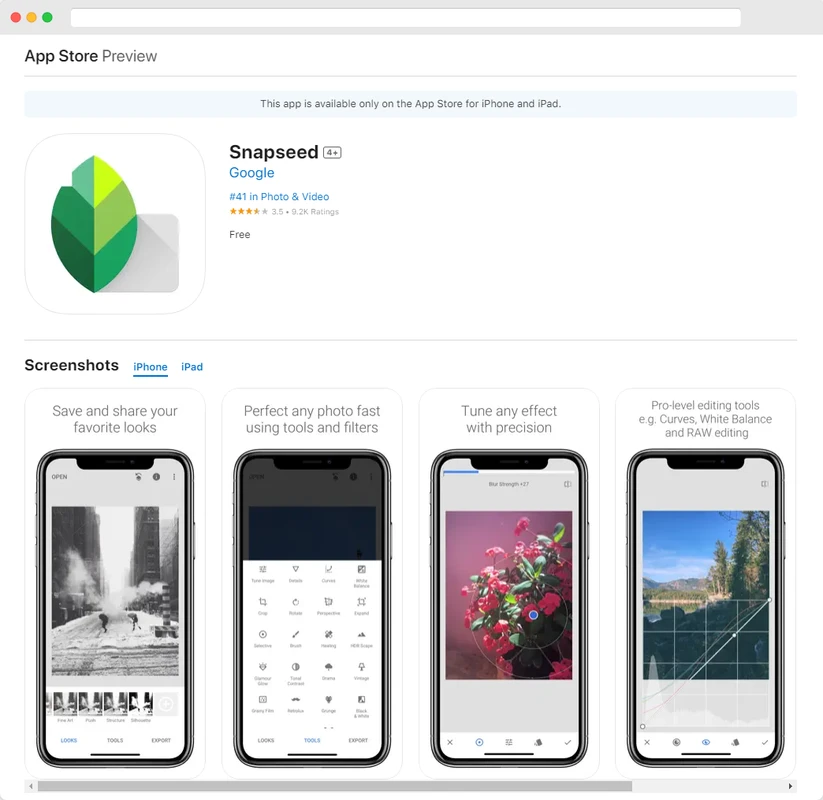
SnapRoamer.com – Snapseed allows users to quickly apply favorite looks and edits to multiple photos using its Batch Editing technique. Regarding hardware performance, Snapseed is efficient; edits render quickly without excessive CPU/GPU strain. This contrasts with Pixlr, which has been noted to have an ugly user interface and spammy behavior that can impact the user experience.
Efficiency on Budget Hardware
mobile photography enthusiasts often overlook how much an editor impacts device longevity. Snapseed maintains a minimal 50 MB download size, ensuring it does not bloat storage on older smartphones. It is noted that Snapseed is efficient regarding system resources, as edits render quickly without excessive CPU/GPU strain. This makes it a reliable choice for users running budget hardware where RAM is limited.
The Batch Editing Advantage
Efficiency is not just about speed but also about workflow. Using the Batch Editing technique in Snapseed allows users to apply favorite looks to multiple photos in one sequence. Conversely, some editors struggle with file management. For example, Pixlr has been noted to produce file sizes that are 2 times larger than other standard applications, which can quickly exhaust limited device storage.
| App Name | System Impact | Batch Capability | Primary Risk |
|---|---|---|---|
| Snapseed | Minimal / Efficient | High (Native Support) | Steeper learning curve |
| Pixlr | High (Resource Heavy) | Limited | Large file size inflation |
| Lightroom | Moderate | Premium Only | Subscription dependency |
The data shows that while Snapseed provides a minimal storage footprint, other applications like Pixlr can result in file sizes 2 times larger than standard apps.
Top Pick: Snapseed for Unrestricted Power
Snapseed stands alone as a professional-grade editor that remains entirely free. Unlike many competitors that hide essential features behind a paywall, Snapseed provides 30+ tools and filters without any interruption. It is a rare example of a high-utility application that respects user privacy and device performance.
- Non-destructive Editing: You can undo changes or revert to the original photo at any time, ensuring you never lose the initial capture.
- Smart Masking: This allows for intelligent isolation of subjects, enabling highly targeted adjustments.
- Advanced UI Tools: Users can access professional-grade controls through specific paths like selective adjust, healing, and curves.
A common misconception is that free apps lack depth. However, Snapseed provides clarity and sharpen sliders for free—features that other apps often restrict. One potential failure mode occurs when users attempt extremely complex multi-layer compositing, which may exceed the app’s specific architectural limits compared to desktop software.
The Professional Upgrade: Adobe Lightroom Mobile
Adobe Lightroom Mobile is designed to be simple and clean. It allows beginners to learn fundamental concepts like exposure, white balance, and color before moving into advanced territory.
When to Pay for the Premium Tier
The free version of Lightroom is excellent for basic adjustments, but the most powerful features require a commitment. The Lightroom mobile Premium tier is priced at $4.99 per month, offering access to advanced tools that separate casual users from professionals. If you require a seamless transition from mobile to a full desktop/cloud workflow, the subscription becomes a necessity.
Mastering AI Masking
The primary reason to upgrade is the application of Adaptive Presets and AI-driven tools. Lightroom’s outstanding new AI features produce the best results for complicated problems, such as removing distracting elements or editing specific areas of a frame. Through the Quick Actions menu, users can apply smart, one-tap adjustments that intelligently mask key elements like the sky or a portrait subject.
Best for Organization: Google Photos
Google Photos offers effective ways to organize large collections. According to PCMag, users can easily find a picture based on when it was captured, where it was taken, and who is included in the frame.
The editing suite in Google Photos is built around quick, impactful changes. Users can utilize effective filters such as Airy, Dynamic, HDR, Luminous, and Radiant to transform an image in seconds. While it lacks the granular control of Snapseed, its ability to manage and search through thousands of images makes it an indispensable companion for the modern mobile photographer.
The Privacy and Workflow Audit: What to Avoid
Choosing an editor like Pixlr can lead to a frustrating experience due to its “spammy” behavior and ugly user interface.
The Hidden Cost of ‘Free’ Apps
Many apps that appear free actually rely on heavy ad revenue or data collection. For instance, it has been reported that if you enjoy ads and nag screens, Pixlr might be your preference, but for most, the interface is considered ugly and the behavior spammy. Furthermore, apps like Polarr, while offering a $0.00 entry price, restrict essential tools. The free version of Polarr often limits simple functions like clarity and sharpen sliders, which are readily available for free in Snapseed.
The RAW File Trap
A major pitfall for growing photographers is the RAW file limitation. Some beginner-friendly apps, including certain versions of Polarr, only support JPEG files. This creates a workflow bottleneck; once you transition to shooting in RAW for better dynamic range, you will quickly outgrow these restricted environments. Similarly, while Canva is a powerful tool for social media graphics, it is not a dedicated RAW photo editor, which can lead to quality loss during heavy manipulation.
Quick Comparison of Free vs. Paid Features
The following table compares free tools against subscription-based professional features like the Canva Pro plan at $12.99/month.
| App Name | Best For | Key Free Feature | Major Limitation |
|---|---|---|---|
| Snapseed | Unrestricted Power | 30+ Pro Tools | No Cloud Sync |
| Polarr | Effects & Community | Basic Adjustments | Restricted Pro Tools |
| Adobe Lightroom | Pro Workflow | Basic Editing | AI/Cloud is Paid |
| Canva | Social Graphics | Design Templates | Not a RAW Editor |
This comparison shows that while Snapseed offers the most features for $0, other apps like Canva or Lightroom require a subscription (such as Canva Pro at $12.99/month) to unlock their full creative potential.
FAQ
Which free app is best for professional-level edits?
Snapseed is widely considered the best for professional-level mobile editing because it offers over 30 tools, including selective adjustments and curves, without any ads or subscription costs.
Can I edit RAW files for free on mobile?
While some apps like Polarr offer free versions, they often restrict RAW support or essential tools like clarity and sharpening. For a more robust experience, Lightroom Mobile is a better starting point, though full RAW workflows often require a subscription.
Are free photo editing apps safe for my privacy?
Users should be cautious of ‘free’ apps that rely on heavy ad revenue or data collection. Snapseed is noted for respecting privacy, whereas apps with heavy ad presence, like Pixlr, may present a more intrusive user experience.