SnapRoamer.com – White balance is a critical component in travel photography, directly influencing how colors appear under varying lighting conditions. Accurate white balance ensures that the hues in your images reflect reality or creative intent, preventing unwanted color casts that can detract from the visual impact. While many photographers rely on Auto White Balance (AWB) for convenience, this mode can falter in complex lighting, such as during sunset or in shaded areas, often yielding muted or inaccurate tones. Mastery of white balance settings—both in-camera and during post-processing—is essential for capturing vibrant and true-to-life travel photos.
Understanding how to adjust white balance using the Kelvin scale and presets like Cloudy or Shade helps photographers adapt to changing environments, from bright daylight to artificial night lighting. This article draws on expert insights and practical examples to explore optimal white balance settings for travel photography across diverse scenarios, including landscape shots, fall foliage, and night scenes. It also examines the strengths and limitations of manual versus automatic adjustments and offers advanced tips for precise control and creative expression.
Understanding White Balance and the Kelvin Scale
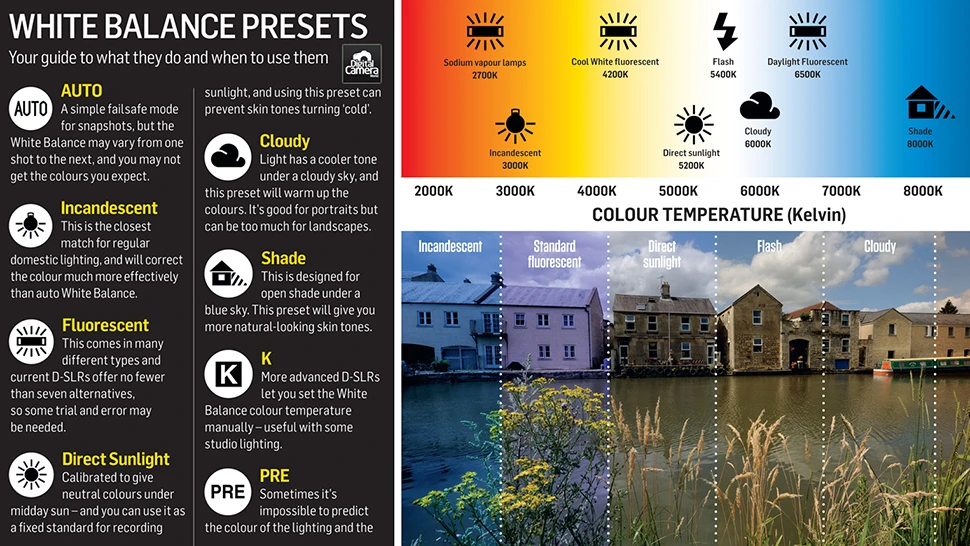
White balance is the process of adjusting colors in a photograph to ensure that white objects appear white under different lighting sources. It compensates for the color temperature of the light illuminating the scene, which varies widely throughout the day and in different environments. Color temperature is measured in Kelvin (K), with lower values indicating warmer (orange-red) tones and higher values corresponding to cooler (blue) tones.
Daylight typically measures around 5500 to 5800 K, a neutral balance point for most outdoor photography. Overcast skies or shaded areas have higher color temperatures—between 6000 and 8000 K—because the light is diffused and cooler. Artificial lighting, such as tungsten bulbs, often emits warmer tones at approximately 3200 K, while fluorescent lights vary but tend to produce greenish casts.
Each light source affects color perception uniquely, and understanding these nuances allows photographers to select the appropriate white balance setting for the scene. For example, setting white balance to Daylight under overcast skies will produce cooler images, whereas using the Cloudy preset adds warmth, counteracting the blue tint from diffused sunlight.
White Balance Settings for Common Travel Photography Conditions
Accurately adjusting white balance according to lighting conditions is vital for travel photographers seeking vibrant and true-to-life images. The following analysis outlines recommended settings for frequently encountered scenarios:
These recommendations align with findings from photography experts such as Andrea Livieri and ComposeClick, emphasizing that manual control over white balance yields more predictable and aesthetically pleasing results in travel photography.
Manual vs Auto White Balance: Choosing the Right Approach
Auto White Balance offers convenience by automatically assessing the scene’s lighting and adjusting color temperature accordingly. However, its algorithms can misinterpret complex lighting, especially in mixed or low-light environments common in travel photography. For instance, AWB may neutralize intentional warm tones during golden hour or render fall foliage less vibrant.
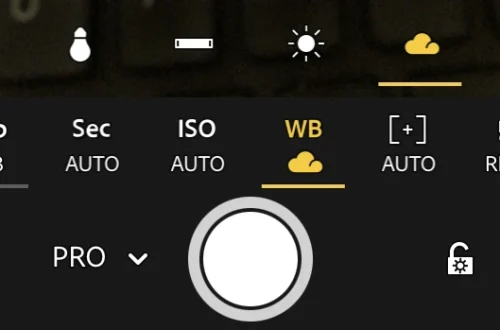
Manual white balance, either through preset modes or Kelvin adjustments, affords photographers precise control over color temperature. Setting Kelvin values directly allows adaptation to subtle lighting variations, such as transitioning from bright sunlight to shaded trails during hikes. Using presets like Cloudy or Shade simplifies adjustments while maintaining consistent warmth.
Practical tips for manual white balance adjustment include:
While manual white balance enhances accuracy, it requires familiarity with lighting conditions and camera controls. Combining manual settings with occasional AWB use in unpredictable lighting ensures flexibility without sacrificing color fidelity.
Post-Processing White Balance Adjustments
Even with meticulous in-camera settings, photographers often rely on post-processing to perfect white balance. Software like Adobe Lightroom provides intuitive tools to adjust temperature and tint, enabling correction of color casts and creative enhancements.
Lightroom’s temperature slider adjusts the blue-to-orange axis, while the tint slider modifies the green-to-magenta axis, complementing temperature shifts for nuanced control. For example, correcting fluorescent light’s green cast involves adding magenta tint alongside temperature adjustment.
Batch editing capabilities in Lightroom allow consistent white balance across multiple travel photos, streamlining workflow and ensuring color uniformity in albums or portfolios. This is especially valuable when lighting conditions remain constant over a series of shots.
Advanced post-processing techniques include:
Post-processing complements in-camera white balance settings, offering a safety net and creative flexibility for travel photographers.
Advanced White Balance Techniques for Travel Photography
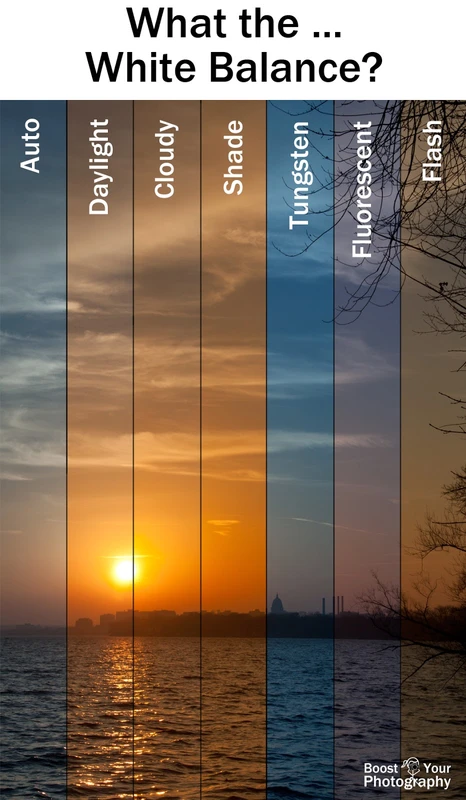
Experienced travel photographers employ specialized methods to achieve precise and artistic white balance results:
These advanced strategies, supported by expert sources such as CaptureLandscapes and Adobe tutorials, empower travel photographers to adapt white balance dynamically and creatively.
| Lighting Condition | Recommended White Balance Setting | Kelvin Range (K) | Effect on Image |
|---|---|---|---|
| Daylight (Sunny) | Daylight Preset / Manual | 5500 – 5800 | Natural, neutral tones; accurate color reproduction |
| Cloudy / Overcast | Cloudy Preset / Manual | 6000 – 7000 | Adds warmth; counteracts cool, blue tones |
| Shade | Shade Preset / Manual | 7000 – 8000 | Warmer image; enhances color saturation in shadows |
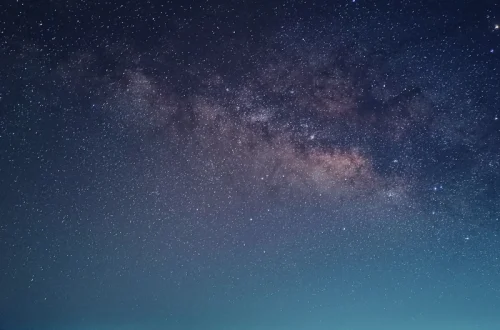
| Night (Artificial Light) | Manual / Tungsten Preset | 3200 – 4000 | Reduces orange/yellow light pollution; restores natural night hues |
| Fall Foliage | Cloudy / Manual | 6000 – 7000 | Preserves warm autumn colors; prevents color dulling |
Frequently Asked Questions
What white balance setting is best for travel photography in mixed lighting?
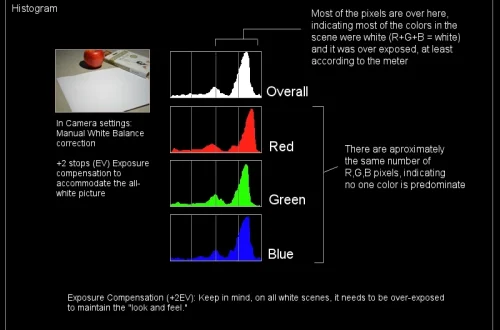
In mixed lighting, such as indoor scenes with natural and artificial light, manual white balance using Kelvin values combined with tint adjustment offers the most precise control. Using a grey card for calibration before shooting helps achieve accurate colors. Auto White Balance may struggle, causing inconsistent color casts.
How does white balance affect night travel photography?
White balance significantly influences night photography by correcting color casts from artificial lights. Setting the white balance between 3200 and 4000 K counteracts the orange and yellow hues from streetlights, reducing light pollution effects and preserving natural dark tones for a balanced image.
Can I rely on Auto White Balance for travel photography?
Auto White Balance is useful in rapidly changing or unpredictable lighting but may neutralize intentional warm or cool tones, leading to dull colors. For critical color accuracy, manual white balance settings or presets tailored to specific conditions typically yield superior results.
How do I adjust white balance in post-processing?
Post-processing software like Adobe Lightroom allows adjustment of temperature (blue-orange axis) and tint (green-magenta axis) sliders to fine-tune white balance. Using reference photos of grey cards or shooting in RAW format provides greater flexibility to correct and enhance colors without quality loss.
What is the role of the Kelvin scale in white balance settings?
The Kelvin scale quantifies color temperature, enabling photographers to select precise white balance values matching the lighting conditions. Lower Kelvin values produce warmer images, while higher values yield cooler tones. Understanding this scale allows nuanced control beyond preset modes.
Mastering white balance transforms travel photography by ensuring colors are rendered authentically or artistically as intended. Photographers who integrate manual white balance adjustments with informed post-processing techniques can consistently produce vivid, compelling images across diverse lighting environments. As travel destinations and natural conditions vary, maintaining adaptable white balance strategies will remain essential for capturing memorable moments with accurate color fidelity.
For further in-depth guidance, photographers can consult expert resources such as Andrea Livieri’s white balance tutorial and ComposeClick’s night photography white balance guide.