SnapRoamer.com – The best mobile photo editing app depends on your goal: Snapseed is the best free, intuitive option for most people, while Adobe Lightroom is the gold standard for professional RAW editing and precision. For social media creators, Picsart offers unmatched AI-driven creative effects, and VSCO remains the leader for film-inspired aesthetics.
Testing revealed that while some editors can produce file sizes more than twice as large as competitors, others like Snapseed maintain lean, efficient workflows.
Storage, Privacy, and Performance: What the App Store Descriptions Won’t Tell You
App performance is heavily influenced by data management. According to NYT Wirecutter, Pixlr (Android, iOS) produces much larger file sizes than other apps, often exceeding twice the size of competitors in many cases.
The Hidden Cost of File Bloat
File size management impacts device storage. Pixlr is noted for producing files that are more than twice as large as those from other tested apps. This discrepancy stems from how the software handles metadata and layer data during export.
On-Device AI vs. Cloud Processing Privacy
Feature sets can affect how users interact with their media. While Google Photos provides free photo editing with search and AI features, it lacks step-by-step undo for editing, according to PCMag.
The Top Picks: Best Mobile Photo Editing Apps by Use-Case
For professional-grade control, choose Adobe Lightroom. For a completely free and intuitive experience, Snapseed is the top recommendation. If you want AI-powered creative transformations, Picsart is best, while VSCO is ideal for film-style aesthetics. For business-specific needs like product background removal, Photoroom is the industry leader.
| App Name | Best For | Primary Strength | Pricing Model |
|---|---|---|---|
| Adobe Lightroom | Professionals | RAW & Precision | Subscription |
| Snapseed | General Users | Intuitive/Free | Free |
| Picsart | Social Media | AI Effects | Subscription |
| VSCO | Aesthetics | Film Looks | Subscription |
| Photoroom | Businesses | Background Removal | Subscription |
These tools serve diverse needs, from high-end color grading to rapid content creation for social media.
The Professional Standard: Adobe Lightroom
Adobe Lightroom (Android, iPhone, iPad) is the most powerful mobile photo editing app we’ve tested. It offers a level of precision that general-purpose apps cannot match. Practitioners use it to manage high-resolution workflows, particularly when dealing with complex color grading. For those requiring a dedicated RAW engine, Lightroom is clearly superior to Snapseed. Users can utilize Quick Actions to apply smart, one-tap adjustments while intelligently masking key elements to save time during high-volume editing sessions.
The Best All-Rounder: Snapseed
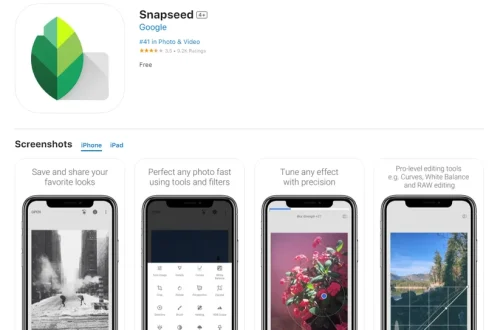
Snapseed (Android, iOS) is the best way for most people to edit photos on a phone or tablet. As a Google-owned tool, it provides a robust set of features without the heavy subscription barriers found elsewhere. It remains highly intuitive, making it the top pick for the majority of mobile photographers. Even in the 2026 version 4.0, it maintains its reputation for efficient, high-quality processing.
Creative & AI Powerhouses: Picsart and Luminar Neo
Picsart and Luminar Neo target users who want to move beyond simple adjustments into the realm of artistic transformation. Picsart is capable of both realistic edits and ones that are outrageously unbelievable, making it a favorite for social media creators. It offers a wide range of tools for an $80 per year subscription for Picsart Pro. Luminar Neo, starting at $49.99 (Lifetime), balances AI speed with hands-on control, making it a highly effective tool for creative expression.
Aesthetic & Community Favorites: VSCO and Polarr
VSCO and Polarr focus on style and community-driven aesthetics. VSCO is a leader for those seeking film-inspired looks, with a VSCO Pro price of $59.99 (Yearly) or $7.99 (monthly). Polarr offers a $0.00 starting price, making it highly accessible. However, users should note that Polarr has limited tool access in its free version, often requiring upgrades to access essential features like clarity and sharpening.
Niche Specialists: Photoroom, Photomator, and ON1
Specific tasks require specialized tools. Photoroom is the industry leader for business-specific needs like product background removal, with pricing around $7.50 per month. For iOS enthusiasts, Photomator offers advanced capabilities with a starting price of $34.99 (Yearly). Photographers seeking desktop-level control can turn to ON1 Photo RAW Mobile, which utilizes the same RAW processing engine as its desktop version to provide professional-grade precision.
Lightroom vs. Snapseed: A Deep Dive into Precision and RAW
The primary distinction lies in RAW handling. While Snapseed opens RAW files, it processes them at a reduced quality compared to Lightroom’s dedicated RAW engine. This makes Lightroom the superior choice for professional-grade workflows.
| Feature | Adobe Lightroom | Snapseed |
|---|---|---|
| RAW Processing | Professional-grade engine | Reduced quality processing |
| Precision | High (complex touch-ups) | Standard (intuitive) |
| Workflow Tip | Best for color/presets | Best for healing/object removal |
A common workflow involves using Lightroom for color and RAW development, then moving to Snapseed for specific tasks like object removal or healing.
Avoid These Common Mobile Editing Pitfalls
Technical limitations can affect output. For example, Polarr users may face restricted access to essential tools like sharpening in the $0.00 version.
Note: Users should be aware of specific platform behaviors, such as the occasional user experience bugs reported for Lightroom on Android devices.
FAQ
Which mobile photo editor is best for RAW files?
Adobe Lightroom is the superior choice for RAW workflows due to its dedicated RAW engine, whereas Snapseed processes RAW files at a reduced quality level.
Are there any truly free photo editing apps without restrictions?
Snapseed is widely considered the best free option for most users. While Polarr offers a $0.00 starting price, many key tools like clarity and sharpening are restricted in its free version.
Can I use mobile apps for professional business photography?
Yes, Photoroom is specifically designed for companies and business use, while Lightroom provides the professional-grade precision required for high-end retouching.