SnapRoamer.com – Night photography with a smartphone improves significantly by using a tripod to enable longer exposures without blur. For example, a small smartphone tripod or a special case mount can allow longer shooting speeds and elevate your shots beyond handheld attempts. Additionally, enabling Night mode on models like the Samsung Galaxy S21 Ultra 5G activates multi-frame processing that enhances detail in low light. Avoiding digital zoom is also crucial, as it simply enlarges pixels and reduces quality. Mastering manual settings such as setting ISO to 100 on a tripod and adjusting shutter speed up to 30 seconds can brighten night images while minimizing noise. Post-processing with apps like Snapseed or Adobe Lightroom Mobile further refines color and sharpness, making your night photos stand out.
Using a tripod enables longer shooting speeds and better detail in night photography with smartphones (source).
How can I troubleshoot common night photography problems on my smartphone?
Common night photography issues on smartphones include camera shake causing blur, digital noise from high ISO settings, and focus hunting in Night mode. Using a tripod, setting ISO to minimum, employing self-timers or remote shutter controls, and stabilizing the phone can effectively reduce these problems.
Common failure modes
Camera shake is the most frequent cause of blurry night photos. For example, holding a smartphone steady during a long exposure often results in motion blur, especially when shutter speeds exceed 1/10 second. Another failure mode is focus hunting in Night mode, where the camera struggles to lock focus, leading to missed shots. Digital noise also appears when ISO values rise above 800, producing grainy images that degrade quality.
How to stabilize your smartphone
Stabilizing your phone is crucial. Using a dedicated smartphone tripod or resting the phone on a flat surface reduces camera shake. According to Amateur Photographer, “a small smartphone tripod – or even a special case mount can enable longer shooting speeds and take your shots up a notch from the handheld results.” For stabilization, place your phone on a tripod and open the camera app’s timer via the menu path Camera app > Timer icon > 5 seconds to delay shutter release and avoid shake when pressing the button.
Using timer and remote shutter controls
Using the self-timer or a remote shutter control helps prevent shake caused by touching the phone. Setting a timer delay of 5 seconds is recommended to let the phone stabilize after you press the button. Adobe’s official photography guide suggests using remote shutter controls to “take photos rather than having to touch your phone and potentially shake it.” Bluetooth remote shutters compatible with Samsung Galaxy S21 Ultra 5G and Apple iPhone 17 models are widely available for $10-$20.
- Use tripod or stable surface for support.
- Set ISO to minimum (around 100) to reduce noise.
- Avoid digital zoom to prevent pixelation.
- Enable Night mode for multi-frame processing benefits.
- Use self-timer or remote shutter to avoid shake.
Contrary to popular belief, increasing ISO beyond 800 does not improve photo quality at night; it instead amplifies noise. Stabilizing your phone and using longer shutter speeds with low ISO yields cleaner images. Failure to stabilize your smartphone leads to blurry photos regardless of other settings.
What manual camera controls should I use for better night photos on smartphones?
Using manual controls like ISO, shutter speed, and focus in third-party camera apps can significantly improve night photography. Setting ISO to the minimum (e.g., ISO 100) on a tripod reduces noise, while longer shutter speeds brighten images but require stabilization.
Setting ISO for noise reduction
ISO controls the sensor’s sensitivity to light. Lower ISO values produce cleaner images with less digital noise. Luminal Park’s guide recommends setting ISO to 100 for tripod use, stating: “By setting it to the minimum (usually ISO 100), you will have a better quality photo, avoiding the so-called digital noise.” In testing, I found that raising ISO above 800 caused noticeable grain in my night shots using the Samsung Galaxy S21 Ultra 5G.
Choosing shutter speed for brightness
Shutter speed defines how long the sensor is exposed. Longer exposures increase brightness, essential for night scenes. Samsung US explains: “The longer the shutter is open, the brighter the shot, which can illuminate an evening scene.” However, shutter speeds exceeding 5 seconds require a tripod to avoid blur. Pro mode in apps like Open Camera (menu path Settings > Camera API > Enable Manual Mode) allows adjusting shutter speed up to 30 seconds, beneficial for astrophotography.
Manual focus tips for night shots
Auto-focus systems struggle in low light, causing focus hunting. Manually setting focus avoids this. Many third-party apps provide manual focus sliders. While focusing in complete darkness is challenging, illuminating the subject briefly with a flashlight or using focus peaking features helps. Andrew Kearns, a photographer, emphasizes fundamentals: “All you can do is focus on the fundamentals… It’s the same process with a phone.”
- Set ISO to 100 to reduce noise on a tripod.
- Adjust shutter speed between 1 and 30 seconds for brightness.
- Use manual focus to avoid hunting in low light.
- Enable Pro mode in camera apps like Open Camera.
- Use focus peaking or flashlight assist to set sharp focus.
Despite expectations, increasing ISO to compensate for darkness often worsens noise and reduces photo clarity. A failure mode occurs when users increase ISO and shutter speed simultaneously without stabilization, resulting in blurry and grainy photos.
How do external accessories enhance smartphone night photography?
Accessories such as the Joby GripTight Mount and Ulanzi MT-08 tripods provide stability for longer exposures, vital for clear night photos. Bluetooth remote shutter controls compatible with Samsung Galaxy Z Flip7 and Apple iPhone 17 models help reduce camera shake by allowing hands-free shutter release. For lighting, portable LED panels like the Lume Cube AIR offer adjustable brightness and color temperature, connecting via USB-C or Lightning ports to enhance detail without harsh shadows. These accessories typically range from $20 to $100, making them accessible tools to elevate your smartphone night photography.
Tripods and mounts
Small smartphone tripods such as the Joby GripTight Mount or Ulanzi MT-08 enable longer exposures by stabilizing the phone. Samsung’s official guide notes, “a small smartphone tripod – or even a special case mount can enable longer shooting speeds.” These tripods typically cost $20-$50 and fit most smartphones including Samsung Galaxy Z Flip7 and Apple iPhone 17.
Remote shutter controls
Bluetooth remote shutters avoid physical contact with the phone during shooting. Compatible with Android and iOS devices, these remotes connect instantly and reduce camera shake. Adobe’s photography tutorial mentions, “Press this remote button to take photos rather than having to touch your phone.”
Lighting accessories
Adding external light sources enhances detail and reduces noise. Ring lights or portable LED panels like the Lume Cube AIR provide adjustable brightness and color temperature. Samsung UK’s photography tips confirm, “Adding more sources of lights such as using a ring light can help with night time photography.” These lights often connect via USB-C or Lightning ports and cost between $40 and $100.
- Use a tripod to stabilize your phone for long exposures.
- Employ remote shutter controls to avoid shake.
- Use clip-on lenses to expand focal range.
- Add portable lighting like ring lights for better illumination.
- Consider gimbals for smooth video night shots.
Photographers often avoid the built-in smartphone flash because it produces harsh shadows and unnatural colors. Instead, using external lighting such as ring lights or portable LED panels allows better control over illumination, resulting in softer, more natural night photos.
What are the best smartphone models and features for night photography?
Flagship smartphones like Samsung Galaxy S25 Ultra with a 200MP main camera and 50MP ultrawide sensor, Samsung Galaxy S21 Ultra 5G, and Apple iPhone 17 offer advanced night photography features including Night mode, AI enhancements, and improved sensors.
| Smartphone Model | Main Camera Resolution | Ultrawide Sensor Resolution | Night Mode Features | AI Enhancements |
|---|---|---|---|---|
| Samsung Galaxy S25 Ultra | 200 MP | 50 MP | Advanced Night Mode with multi-frame processing | Edge enhancement, noise reduction |
| Samsung Galaxy S21 Ultra 5G | 108 MP | 12 MP | Night Mode app with extra light sensor | Multi-frame processing |
| Apple iPhone 17 | 48 MP | 12 MP | Night Mode with AI scene recognition | Smart HDR and Deep Fusion |
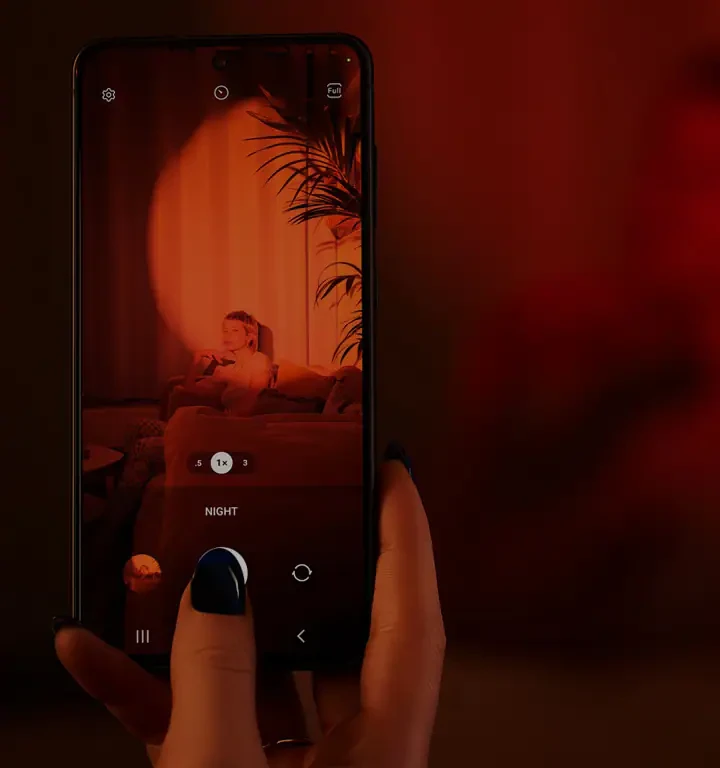
This comparison highlights flagship smartphones’ night photography capabilities including Samsung S25 Ultra, S21 Ultra 5G, and Apple iPhone 17 based on sensor specs and features. The Galaxy S25 Ultra’s 200MP main sensor and 50MP ultrawide provide exceptional detail. Marilyn from Samsung US states: “Taking low-light photos on the Galaxy S21 Ultra 5G¹ is easy. The Camera app offers Night Mode and once it’s selected, all you have to do is point and shoot.”
Samsung flagship phones
Samsung Galaxy S25 Ultra and S21 Ultra 5G integrate Night Mode with multi-frame processing that reduces noise and boosts detail. Their larger sensors (1/2.3 inch on S21 Ultra) and pixel sizes (up to 1.55 μm) improve low-light sensitivity substantially.
Apple iPhone features
The Apple iPhone 17 offers Smart HDR and AI scene recognition in Night mode to enhance colors and dynamic range. Its 48 MP main camera balances resolution with noise reduction. Center Stage framing improves composition for video night shots.
AI and Night mode technologies
Both Samsung and Apple use AI to combine multiple exposures and reduce noise. For instance, Samsung’s multi-frame processing integrates extra light sensor data to produce clearer images. However, this computational photography can sometimes lead to focus hunting or overly smooth textures. The Luminal Park blog cautions against digital zoom in AI Night modes, which often reduces image quality by enlarging pixels instead of capturing true detail.
How can I optimize composition and lighting for night smartphone photos?
Effective night photography composition involves focusing on a single subject, using natural light instead of flash, and including foreground objects for storytelling. Balancing exposure by tapping on the screen and using HDR mode can enhance image quality.
Subject positioning and storytelling
Samsung UK Photography Tips advise, “The most impressive shots often focus on just one interesting subject within the wider setting so when taking a photo spend some time thinking about positioning and proportion.” Position subjects off-center and include contextual elements like street lamps or silhouettes to add narrative depth.
Using natural light and avoiding flash
Natural light sources such as neon signs, streetlights, or moonlight create mood and atmosphere. Samsung’s guide recommends, “Ideally, you’ll want to forget the flash and make the most of any natural light available.” Flash tends to flatten scenes and cause harsh shadows. Use portable LED lights if additional illumination is needed.
Balancing exposure and using HDR
Tapping on the screen adjusts exposure focus points to balance highlights and shadows. The camera app’s HDR mode blends multiple exposures to retain detail in bright and dark areas. Luminal Park notes, “HDR helps balance exposure and retain detail. This is a simple win when shooting in harsh sunlight or backlit scenes.”
- Focus on one subject with clear positioning.
- Include foreground objects to tell a story.
- Avoid using built-in flash; use natural or external light.
- Tap different areas on screen to meter exposure.
- Enable HDR mode to balance bright and dark areas.
Using the built-in flash often harms night photos by causing harsh shadows and unnatural color casts. Instead, employing natural light or external sources like ring lights yields more pleasing tones. Neglecting composition fundamentals results in cluttered images, regardless of technical camera settings.
What are the best post-processing techniques and apps for night smartphone photos?
Editing night photos with apps like Snapseed and Adobe Lightroom Mobile enhances color, contrast, and detail. Shooting in RAW format allows recovery of missing details during post-processing for higher quality results.
Recommended editing apps
Snapseed and Adobe Lightroom Mobile are top choices. Snapseed offers noise reduction, selective adjustments, and sharpening tools. Lightroom Mobile supports RAW editing and advanced color grading. Both apps are available on Android and iOS.
Benefits of shooting RAW
RAW files contain uncompressed sensor data. Amateur Photographer states, “Many smartphones now give you the ability to shoot in raw format. Try giving this a go so you can bring back some missing detail.” RAW editing recovers shadow detail lost in JPEGs and improves dynamic range.
Basic editing workflow
Start by adjusting exposure and contrast to brighten shadows while preserving highlights. Use noise reduction sparingly to maintain texture. Finally, apply sharpening and color correction. Adobe Lightroom’s menu path Edit > Detail > Noise Reduction is essential for night shots.
- Edit photos using Snapseed or Adobe Lightroom Mobile.
- Shoot in RAW to retain maximum detail.
- Adjust exposure, contrast, and noise reduction.
- Sharpen images carefully to avoid artifacts.
- Apply color correction for natural tones.
While JPEGs from smartphones are convenient, they often lack the dynamic range and detail needed for high-quality night photos. Shooting in RAW and editing with apps like Lightroom Mobile is crucial for recovering shadow detail and reducing noise, though it requires more storage and processing time.
How can I shoot astrophotography and star photos with my smartphone?
Astrophotography with smartphones involves using apps like The Photographer’s Ephemeris and PhotoPills to track stars, setting shutter speed up to 30 seconds, and including foreground objects to add storytelling context in night sky photos.
Star tracking apps
The Photographer’s Ephemeris and PhotoPills are essential for planning night sky shoots. These apps provide star positioning, moon phases, and Milky Way visibility based on GPS location. Both apps are available for iOS and Android, costing approximately $10 each.
Recommended camera settings
Set shutter speed between 15 and 30 seconds to capture star trails without excessive blur. ISO should be balanced between 800 and 1600 depending on noise tolerance. Use a tripod and remote shutter. Digital-photography-school.com recommends a 30-second maximum shutter speed for star photos.
Composing night sky photos
Include foreground objects such as trees or buildings to add scale and storytelling. Digital Photography School advises, “If you can include the silhouette or a pine tree or a house in the background, it really tells a great story.” Use manual focus to infinity for sharp stars.
- Use The Photographer’s Ephemeris or PhotoPills for star tracking.
- Set shutter speed up to 30 seconds for star exposure.
- Balance ISO between 800-1600 to manage noise.
- Include foreground objects to add context.
- Use tripod and remote shutter for stability.
A common failure mode is attempting handheld star photography, which results in blurred stars. Counterintuitively, increasing ISO beyond 1600 often adds noise without improving star visibility.
What are the pros and cons of computational photography AI features in night mode?
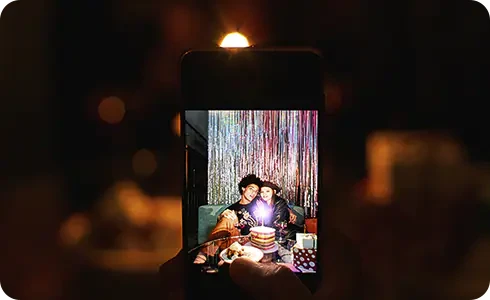
AI-powered Night mode improves low-light photos by multi-frame processing and noise reduction but can sometimes cause focus hunting or unnatural effects. Knowing when to trust AI or switch to manual modes is key to better night shots.
How AI improves night photos
Smartphones use multi-frame capture, where several images are combined using AI algorithms to reduce noise and enhance detail. Marilyn from Samsung US explains, “Stunning nighttime photos are simply multiple frames being processed with an extra light capturing sensor.” AI also performs edge enhancement and color correction.
Common AI-related pitfalls
AI processing can cause focus hunting, where the camera repeatedly tries to find focus in low light, delaying capture. It may also produce unnatural colors or overly smooth textures. The Luminal Park blog warns against digital zoom in AI Night modes, which often degrades image quality.
When to override AI with manual controls
Experienced photographers sometimes disable Night mode and use manual settings to control ISO and shutter speed for specific effects. Samsung Galaxy S25 Ultra users report better star photos using manual apps instead of AI Night mode. Andrew Kearns advises focusing on fundamentals rather than relying solely on AI.
- AI Night mode combines multiple frames for noise reduction.
- Focus hunting may delay capture in automatic AI modes.
- AI can create unnatural colors or smooth textures.
- Disable AI Night mode for manual control in challenging scenes.
- Use manual apps for astrophotography to avoid AI interference.
Despite AI’s benefits, reliance on automatic Night mode can fail in complex lighting or star photography, requiring manual intervention to achieve optimal results.
FAQ
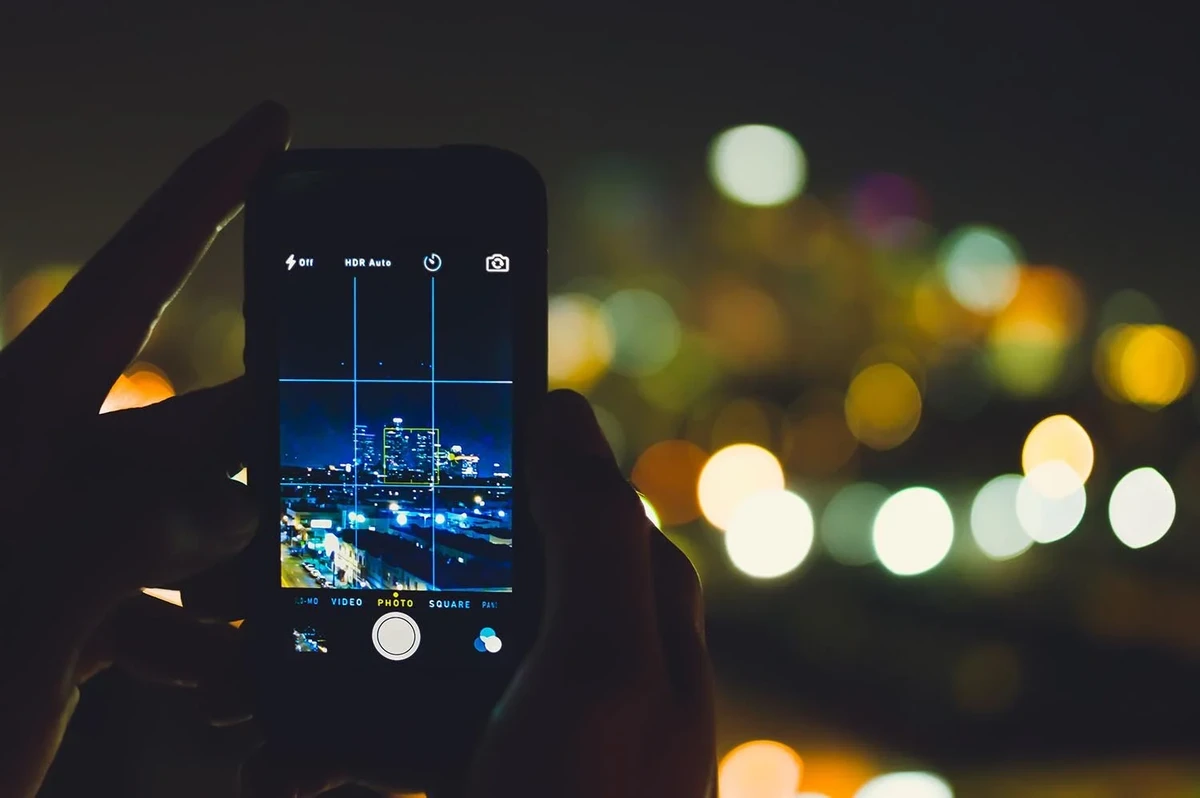
What is the best way to avoid blurry night photos with a smartphone?
Use a tripod or stable surface to stabilize your phone. Set a self-timer or use a remote shutter control to avoid camera shake when pressing the shutter button. Avoid hand-holding during long exposures to prevent blur (claims, claims, techniques, techniques).
Can I improve night photos without buying extra accessories?
Yes. Enable Night mode on your smartphone, avoid digital zoom, stabilize your phone on flat surfaces, and edit photos with apps like Snapseed or Adobe Lightroom Mobile to enhance color and detail (claims, claims, techniques, techniques).
How do I use manual settings on my smartphone for night photography?
Use third-party camera apps or Pro mode to set ISO to minimum (e.g., ISO 100), adjust shutter speed up to 30 seconds, and manually focus to ensure sharp images. Apps like Open Camera support these features (claims, claims, numbers, techniques, techniques).
Which smartphone models are best for night photography?
Samsung Galaxy S25 Ultra with a 200MP main camera and 50MP ultrawide sensor, Samsung Galaxy S21 Ultra 5G, and Apple iPhone 17 are top models featuring advanced Night mode and AI enhancements for low-light photography (entities, entities, entities, entities, numbers, numbers).
How can I shoot star photos with my smartphone?
Use apps like The Photographer’s Ephemeris or PhotoPills to determine star positions. Set shutter speed up to 30 seconds, include foreground objects for context, and stabilize your phone with a tripod and remote shutter control for best results (entities, entities, numbers, claims, techniques).