SnapRoamer.com – To create depth in smartphone landscape photography, you must move beyond single-plane shots by intentionally layering a detailed foreground, a connecting middle-ground, and a receding background. Use a wide-angle lens, get physically low to the ground, and use manual exposure controls to prevent the smartphone’s AI from flattening your layers.
A landscape shot with nothing in the immediate foreground often feels flat (findingtheuniverse.com/landscape-photography-tips).
Overriding Computational Flattening: How to Manage Smartphone AI
Modern smartphones use computational photography to balance light. This often results in a 30-50% shadow lift and a 30-50% highlight pull (findingtheuniverse.com/landscape-photography-tips), which erases the tonal separation required to perceive depth.
Warning: Aggressive HDR processing can replace the natural mood of a sunset or a misty morning with a synthetic, flat brightness.
To reclaim control, use the manual exposure and focus lock features found in most native camera apps. These tools allow you to isolate exposure to a specific part of the frame for a more natural transition between light and dark layers.
The Problem with Auto-HDR
Modern smartphones rely heavily on computational photography to balance light. While this helps in high-contrast scenarios, it often results in “flattening” where the software pulls up shadows in the foreground and pulls down highlights in the background to create a single, mid-tone exposure. This process erases the tonal separation required to perceive depth. When the foreground and background share similar luminance levels due to aggressive HDR processing, the three-dimensional effect is lost.
Warning: Over-reliance on Auto-HDR can lead to a “washed out” look where the natural mood of a sunset or a misty morning is replaced by a synthetic, flat brightness.
Using AE/AF Lock for Layer Separation
To reclaim control, use the manual exposure and focus lock features found in most native camera apps. By isolating the exposure to a specific part of the frame, you can allow for a more natural transition between light and dark layers.
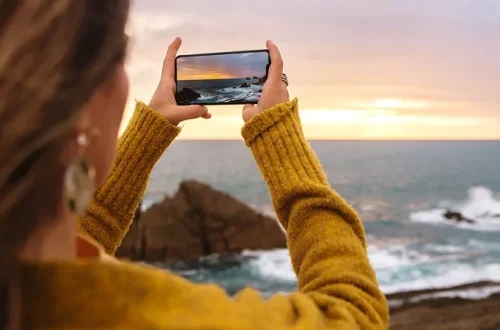
Shortcut: Long-press the specific area of interest on your touchscreen to trigger AE/AF (Auto Exposure/Auto Focus) Lock. Once the yellow or white box appears, use the slider icon—usually located next to the focus box—to manually adjust brightness.
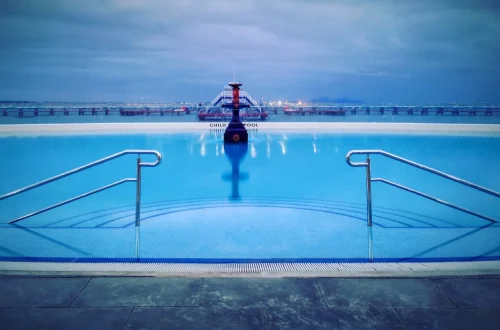
Failing to manually adjust exposure prevents mobile landscapes from achieving the visual hierarchy seen in professional imagery. By intentionally underexposing a bright sky, you can keep the foreground textures dark and rich.
The Vertical Layering Masterclass for 9:16 Aspect Ratios
Smartphone users typically shoot in a 9:16 vertical aspect ratio, which presents a unique opportunity for stacking layers from the bottom of the frame to the top. Unlike traditional horizontal landscapes, vertical compositions thrive on a clear progression of elements that guide the eye upward.
Stacking Bottom-to-Top
In a vertical frame, the bottom of the screen serves as your primary anchor. Vertical stacking can emphasize the height of mountains or the reach of a forest canopy.
Maximizing Vertical Leading Lines
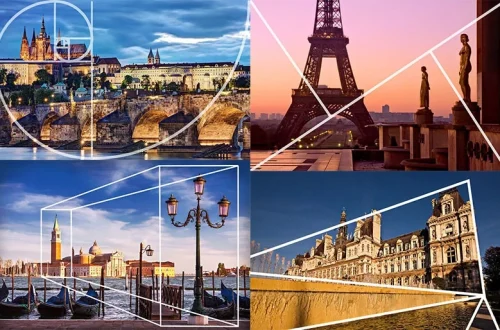
Max Rive notes that if a foreground is entirely horizontal, it tends to make the layer feel flatter. By seeking out vertical elements—such as tall grasses, tree trunks, or jagged rock edges—you create a visual path that forces the viewer’s gaze to travel through the middle-ground and into the distant horizon.
- Use vertical rock formations to “frame” the sky.
- Position leading lines (like a path or stream) so they start at the bottom edge and move diagonally upward.
- Incorporate “bottom anchors” like flowers or moss to prevent the eye from wandering out of the frame.
Step-by-Step: Building Three-Dimensional Depth
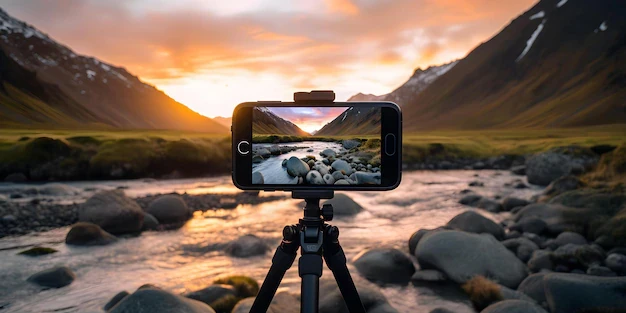
Achieve 3D depth by following three steps: 1. Find an interesting foreground element (rocks, flowers) and get the camera low and close. 2. Use a wide-angle lens to exaggerate the distance between the foreground and background. 3. Use leading lines to connect the layers harmoniously.
- Identify a Foreground Anchor: Search for a high-texture object such as a weathered rock, a cluster of wildflowers, or a piece of driftwood. According to Jay Patel, foreground elements should always assist your main subject and help the viewer find a way into the picture.
- Position the Camera Low: Physically lower your smartphone. Lower camera positions exaggerate foreground size and increase depth. Aim to get the lens within 12 to 24 inches of your foreground subject to maximize this effect.
- Select the Wide-Angle Lens: Switch to your phone’s ultra-wide lens (often labeled as 0.5x or 0.6x). A wide-angle lens allows photographers to move physically closer to foreground textures, exaggerating perspective and creating dramatic depth.
- Establish Leading Lines: Look for natural lines—sand ripples, fallen logs, or shadows—that connect your low-angle foreground to the distant subject. As noted by Iceland Photo Tours, these lines direct the viewer through the picture and make the composition easier to understand.
- Lock Exposure and Focus: Tap your foreground subject on the screen, then long-press to lock AE/AF. Use the exposure slider to ensure the foreground doesn’t become a silhouette unless that is your specific artistic intent.
Advanced Mobile Focus Stacking and Sharpness
To maintain sharpness from a rock inches from the lens to a mountain miles away, you must manage the sensor’s limited depth of field. Standard settings often fail to bridge this massive distance.
Manual Focus vs. Portrait Mode
portrait mode is designed for shallow depth of field, which is the opposite of what a landscape requires. For maximum sharpness, manual focus is superior. If your smartphone allows for a manual mode, you can control exactly where the plane of focus lies. While smartphones use fixed apertures, professionals aiming for maximum depth of field often look for the “sweet spot” equivalent of f/8 to f/11 to ensure the entire scene remains crisp.
Apps for Mobile Stacking
For extreme close-up foregrounds, focus stacking is a technique where you take multiple exposures focused at different distances and combine them. While most native apps do not support this, specialized software can assist:
- Manual Control Apps: Use apps that provide a “Manual” or “Pro” mode to control ISO and shutter speed.
- Focus Stacking Workflow: Take one shot focused on the foreground, a second shot focused on the middle-ground, and a third on the background.
- Post-Processing: Use mobile editing suites to blend these layers, ensuring that the sharpness from all three planes is preserved.
Using Color and Light to Control Receding Layers
Color and light act as structural tools for depth. You can manipulate these elements to make layers appear to move toward or away from the viewer.
| Visual Element | Perceived Distance | Recommended Color/Tone |
|---|---|---|
| Warm Colors (Reds, Oranges) | Closer | High Saturation, High Warmth |
| Cool Colors (Blues, Teals) | Further Away | Muted, Desaturated, Lower Temperature |
| Light Values (Brights) | Closer | Higher Luminance |
| Dark Values (Shadows) | Receding | Lower Luminance, Deep Tones |
Implement “Atmospheric Perspective” by making background objects appear lighter, less detailed, and more muted in color. This technique creates a sense of distance by mimicking how light scatters over long distances.
Furthermore, you can use light to separate layers. Harold Ross suggests that light can be used to make a background recede. Conversely, subconscious perception dictates that lighter things appear to come toward the viewer, while dark things recede. If you want a foreground rock to pop, ensure it catches more light than the misty mountains behind it.
Troubleshooting: Fixing Digital Flattening and Edge Artifacts
Smartphone processing can introduce errors that ruin the illusion of depth. Recognizing these failure modes is essential for high-quality mobile landscape photography.
Warning: Be cautious when using very narrow digital zoom or extreme aperture simulations, as these can lead to diffraction-like softness or “edge haloing” where the foreground looks poorly cut out from the background.
- Issue: The foreground is too dark. This happens when you lock exposure on a bright sky. Solution: Re-lock exposure on a mid-tone area or use a bracketed HDR shot and manually blend them in an editor.
- Issue: The background is blurry. This is often a focus error. Solution: Ensure you are not using a “Portrait” or “Bokeh” mode. Use manual focus to ensure the depth of field covers the necessary range.
- Issue: Sharpness loss at the edges. Many wide-angle lenses suffer from edge softness. Solution: Keep your primary subjects and leading lines toward the center of the frame, away from the extreme corners.
- Issue: Diffraction-like softness. While smartphones don’t have adjustable apertures, some “Pro” modes allow for simulated settings. Avoid using settings that mimic f/22, as this can actually decrease overall image sharpness.
FAQ
Can I use Portrait Mode for landscapes?
While useful for specific subjects, Portrait Mode often creates “edge haloing” or artificial blur that makes landscape layers look fake. For natural depth in a wide landscape, manual focus or focus stacking is preferred over the software-generated blur of Portrait Mode.
How do I get a sharper foreground on a smartphone?
Get close to the object using the ultra-wide lens, but ensure you use AE/AF lock to prevent the phone from focusing on the background instead of your intended foreground layer. This ensures the high-texture details of the foreground are the primary point of sharpness.
What is the best aperture for landscape sharpness?
While smartphones use fixed apertures, if using a manual app, aim for the “sweet spot” equivalent of f/8 to f/11 to maximize depth of field without encountering the softness associated with extreme settings like f/22.