SnapRoamer.com – The best cases for attaching smartphone microphones are those that balance port accessibility with structural stability. For direct-plug microphones, slim MagSafe cases like Pitaka are ideal, whereas professional mobile rigging requires rugged cages or cases with integrated cold shoes to manage the weight and balance of external gear. While video quality is often forgiven, Matt Keith notes that “poor audio quality is simply unforgivable.”
The Case Compatibility Matrix: Matching Case Type to Microphone Style
Choosing the right case depends on your mic’s connection: Slim MagSafe cases (e.g., Pitaka) work best for wireless receivers; rugged, thin-walled cases (e.g., Spigen) are necessary for direct-plug USB-C/Lightning mics to ensure a secure connection; and professional cages are required for heavy shotgun mics to prevent “the dangle” and maintain balance.
Direct-Plug vs. Cable-Connected Compatibility
A common failure mode in mobile audio occurs when a user attempts to use a direct-plug microphone with a thick, protective case. If the case’s port cutout is not sufficiently wide, the connector will not seat fully, leading to intermittent signal loss or a complete failure to recognize the device. For those using RØDE microphones, specific cables like the RØDE SC15 for Lightning ports or the RØDE SC16 for USB-C ports are designed to facilitate these connections, but they cannot overcome the physical barrier of a poorly designed case.
Counterintuitively, the most expensive rugged cases are often the most difficult to use with direct-plug mics. While they offer superior drop protection, the increased thickness around the charging port frequently necessitates an extension adapter. Users often find that even a 1mm discrepancy in case depth can render a $100 microphone useless.
| Case Type | Best Mic Match | Primary Advantage | Key Risk |
|---|---|---|---|
| Slim/MagSafe | Wireless Receivers | Minimal bulk; easy MagSafe mounting | Limited port access for plug-in mics |
| Rugged/Standard | Direct-Plug USB-C/Lightning | High protection for the phone | “Case Gap” preventing full connection |
| Professional Cages | Heavy Shotgun Mics | Extreme stability and mounting options | Significant added weight and bulk |
The data above highlights how specific case designs impact audio utility. Users must decide if their workflow requires the mobility of a wireless receiver or the direct connection of a plug-in mic.
MagSafe Ecosystem for Wireless Receivers
The rise of MagSafe has changed how mobile creators attach gear. Using a Pitaka MagEZ MagSafe Case 3, priced at approximately $70, creators can utilize magnetic mounts to position wireless receivers more effectively. This avoids the need for bulky clips that can obstruct the screen or interfere with handheld grips. However, practitioners should note that while the Pitaka case offers a slim profile, a WIRED reviewer noted that the bumper around the camera module is not attached properly, which may cause wobbling when the phone is placed on a surface.
Solving ‘The Dangle’: Managing Weight and Handheld Stability
Attaching a microphone to the bottom of a smartphone shifts the center of gravity, creating a pendulum effect known as “the dangle.” This weight causes the phone to tilt forward during handheld filming, a challenge that becomes more pronounced when using heavy equipment.
The Peak Design Everyday Case, featuring a 2.3 mm profile, attempts to maintain a streamlined shape, but adding a microphone still alters the balance. For example, if using a DJI Mic 3 transmitter, which is designed to be lighter and easier to attach to clothing, the impact on the phone’s center of gravity is minimized compared to larger shotgun models. However, the RØDE VideoMic Me series, which are directional microphones focusing on specific sound sources while minimizing surrounding noise, still introduces significant downward weight.
Warning: Improperly balanced rigs can lead to micro-jitters in your video footage. If the weight of your microphone causes the phone to tilt, you are likely to experience “audio-visual mismatch,” where the camera movement feels disconnected from the sound capture.
The Center of Gravity Problem
Adding a heavy microphone to a standard case forces users to grip the device higher up. This shift in weight can lead to significant hand fatigue during extended recording sessions.
Using Cages and Cold Shoes for Heavy Shotgun Mics
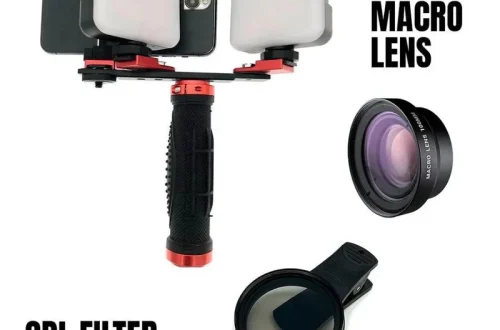
To manage heavy shotgun microphones, a cage is a necessary structural tool. These frameworks distribute the weight of the microphone across the entire body of the phone rather than concentrating it on the charging port. Using a cold shoe mount within a cage helps center the weight closer to the hand for a stable experience.
Troubleshooting the ‘Case Gap’ and Connection Failures
A “Case Gap” occurs when the physical thickness of a smartphone case prevents a USB-C or Lightning connector from making full electrical contact. This mechanical obstruction is a primary cause of “device not recognized” errors in mobile recording apps.
If you are using a Spigen Optik Armor MagSafe Case, which is a more budget-friendly option at approximately $27, you may find the port openings are deep. While this protects the port, it can also create a barrier. If your microphone fails to connect, the first step is to check the physical seating of the plug.
Shortcut: If a direct-plug mic fails to connect, try removing the case entirely. If the mic works without the case, the issue is the “Case Gap.” The solution is to use a slim extension adapter or switch to a case with a wider port cutout.
Warning: Never force a microphone plug into a port if there is resistance from a case. This can permanently damage the pins inside your smartphone’s charging port.
Why Your USB-C Mic Isn’t Connecting
Connection failures are frequently mechanical rather than software-based. Even if the microphone is powered, the data pins may fail to make contact if the case’s port opening is too narrow to accommodate the plastic housing of the connector.
Avoiding Camera Bumper Interference
Some cases feature raised bumpers around the camera module to protect the lenses. While beneficial for protection, these bumpers can sometimes interfere with the mounting of accessories that sit near the top of the device. If you are using a wireless receiver that clips near the top of the phone, ensure the case design does not obstruct the clip’s path.
Top Wireless Microphone Systems for Mobile Rigging
Choosing a wireless system involves evaluating range, battery life, and the physical footprint of the receiver. These specs determine how well your setup integrates with your chosen phone case.
| Microphone System | Key Feature | Battery/Range Info | Best Use Case |
|---|---|---|---|
| DJI Mic | Direct receiver connection | 8h (TX) / 10h (RX) | Professional mobile video |
| Boya Mini 2 | Budget-friendly/Compact | 6h (30h w/ case) / 200ft range | Casual vlogging |
| SYNCO P1S | High transmission range | 8h battery / 150m-200m range | Outdoor field recording |
| Saramonic BLINK500B2+ | High-end wireless | Professional grade | Content creation kits |
The table above compares popular options available in 2026. Note that the Boya Mini 2 is highly regarded for its noise cancellation, which is effective without introducing noticeable changes to the voice, and it is a highly accessible option at less than $50.
High-End Professional Kits (DJI & Saramonic)
For creators who require reliability, the DJI Mic 3 stands out. The 2026 release of the DJI Mic 3 introduced a smaller, lighter transmitter that is easier to attach to clothing like shirts or hats. This reduces the physical strain on the mobile rig. The DJI receiver is designed to connect directly to the phone, making it easier to manage than systems that require extra cables or cold shoe mounts.
Budget-Friendly Field Options (Boya & SYNCO)
If budget is the primary concern, the Boya Mini 2 offers significant value. While it claims a range of up to 300 feet, testing shows a reliable range of approximately 200 feet. It is an excellent choice for beginners who want to avoid the complexity of XLR-based setups. Similarly, SYNCO products provide robust options for Android users, with some models offering a transmission range of up to 200 meters.
- DJI Mic 3: Best for professional stability and ease of attachment.
- Boya Mini 2: Best for ultra-budget setups and long battery life via charging cases.
- SYNCO P1S: Best for long-distance outdoor recording.
- Moman C1: Offers a 230ft range, suitable for mid-range mobile setups.
Essential Setup Techniques for Mobile Audio
Once you have selected a case and a microphone, the final step is optimizing the technical configuration to ensure the audio is captured correctly without interference.
Real-time Monitoring via 3.5mm
Many professional mobile microphones, such as those in the RØDE VideoMic Me series, include a 3.5mm output on the back of the microphone. This allows for real-time monitoring. Using headphones connected to the microphone itself is a superior method to monitoring through the phone’s speakers, as it allows you to hear exactly what the microphone is picking up, including any wind noise or clipping.
Bluetooth Configuration via App
Modern wireless microphones often require more than just a physical connection. For example, if you are using RØDE wireless equipment, you can install updates via the RØDE smartphone app. In some configurations, these updates even allow the microphones to connect to your phone via Bluetooth without a dedicated receiver, which is the ultimate solution for maintaining a slim, case-friendly profile.
- Monitor Audio: Always use the 3.5mm jack on the mic for real-time feedback.
- Check Battery: Wireless mics are battery-operated; always verify charge levels before a shoot.
- Receiver Charging: Use receivers like the Moman CP2, which can charge while connected to the phone, to prevent recording interruptions.
- App Updates: Use the manufacturer’s app to ensure firmware is current for optimal connectivity.
FAQ
Why won’t my microphone connect through my phone case?
Thick rugged cases often prevent USB-C or Lightning connectors from seating fully into the device. This creates a physical gap that prevents electrical contact. Check if the case port opening is wide enough or consider using a small extension adapter to bridge the distance.
Can a phone case affect wireless microphone range?
Heavy-duty metal-reinforced cases can potentially interfere with the 2.4GHz signals used by systems like DJI or RØDE. While most plastic or silicone cases have a negligible impact, metal components can create a “Faraday cage” effect that weakens the wireless signal.
Is it better to use a wireless receiver or a direct-plug mic?
Wireless receivers, such as the DJI Mic 3, offer significantly more freedom and range for the creator. However, direct-plug microphones are often better for ultra-slim setups where minimizing weight and maintaining the phone’s natural balance are the highest priorities.