SnapRoamer.com – Minimalist smartphone photography for travelers focuses on capturing intentional images by using the device already in hand. As Andrew Kearns notes, “All you can do is focus on the fundamentals,” prioritizing composition, light, shadow, contrast, scale, emotion, and story to create visual impact.
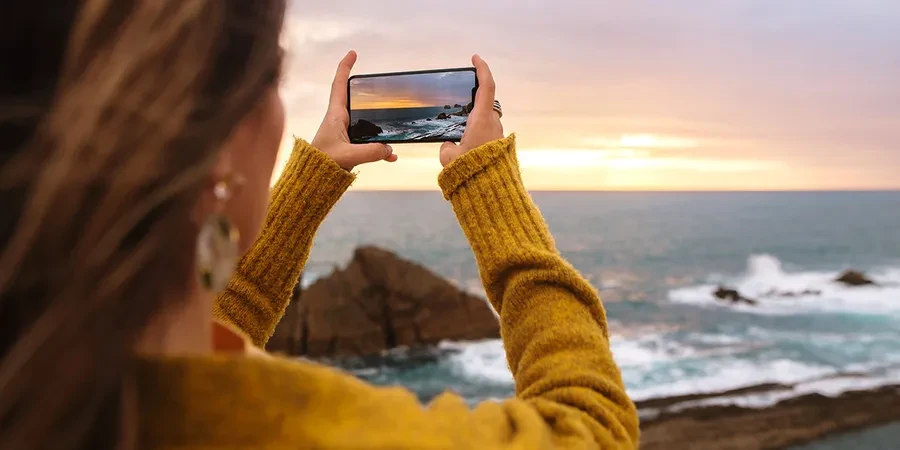
Dan Tom notes, “I probably take more photos on my iPhone than my DSLR just because I have it on me all the time.” This reality highlights why mastering the device in your pocket is more practical for most journeys than carrying heavy equipment.
The Minimalist Travel Tech Stack: Essential Zero-Bulk Accessories
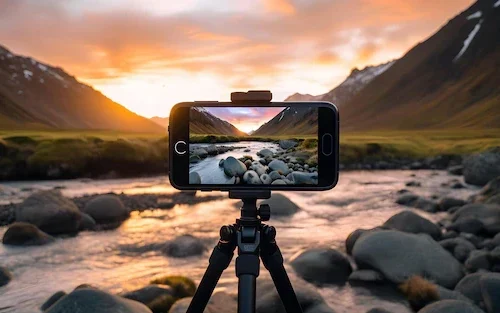
A minimalist photography kit should include only three essential, low-bulk items: a slim high-capacity power bank to prevent battery drain, a micro-fiber lens cloth to eliminate smudges, and an ultra-lightweight tripod or phone attachment. This setup ensures you maintain a zero-bulk lifestyle while protecting image quality and availability.
Lighter gear is better for landscape and travel photography. When every gram counts during a long trek, limitations can simplify the creative process by helping a photographer focus on the core tenets of great images: composition, light, shadow, contrast, scale, emotion, and story.
Power Management for Long Shooting Days
Shooting photos and videos for hours on end frequently leads to battery life issues. A single high-capacity power bank is often the only “extra” piece of hardware a minimalist needs to ensure the ability to document a journey does not disappear.
Maintaining Optical Clarity
One of the most common failure modes in mobile photography is lens smudges. Carrying a phone in a handbag or pocket causes the lens to collect dust and oils. A simple micro-fiber cloth is essential to ensure your images remain sharp. A single smudge can ruin a high-resolution shot by creating a hazy, low-contrast look that no amount of editing can fully fix.
- Slim Power Bank: Essential for extended use.
- Micro-fiber Cloth: To prevent hazy, smudged images.
- Ultra-lightweight Tripod: For long exposures or stable shots.
Mastering Minimalist Composition: Beyond the Rule of Thirds
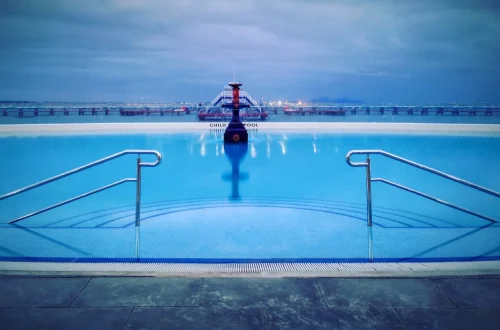
To achieve a minimalist aesthetic, focus on negative space and simplicity. Use the ‘subtraction method’ to improve composition: identify an element and take it away to see if the image improves. Utilize your smartphone’s focal length to isolate subjects and create clean, intentional lines.
A common misconception is that minimalism is simply “taking a photo of one thing.” However, Baharlo points out that “The subject matter better be interesting, or a minimalistic photo becomes a simplistic photo.” If the subject lacks character, the emptiness of the frame feels accidental rather than intentional.
The Power of Negative Space
Negative space is the unoccupied area surrounding your subject. In minimalist travel photography, this space allows the viewer’s eye to rest and directs attention specifically to the focal point. By using the wide-angle lens common on smartphones to capture vast skies or empty streets, you can emphasize the scale of your environment.
The Subtraction Technique
Nicole Morrison suggests a specific mental framework for composition: “Take an element away and see how you like it.” When looking at a landscape, identify distracting elements—a stray trash can, a bright sign, or a person in a neon jacket—and adjust your position to remove them from the frame. If the image feels more balanced after removing an element, you have successfully applied the subtraction method.
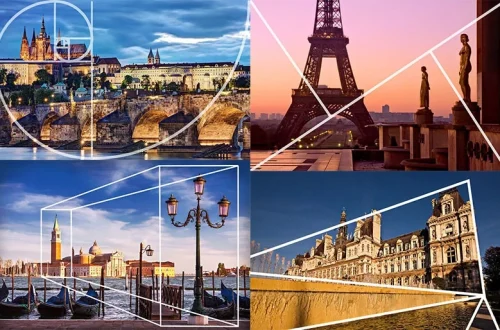
Using Gridlines for Intentionality
To avoid messy, accidental compositions, you should enable gridlines within your Camera setting. This allows you to utilize the rule of thirds by placing your subjects along the intersections of the grid. This provides a mathematical foundation for your shots, ensuring that even a “simple” photo feels structurally sound.
Mobile RAW Workflow: Achieving a Professional Look on the Go
To move beyond standard JPEG processing, photographers should utilize the RAW image format. Capturing more data allows for much higher quality and greater flexibility during the editing process.
Industry data suggests that 99% of gorgeous shots have been edited. This means the “raw” file you take is often just the starting point. To get the most out of your mobile sensor, you should use the Lightroom mobile app to shoot in the RAW image format for the highest-quality photo.
Shortcut: To quickly access advanced settings in many mobile editing apps, look for the mobile editing interface to adjust exposure, contrast, and color depth manually.
Why RAW Matters for Travel
Standard JPEG files are compressed, meaning the phone’s software makes permanent decisions about color and light. If you accidentally blow out a sunset, that data is lost forever. RAW files preserve much more information, allowing you to recover details in the shadows or highlights during the editing process. This is particularly useful when traveling through regions with extreme lighting conditions.
Post-Processing without a Laptop
Modern mobile processors are powerful enough to handle complex edits on the fly. You do not need to wait until you return to a hotel or home to refine your images. Using mobile editing apps allows you to perform high-end color grading and exposure adjustments directly on your device, maintaining a seamless workflow while you are still on the move.
Technical Execution: Light, Exposure, and Focus
Effective control over a mobile camera is achieved through direct interaction with the touchscreen. Relying solely on automation can lead to technical errors in complex environments.
A frequent failure mode occurs when photographers fail to set focus on the sky, which results in blowing out the highlights and leaving the foreground in total darkness. To prevent this, you must interact with the screen to tell the camera exactly what matters most in the frame.
Controlling Highlights in High-Contrast Scenes
When shooting a sunset or a bright landscape, the camera often tries to average the light, resulting in a washed-out sky. Use these steps to maintain detail:
- Tap the screen to focus on the brightest part of the scene.
- Slide your finger up or down to adjust brightness/darkness (exposure).
- Use Auto HDR settings to help bridge the gap between dark shadows and bright skies.
Manual Focus and Exposure Locking
For subjects that are moving or in tricky lighting, you need more than just a tap. To lock your settings so they don’t shift while you are framing the shot, hold down the focal point until it flashes. This action locks both the focus and the exposure, giving you total stability for the shot.
Environmental Survival: Managing Hardware in Extreme Climates
While smartphones are versatile, they face physical challenges in various climates. Environmental factors can cause sudden technical failures that can halt a photography session.
Heat and Humidity Challenges
In tropical or desert environments, smartphones are prone to overheating. High temperatures can cause the camera app to shut down or the device to throttle performance. Similarly, rapid changes in humidity can cause condensation inside the lens assembly. If you move from a cold, air-conditioned hotel to a humid outdoor market, allow your phone to acclimate slowly to prevent internal fogging.
Cold Weather Battery Management
Cold temperatures are a primary cause of battery life issues. When shooting photos and videos for hours in cold climates, the chemical reaction inside your battery slows down, leading to sudden power drops. Keep your spare power bank close to your body, using your own warmth to maintain its charge.
Smartphone vs. Dedicated Gear: When to Switch
The choice between a smartphone and a dedicated camera depends on your specific subject and environment. While smartphones offer convenience, they possess distinct physical limitations.
| Feature | Smartphone | Dedicated Camera (DSLR/Mirrorless/Compact) |
|---|---|---|
| Portability | Excellent (Always with you) | Moderate to Low (Requires a bag) |
| Low-Light Performance | Limited (Software-reliant) | Superior (Larger sensors) |
| Zoom Quality | Digital (Often pixelated) | Optical (Maintains sharpness) |
| Convenience | High (Instant sharing) | Moderate (Requires transfer) |
The primary advantage of the smartphone is that it is always with you, making it perfect for discreet street photography. However, you must be wary of digital zoom. Zooming in with a smartphone often uses software to enlarge the image, which reduces the picture’s quality and creates a pixelated look. In contrast, dedicated mirrorless cameras have an edge in difficult light or when you need a very specific professional look.
If you find yourself needing to capture a subject 50 meters away, such as wildlife, a smartphone’s digital zoom will likely fail to provide the necessary detail. In those specific scenarios, a dedicated camera with an optical telephoto lens is the better choice.
FAQ
How can I avoid pixelated photos when zooming in?
Avoid using digital zoom, which reduces picture quality and creates a pixelated look. Instead, try to physically move closer to your subject or use the optical zoom lens if your smartphone model includes a dedicated telephoto hardware lens.
Is it worth shooting in RAW on a smartphone?
Yes. Using the RAW image format via mobile editing apps provides much higher quality and more flexibility during editing. This is crucial because most professional-looking travel shots require post-processing to balance light and color.
How do I prevent blown-out skies in my travel photos?
Tap the screen to focus on the sky or the brightest part of the scene, then slide your finger down to adjust the exposure. This prevents over-exposure and ensures the details in the clouds are preserved.