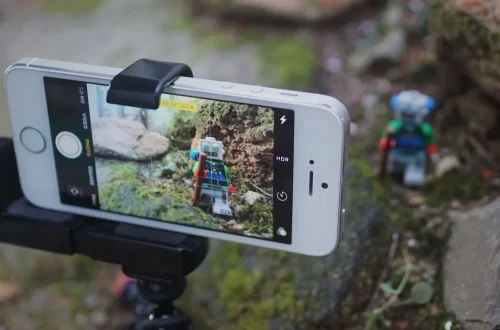
SnapRoamer.com – Using manual focus on a smartphone camera allows photographers to gain precise control over focus points, resulting in sharper images and creative effects such as selective focus and macro shots. Unlike autofocus, which relies on the camera’s algorithms to select the focal point, manual focus enables the user to adjust focus distance directly, improving consistency in challenging lighting or movement conditions. This tutorial walks through how to apply manual focus techniques on popular Android and iPhone devices, covering native camera capabilities, third-party apps, and developer tools like Android’s CameraX API.
Smartphone cameras typically default to autofocus, which adjusts continuously or locks focus with a tap. However, manual focus provides finer control, especially when combined with exposure adjustments such as aperture, ISO, and shutter speed. Advanced features like focus peaking highlight the in-focus areas for greater precision. This guide also addresses device-specific nuances, practical troubleshooting, and app recommendations to elevate your mobile photography.
Basic Manual Focus Techniques on Smartphones
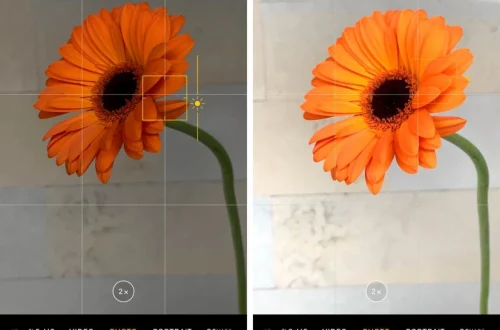
manual focus on smartphones often begins with the tap-to-focus method, an intuitive way to tell the camera where to focus. To do this:
This method is universally available across most Android and iOS devices. Locking focus is especially useful for macro photography or scenes with complex backgrounds. However, tap-to-focus cannot always guarantee pixel-perfect sharpness, so some smartphones offer manual focus sliders for more control.
Using Native Camera Apps for Manual Focus
Certain Android smartphones provide built-in manual focus controls within their native camera apps. Samsung’s Galaxy S8 and S8+ models introduced a manual focus slider paired with focus peaking, allowing users to adjust focus distance precisely.
To use manual focus on Samsung Galaxy S8/S8+:
Motorola devices also offer manual focus modes, including macro and infinity, accessible through the camera’s manual or pro mode. These options bypass autofocus for scenarios like close-ups or distant landscapes.
Many stock Android camera apps lack full manual focus sliders but support tap-to-focus and AE/AF Lock. Android manufacturers vary in their camera implementations, so checking device-specific manuals or support pages is advisable.
Third-Party Camera Apps Offering Manual Focus
When native apps are limited, third-party camera applications provide extensive manual controls. Popular apps such as Camera+ for iOS and Open Camera or ProCam X for Android offer manual focus sliders along with additional features like RAW format capture, exposure compensation, and white balance adjustments.
To use manual focus in a third-party app:
These apps enable greater creative freedom and can overcome limitations of stock camera applications. Users should be aware that third-party app performance may vary depending on device compatibility and camera hardware.
Developer Insights: Manual Focus via Android CameraX API
For developers building custom camera applications, Android’s CameraX API provides a modern interface to implement manual focus features. CameraX supports tap-to-focus with manual override, enabling apps to control focus regions programmatically.
A basic example of setting manual focus on touch input using CameraX involves:
“`java
PreviewView previewView = findViewById(R.id.previewView);
previewView.setOnTouchListener((view, motionEvent) -> {
if (motionEvent.getAction() == MotionEvent.ACTION_UP) {
MeteringPointFactory factory = previewView.getMeteringPointFactory();
MeteringPoint point = factory.createPoint(motionEvent.getX(), motionEvent.getY());
FocusMeteringAction action = new FocusMeteringAction.Builder(point, FocusMeteringAction.FLAG_AF)
.setAutoCancelDuration(5000, TimeUnit.MILLISECONDS)
.build();
cameraControl.startFocusAndMetering(action);
return true;
}
return false;
});
“`
This snippet sets focus on the touched point with a 5-second auto-cancel duration. Developers should note that manual focus support depends on device camera hardware and Camera2 API capabilities. Front-facing cameras often lack manual focus functionality.
Additional features like focus peaking require advanced image processing beyond CameraX’s scope and may need custom implementations.
Enhancing Manual Focus with Complementary Settings
Manual focus effectiveness improves significantly when paired with exposure adjustments. Smartphones with manual camera controls allow users to modify aperture, ISO, shutter speed, and white balance to fine-tune image quality.
Combining manual focus with these settings empowers photographers to capture professional-grade photos with smartphones.
Troubleshooting and Tips for Manual Focus
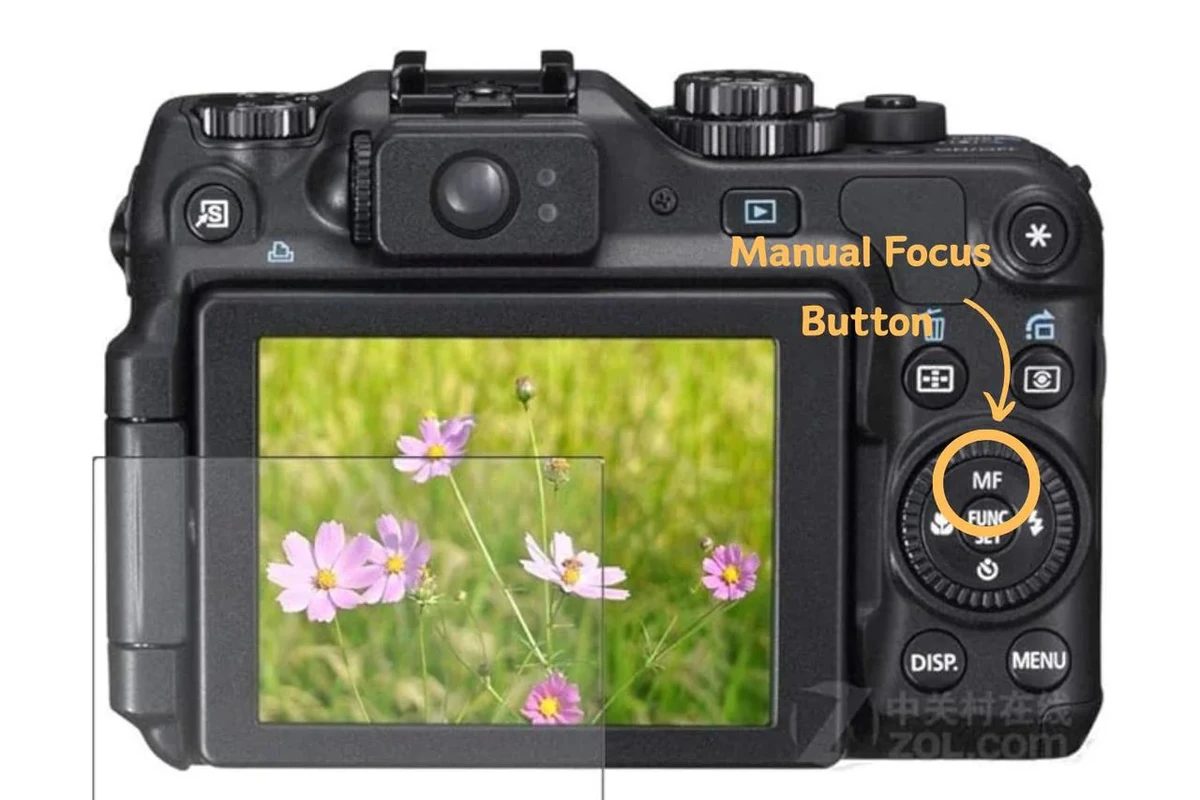
Manual focus can encounter obstacles due to hardware or environmental factors. Common issues include:
Being aware of these constraints and applying practical solutions enhances manual focus success.
Frequently Asked Questions
How do I lock manual focus on my smartphone camera?
Most smartphones allow locking focus by tapping and holding the focus point on the screen until an AE/AF Lock indicator appears. Some apps offer manual focus sliders for precise distance adjustment.
Can I use manual focus with the front-facing camera?
Manual focus is generally not supported on front cameras due to hardware limitations. Only a few high-end devices or apps may offer limited control.
Which third-party camera apps are best for manual focus?
Recommended apps include Camera+ for iOS and Open Camera or ProCam X for Android. They provide manual focus sliders, RAW capture, and exposure controls.
Does using manual focus improve photo quality?
Manual focus allows precise control over the focal point, reducing focus errors common in autofocus. It is especially beneficial in macro photography and complex scenes.
How does CameraX API help with manual focus in Android apps?
CameraX simplifies camera control by providing tap-to-focus and manual focus override features through programmable APIs, facilitating custom camera app development.
Using manual focus on smartphones is an essential skill for mobile photographers seeking enhanced image clarity and creative control. By mastering native camera features, leveraging third-party apps, and understanding developer tools like CameraX, users can capture professional-quality photos tailored to their artistic vision.
For more detailed technical insights on manual camera modes and device-specific support, visit Android Authority’s guide to manual mode and Samsung’s official support on Galaxy S8 manual focus.