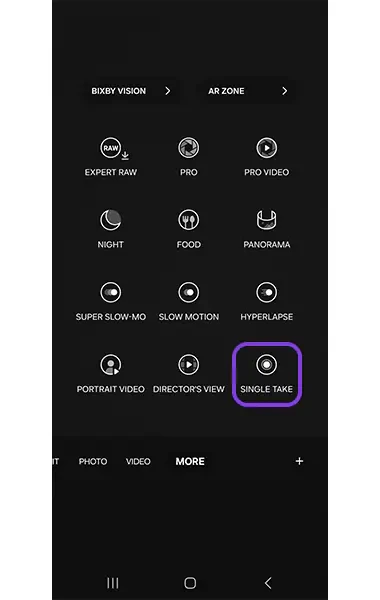
SnapRoamer.com – Smartphone cameras have evolved into highly versatile imaging tools, offering a broad spectrum of shooting modes that cater to both casual users and photography enthusiasts. These modes enhance user control over image capture, allowing for creative expression across diverse lighting and motion conditions. From basic automatic settings to sophisticated manual controls, modern smartphones integrate modes such as Pro, Night, Panorama, Slow Motion, and RAW shooting, with flagship devices extending capabilities through specialized features like Expert RAW and Director’s View. Understanding these modes is essential for optimizing photo and video quality, leveraging device-specific strengths, and navigating the expanding landscape of mobile photography.
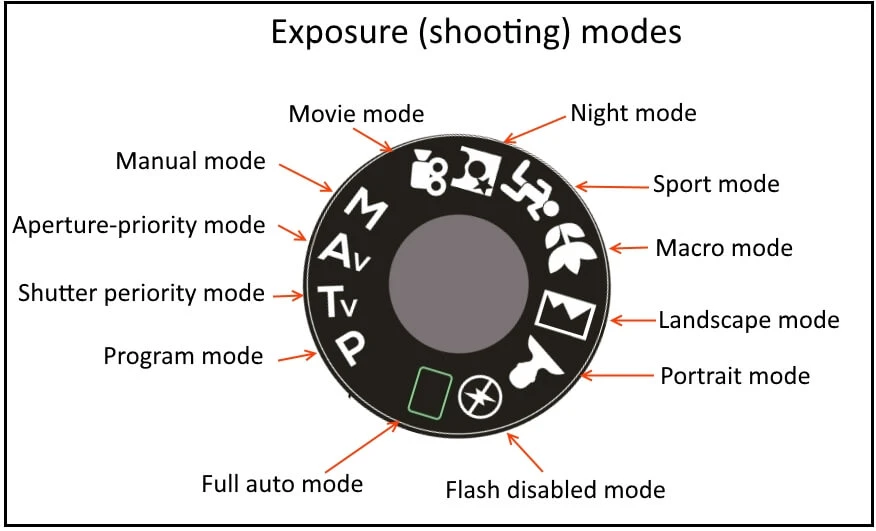
Smartphone shooting modes serve distinct purposes, adapting camera parameters such as ISO, shutter speed, focus, and exposure to suit different scenarios. For instance, Portrait Mode utilizes depth-sensing technologies to create background blur (bokeh), emphasizing the subject, while Night Mode employs computational photography to enhance low-light images by combining multiple exposures. Slow Motion captures video at high frame rates, enabling dramatic playback effects, and Panorama stitches wide-angle scenes into expansive images. Time-lapse condenses extended periods into accelerated video sequences, illustrating motion over time. These modes are often integrated into native camera apps through intuitive gesture-based interfaces, allowing seamless switching to match creative intent.
Standard Shooting Modes on Smartphones
The majority of smartphones come equipped with several standard shooting modes designed to simplify common photographic tasks. The default Photo mode typically operates with automatic exposure and focus adjustments, suitable for everyday use. Video mode supports various resolutions and frame rates, with some models offering stabilization and HDR video recording.
Portrait Mode remains a popular feature across major brands, such as Apple’s iPhone and Samsung Galaxy series. This mode leverages dual or multiple cameras alongside software algorithms to isolate the subject and apply a naturalistic background blur. The effectiveness of Portrait Mode depends heavily on sensor quality and depth mapping accuracy, with some devices allowing manual adjustment of blur intensity post-capture.
Panorama Mode enables users to capture expansive landscapes by guiding the camera sensor through a horizontal or vertical sweep. The smartphone’s software stitches multiple frames into a single high-resolution image, maintaining edge alignment and exposure consistency. Samsung and Google Pixel devices often include enhanced stitching algorithms to reduce distortion in complex scenes.
Night Mode is engineered to improve image quality under low-light conditions without relying on a flash. By capturing multiple frames at varying exposures and merging them, this mode reduces noise and enhances detail. Google Pixel’s Night Sight and Samsung’s Night Mode use AI-powered processing to optimize color balance and clarity, effectively transforming dim environments into vivid photographs.
Slow Motion video mode records footage at significantly higher frame rates—commonly 120fps or 240fps—allowing playback at reduced speeds. This feature is valuable for capturing fast-moving subjects or creating artistic effects. Some models, like the Samsung Galaxy S25 Ultra, support super slow-motion at up to 960fps, though with limitations on recording duration and resolution.
Time-lapse mode compresses time by capturing frames at set intervals over an extended period. This mode is ideal for documenting dynamic scenes such as sunsets, traffic flow, or construction progress. Smartphones automate frame capture and video compilation, with user-defined interval settings available in advanced camera apps.
Advanced and Specialized Modes
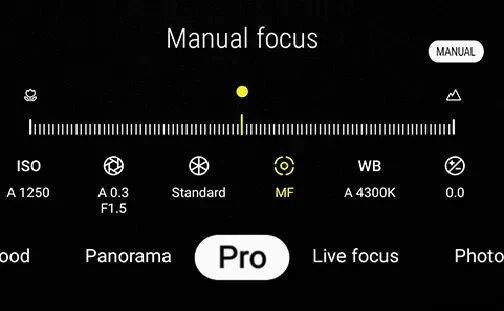
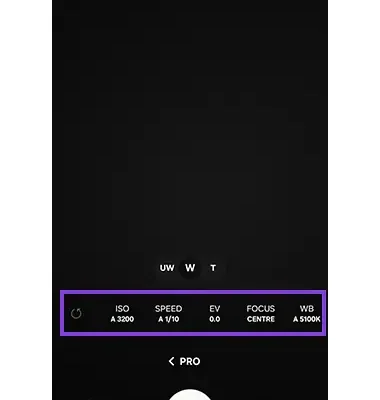
For users seeking granular control, Pro and Pro Video modes unlock manual adjustments over critical parameters including ISO sensitivity, shutter speed, white balance, and focus. This level of control mimics DSLR functionality, enabling tailored exposure settings to capture complex scenes. Samsung’s Expert RAW app exemplifies advanced RAW shooting by granting access to unprocessed sensor data, facilitating extensive post-processing flexibility without quality degradation.
Director’s View, a feature prominent on the Samsung Galaxy S25 Ultra, introduces multi-camera video recording that simultaneously captures footage from front and rear cameras. This mode supports real-time switching between cameras and offers multiple angles, ideal for vloggers and content creators aiming for dynamic storytelling. Complementary functionalities like auto-framing intelligently track subjects, adjusting zoom and composition to maintain focus without manual intervention.
Google Pixel’s long exposure and action pan modes offer creative motion blur effects. Long exposure mode prolongs shutter time to capture light trails or smooth moving water, while action pan selectively blurs the background to convey motion while keeping the subject sharp. These features rely on sensor stabilization and computational algorithms to minimize unintended blur.
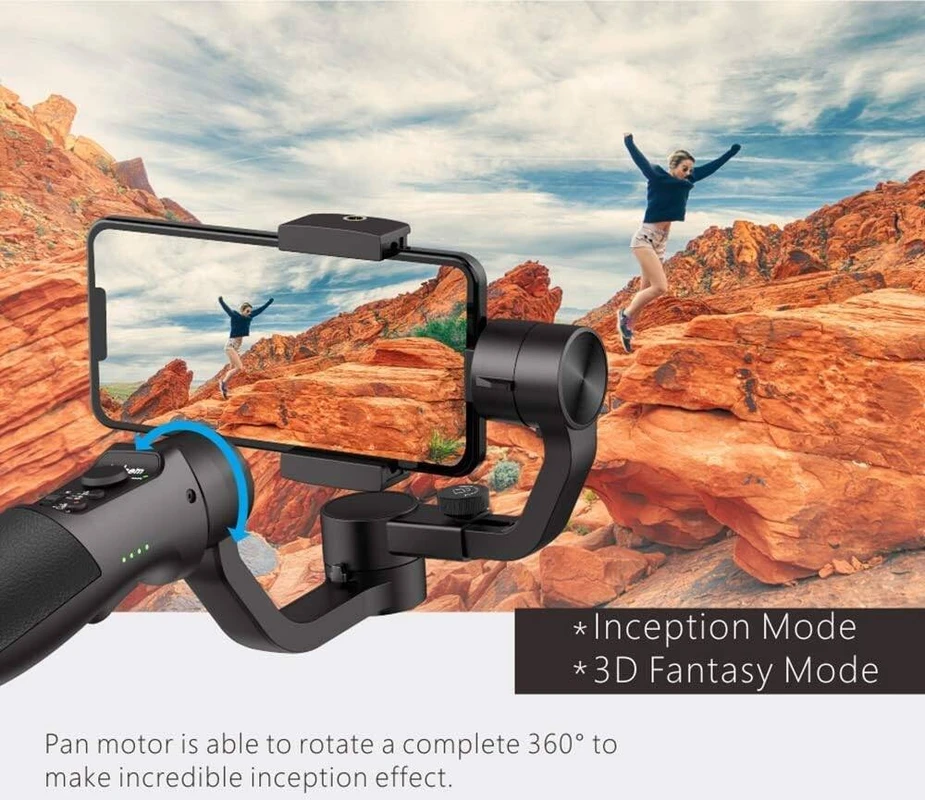
Auto-framing technology, increasingly common in video modes, uses AI to detect and follow subjects within the frame. This ensures that moving subjects remain centered, enhancing video professionalism without requiring gimbal equipment. Devices like the iPhone 14 Pro and later incorporate this feature, combining it with Center Stage for video conferencing and livestreaming.
Device-Specific Features and Variations
Smartphone manufacturers tailor shooting mode availability and implementation based on hardware capabilities and software ecosystems. The Samsung Galaxy S25 Ultra integrates a comprehensive suite of modes including Pro, Night, Panorama, Slow Motion, Expert RAW, and Director’s View. Its periscope telephoto camera supports up to 10x optical zoom, complementing the multi-mode setup with versatile framing options.
Google Pixel 6 Pro distinguishes itself with a 4x optical zoom telephoto lens and deep integration of computational photography, particularly in Night Sight and astrophotography modes, enhancing low-light and long-exposure shooting. Pixel’s intuitive interface facilitates seamless mode transitions, optimized for straightforward user experience.
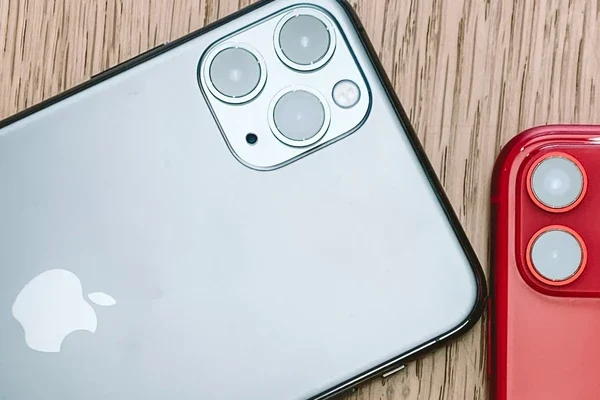
Apple’s iPhone lineup standardizes modes such as Portrait, Night, Panorama, Slow Motion, and introduces Cinematic Mode for video, which applies shallow depth-of-field effects and dynamic focus transitions during recording. Live Photos capture brief moments before and after a shot, combining still and motion elements. iOS updates frequently expand mode capabilities, leveraging the A-series chip advancements for real-time neural processing.
Operating system versions and sensor configurations influence the availability of modes. For example, some mid-range devices may omit Pro or RAW modes due to hardware limitations, while flagship models prioritize computational enhancements and multi-camera functionalities. Software updates can introduce new modes or refine existing ones, underscoring the importance of keeping smartphones current for optimal use.
Using Camera Apps to Expand Mode Options
Beyond native camera applications, third-party apps provide expanded shooting mode options and manual controls that appeal to professional users. ProShot, available on both Android and iOS, offers comprehensive manual settings, including exposure bracketing, focus peaking, and histogram displays, facilitating precise image capture.
Camera+ is notable for its advanced shooting modes like macro, slow shutter, and customizable presets, along with in-app editing tools that streamline workflow. It supports RAW capture and offers detailed control over white balance and exposure compensation.
Open Camera, an open-source Android app, incorporates scene modes, auto-stabilization, and remote shutter functionality. Its versatility and regular updates make it a preferred choice for photography enthusiasts who require granular control without manufacturer-imposed restrictions.
While third-party apps broaden functionality, users should be aware of potential limitations such as compatibility issues with specific sensors or restricted access to proprietary features like Director’s View. Additionally, reliance on third-party software may impact image processing speed and battery consumption.
Best Practices for Using Smartphone Shooting Modes
Optimizing the use of smartphone shooting modes involves consistent attention to white balance and exposure settings, especially in multi-camera scenarios where uniformity ensures cohesive final images. Manual adjustments in Pro mode can prevent discrepancies caused by automatic settings reacting differently across lenses.
Lighting conditions critically influence mode effectiveness. Shooting during the golden hour—shortly after sunrise or before sunset—enhances natural color saturation and soft shadows, benefiting Portrait and Landscape modes. Night Mode performs best when the smartphone is held steadily or mounted on a tripod to minimize motion blur.
Users are advised to avoid digital zoom due to its tendency to degrade image quality through pixel interpolation. Optical zoom, available on models like the Samsung Galaxy S25 Ultra and Google Pixel 6 Pro, preserves detail and sharpness. When optical zoom is unavailable, physically moving closer to the subject remains preferable.
Capturing multiple shots in burst mode increases the likelihood of obtaining sharp, well-composed images, particularly in action or low-light conditions. Post-capture editing with smartphone-native or third-party apps can further enhance photos by fine-tuning exposure, contrast, and color balance.
FAQ
What are the main shooting modes available on smartphone cameras?
Smartphone cameras typically offer modes such as Pro, Night, Panorama, Slow Motion, RAW, Portrait, and Time-lapse. Advanced models include Expert RAW and Director’s View for greater creative and manual control.
How does Night Mode improve low-light photography on smartphones?
Night Mode captures multiple frames at varying exposures and merges them to reduce noise and enhance detail. It uses computational photography algorithms to optimize brightness and color accuracy in dim environments.
What is the difference between Pro Mode and Expert RAW?
Pro Mode provides manual control over camera settings like ISO and shutter speed within the standard JPEG or HEIF processing pipeline. Expert RAW gives access to unprocessed sensor data, allowing extensive post-processing flexibility without compression artifacts.
Which smartphones offer the Director’s View mode?
Director’s View is currently featured on flagship Samsung models such as the Galaxy S25 Ultra. It enables simultaneous multi-camera video recording and real-time angle switching.
Can third-party camera apps enhance shooting modes on smartphones?
Yes, apps like ProShot, Camera+, and Open Camera offer expanded manual controls, additional scene modes, and editing features that can complement or extend the functionality of native camera applications.
Smartphone camera technology continues to advance rapidly, integrating increasingly sophisticated shooting modes that blend hardware innovation with AI-driven software enhancements. As flagship models push the boundaries of optical zoom, multi-camera video, and computational imaging, users are empowered to achieve professional-grade photography and videography with portable devices. Future developments are expected to refine real-time processing, multi-lens synchronization, and augmented reality integration, further transforming the mobile photography landscape.
For comprehensive details on specific mode functionalities and device capabilities, refer to Samsung’s official camera support and Apple’s iPhone camera guide.