SnapRoamer.com – To elevate iPhone photography, you must move beyond software by integrating physical tools: high-quality clamp-on lenses for precision, stabilizers like DJI gimbals for smoothness, and external lighting like Aputure for controlled illumination. The right accessory transforms a smartphone into a professional-grade creative tool.
Jeff_Donald notes that for certain creative tasks, they enjoy using the iPhone 16 PM more than their Canon R3 and professional lenses. This shift highlights how hardware add-ons can bridge the gap between mobile convenience and professional utility.
The Compatibility Matrix: MagSafe vs. Traditional Attachments
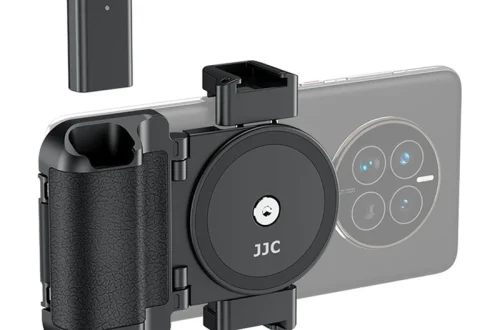
Choosing between MagSafe and traditional attachments depends on your priority. While MagSafe offers seamless, quick-swap convenience for video, clamp-on lenses provide the superior stability and image quality required for high-resolution photography. Lens housings offer the maximum protection and stability for professional workflows.
The convenience of clip-on kits
Clip-on kits represent the entry point for many mobile photographers. According to Digital Camera World, clip-on lenses are affordable and easy to use, but they can be bulky and inconvenient during a shoot. These kits often lack the precision needed for high-end optical alignment, making them suitable for casual snapshots rather than professional work.
Why clamp-on lenses win on precision
For users requiring higher optical standards, clamp-on lenses offer a more secure fit and better image quality than clip-on alternatives. Digital Camera World suggests that if the quality of your work is the primary aim, sticking to serious brands like Moment or ShiftCam is essential. Unlike clip-on models, these attachments provide the necessary stability for high-resolution sensors.
Stability through lens housings
Professional workflows often necessitate specialized lens housings. Digital Camera World reports that lens housings provide the most protection and stability among all attachment types. This method ensures the lens remains perfectly aligned with the iPhone sensor, preventing the degradation of image quality caused by slight shifts in position.
| Attachment Type | Primary Benefit | Primary Drawback | Best Use Case |
|---|---|---|---|
| Clip-on | Affordability/Ease of use | Bulky and inconvenient | Casual snapping |
| Clamp-on | Superior image quality | Requires precise alignment | High-resolution photography |
| Lens Housing | Maximum stability | Higher complexity | Professional workflows |
Selecting the wrong mounting system can lead to significant failures. A common failure mode occurs when a loose clip-on lens shifts during a long exposure, resulting in blurred imagery. Practitioners should prioritize secure mounting to ensure the optical axis remains aligned with the sensor.
Troubleshooting External Lenses: Avoiding Common Failures
External lenses expand iPhone capabilities beyond software limits. Macro lenses can reach up to 200x magnification to reveal textures standard modes miss, while anamorphic lenses provide a cinematic aspect ratio and distinctive blue-line lens flares for a filmic aesthetic.
Solving edge softness in wide-angle lenses
Wide-angle add-on lenses often suffer from edge softness, a common issue where the center of the image is sharp but the corners appear blurred. Digital Camera World notes that while these are handy in certain situations, they require careful framing to avoid the softest parts of the lens periphery.
Identifying chromatic aberration in budget optics
Low-cost optical solutions frequently introduce visual artifacts. Digital Camera World reports that cheap telephoto lenses cause chromatic aberration, which manifests as blue or red color fringes around high-contrast edges. This effect is particularly noticeable when shooting subjects against a bright sky or bright light source.
Mitigating motion blur in telephoto shots
Using telephoto lenses can be risky for handheld shooters. Digital Camera World explains that telephoto lenses magnify camera-shake significantly when used handheld, leading to motion blur in your photos. To prevent this, practitioners must use a tripod or a stable surface to maintain sharpness.
Mastering Optics: From Macro to Anamorphic
External lenses expand iPhone capabilities beyond software limits. Macro lenses can reach up to 200x magnification to reveal textures standard modes miss, while anamorphic lenses provide a cinematic aspect ratio and distinctive blue-line lens flares for a filmic aesthetic.
Macro photography: Breaking the 200x barrier
Mobile macro photography has evolved beyond the internal software capabilities of the iPhone. While standard modes are limited, specialized microscope modules can achieve up to 200x magnification. This level of detail reveals textures, details, and patterns that the iPhone’s native Macro mode cannot capture. For comparison, Sandmarc offers a 40x magnification micro lens for specialized close-up work.
The cinematic allure of anamorphic lenses
Anamorphic lenses are a favorite for creators seeking a “film” look. According to Cnet, these lenses provide a wider, narrower aspect ratio that you’d get from a regular camera lens, along with distinctive blue-line lens flares. This provides a filmic quality that standard digital sensors struggle to replicate through software alone.
Telephoto magnification: 36X to 150X
The range of magnification available through external optics is vast. Depending on the specific lens architecture, users can access telephoto magnification ranging from 36X up to 150X. This allows for extreme subject isolation and long-distance capture that exceeds the native digital zoom capabilities of the device.
Lighting and Stabilization: Controlling the Environment
External lighting can enhance the overall quality of photos by providing even illumination. Using a sturdy tripod or mount can stabilize your iPhone, allowing you to capture sharp images and videos, especially in low light or for long exposures.
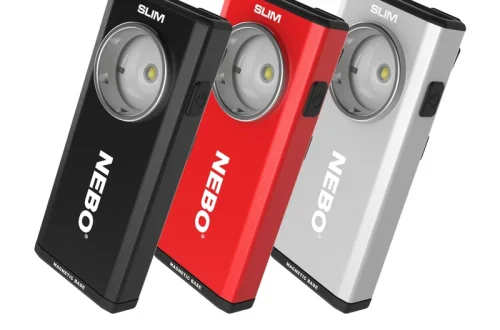
Managing light intensity is critical for professional results. For instance, the ZHIYUN Smooth 5S AI features a built-in fill light with a peak brightness of 650 lux. However, users can achieve an expanded brightness of 2040 lux by utilizing magnetic add-ons. This significant jump in illumination allows for much better control in challenging environments.
When selecting lighting, consider the following factors:
- Brightness ratings (measured in lux) for different environments.
- Portability of LED panels for mobile shoots.
- The price-to-performance ratio of professional units like the Aputure MC LED, which retails for approximately $90.
Stabilization remains a cornerstone of high-quality mobile videography. DJI is a leading manufacturer in the gimbal space, providing tools that counteract the natural micro-tremors of handheld shooting. Using a gimbal is often more effective than handheld bracing, which requires the photographer to brace arms against the body to minimize shake.
The Hybrid Workflow: Audio and Power Management
Successful hybrid workflows require careful consideration of audio and power. High-quality audio is essential for professional-grade video, and using external microphones like those from Rode can significantly elevate production value.
However, audio recording is not without its technical hurdles. BOYA, a prominent microphone manufacturer, warns that users often face audio distortion or mismatch risks. This occurs when sending a hot line signal into a sensitive mic port, specifically a Mic-level vs. Line-level mismatch. Additionally, RF (Radio Frequency) interference can cause audio dropouts or clicking.
Power management is equally vital during long production days. For extended shoots, relying on a high-capacity power bank, such as a 20,000 mAh Anker unit, ensures the iPhone remains operational. For professional kits, the SmallRig Mobile Video Kit for iPhone 16 Pro, priced at approximately $158, provides the necessary integration for a robust mobile setup.
FAQ
How do I fix distorted anamorphic footage?
Use the BlackMagic Camera app to ‘unsqueeze’ the footage to the correct aspect ratio. This process corrects the horizontal compression caused by the anamorphic lens, restoring the intended cinematic proportions.
Why is my audio clipping when using an external mic?
This often happens due to a Mic-level vs. Line-level mismatch; ensure signal levels are compatible with the mic port. Checking the input gain settings can prevent the signal from exceeding the hardware’s limits.
Can external lenses replace iPhone’s built-in Macro mode?
Yes, high-magnification macro modules (up to 200x) can reveal textures and details that standard software modes cannot. These lenses provide a level of physical magnification that digital software processing cannot replicate.