SnapRoamer.com – smartphone photography has transformed how millions capture everyday moments, yet achieving consistently sharp focus remains a technical challenge for many users. Unlike traditional cameras with dedicated manual controls, smartphone cameras rely on compact hardware and software algorithms that demand specific techniques to optimize focus clarity. Sharp images hinge on precise focus modes, stable handling, optimal lighting, and skilled post-processing, all of which smartphone photographers must master to elevate their creative output.
Achieving sharp focus on a smartphone involves leveraging tap-to-focus functionality or manual focus controls when available, stabilizing the device to reduce motion blur, and shooting primarily under natural light to minimize ISO noise and enhance image clarity. Post-processing software such as Adobe Lightroom and Photoshop can further refine sharpness through subtle adjustments, while burst mode and exposure lock settings increase the probability of capturing a perfectly focused frame. This article delves into the technical and creative approaches essential for smartphone users seeking crisp, well-focused photographs.
Understanding Focus Modes on Smartphones
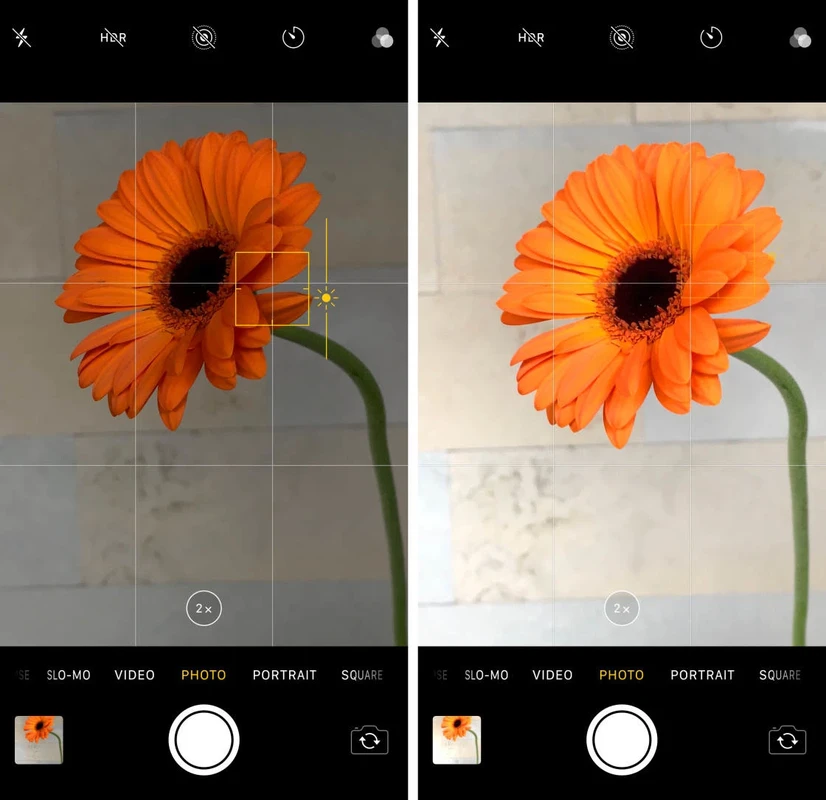
Smartphone cameras commonly offer multiple focus modes, each suited to different shooting scenarios and user proficiency levels. Tap to focus is the most straightforward and widely used feature, allowing users to select a specific area on the screen to lock autofocus precisely on the subject. This mode is particularly effective when photographing static subjects or scenes where the primary point of interest contrasts distinctly with the background. By locking focus, tap-to-focus prevents the camera from shifting attention, ensuring sharper photos of the desired subject.
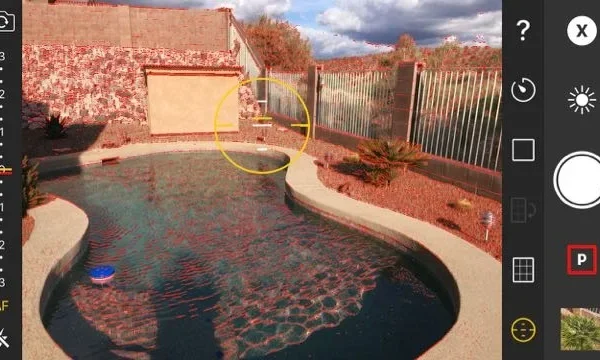
Manual focus, available through dedicated camera apps or third-party software like CameraX developer tools, grants users granular control over focal distance. It enables fine adjustments that autofocus systems might miss, especially in low-light conditions or macro photography where autofocus can falter. For example, apps such as ProCam or Filmic Pro support manual focus sliders that allow users to dial in exact focus points, improving sharpness in challenging scenes.
Continuous autofocus (AF-C) mode tracks moving subjects by dynamically adjusting focus as the subject changes position in the frame. This mode is crucial for sports, wildlife, or candid photography, where subjects rarely remain still. Advanced smartphones like the Samsung Galaxy S8 and later models incorporate sophisticated AF tracking algorithms that enhance focus precision during motion, reducing blur and misfocus incidents.
Practical Shooting Techniques for Sharp Photos
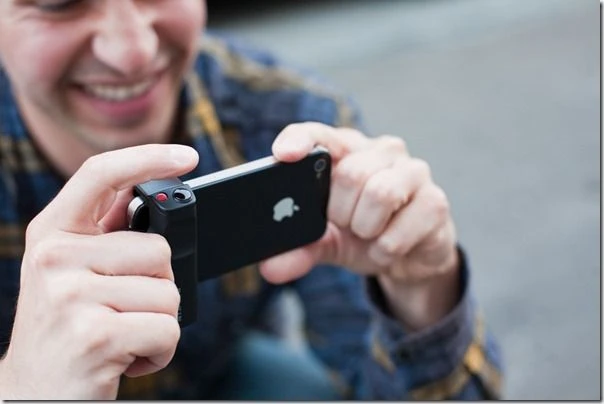
Device stability fundamentally affects photo sharpness. Even minor hand tremors can introduce motion blur, especially in low-light conditions requiring longer shutter speeds. Holding the smartphone with two hands, tucking elbows close to the body, and using volume buttons or headphone remote triggers to snap photos can significantly reduce shake. This technique mirrors professional camera handling, providing a steadier base for the sensor.
lighting conditions critically influence sharpness by impacting ISO sensitivity and shutter speed requirements. natural light, especially during golden hour or overcast conditions, offers even illumination that minimizes shadows and noise. Lower ISO settings reduce image grain, preserving fine details and resulting in cleaner, sharper images. Artificial or low light often forces higher ISO, increasing noise and reducing clarity.
Composition techniques also contribute to the perception of sharpness. Employing the Rule of Thirds or leading lines guides viewers’ eyes toward the subject, enhancing its visual prominence and sharpness impression. Foreground and background separation, achievable with portrait mode or aperture-simulating effects, further emphasizes the subject’s crispness by softly blurring distracting elements.
Camera Settings to Optimize Focus and Sharpness
Exposure lock, often labeled as AE/AF lock, freezes both autofocus and autoexposure settings, preventing the camera system from readjusting during capture. This is particularly useful in scenes with varying light or contrast, ensuring the focal plane remains sharp and properly exposed. Activating exposure lock before shooting helps maintain consistent focus on the subject across multiple shots.
Balancing ISO and shutter speed is essential to avoid motion blur while retaining adequate brightness. Lower ISO values reduce noise, but may require slower shutter speeds, which risk blur if the device is not stabilized. Conversely, faster shutter speeds freeze motion but demand higher ISO or brighter lighting. Smartphones with manual controls allow users to tweak these parameters, tailoring settings to the shooting environment.
Burst mode enhances sharpness prospects by capturing a rapid sequence of images, increasing the likelihood that at least one frame is perfectly focused and free from blur. This feature is invaluable for dynamic scenes or moving subjects, providing a selection of images from which to choose the sharpest.
Post-Processing for Enhanced Sharpness
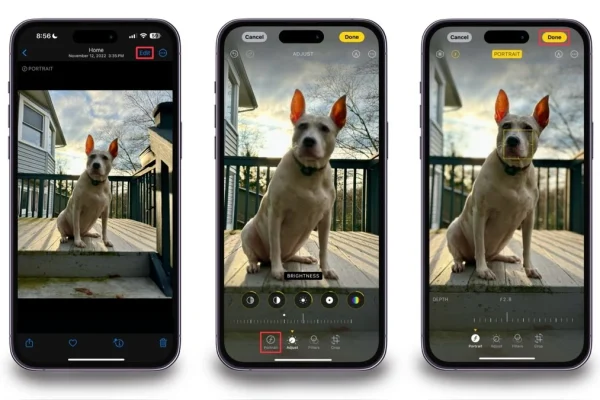
Editing software is a critical component in the smartphone photographer’s toolkit for refining sharpness beyond in-camera capabilities. Adobe Lightroom and Photoshop remain industry standards for advanced post-processing, offering precision sharpening tools that enhance edge definition without introducing artifacts. Smartphone apps like Snapseed and VSCO provide accessible sharpening sliders and clarity adjustments suitable for on-the-go editing.
Subtlety is key in sharpening; excessive application can create unnatural halos or noise amplification. Photographers should apply incremental sharpening, previewing results at 100% zoom to assess detail enhancement. Additionally, noise reduction tools can be combined with sharpening to balance clarity and smoothness, especially in images shot under higher ISO.
Advanced Tips and Tools
Capturing images in RAW format preserves maximum detail and dynamic range, granting greater latitude for sharpening and exposure adjustments during editing. Many flagship smartphones offer RAW capture modes through native cameras or third-party apps, enabling professional-grade post-processing flexibility.
Third-party camera apps that provide manual focus, ISO, shutter speed, and white balance controls empower users to customize settings for optimal sharpness. For example, Camera FV-5 and Manual Camera apps incorporate robust manual controls that surpass default camera apps, appealing to enthusiasts who demand precise control.
Lens cleanliness is an often overlooked yet crucial factor for sharpness. Fingerprints, dust, or smudges on smartphone lenses degrade image quality by scattering light, reducing contrast, and causing softness. Regular cleaning with microfiber cloths and lens-safe solutions ensures the lens surface remains clear, enabling the camera to capture sharp details.
| Technique | Benefit | Recommended Tools/Settings |
|---|---|---|
| Tap to Focus | Precise focus on subject, reduces autofocus hunting | Default camera app focus tap, AE/AF lock |
| Manual Focus | Fine control in low light or macro scenes | ProCam, Camera FV-5, CameraX tools |
| Device Stabilization | Minimizes motion blur | Two-handed grip, volume button shutter, tripods |
| Natural Lighting | Reduces ISO noise, enhances detail | Golden hour, overcast light, outdoor shooting |
| Burst Mode | Increases chances of sharp frames in motion | Built-in burst in camera app |
| Post-Processing Sharpening | Enhances edge clarity and detail | Adobe Lightroom, Snapseed, Photoshop |
Integrating Techniques for Consistent Sharpness

Consistent sharpness in smartphone photography emerges from combining proper focus modes, stable shooting techniques, intelligent camera settings, and refined post-processing. Users who actively engage with manual focus controls or tap-to-focus locking, stabilize their devices during capture, and prioritize natural lighting conditions consistently produce sharper images. Utilizing burst mode and exposure lock further mitigates the risks of misfocus and motion blur, especially in dynamic scenes.
Post-processing remains an indispensable step for fine-tuning sharpness and compensating for hardware limitations intrinsic to smartphone cameras. The strategic use of RAW capture and third-party apps expands creative control, allowing photographers to push image quality beyond default capabilities. Routine lens maintenance complements all these efforts by ensuring the optical pathway remains unobstructed.
As smartphone camera technology advances, integrating these techniques with emerging features like AI-driven autofocus and computational photography will offer users even greater precision and ease in capturing sharp, impactful images.
FAQ
How does tap to focus improve smartphone photo sharpness?
Tap to focus allows users to specify the exact point on the screen where the camera should lock autofocus, preventing it from shifting during capture. This targeted focus reduces autofocus hunting and ensures that the chosen subject appears crisp and sharp in the final image.
When should I use manual focus instead of autofocus on my smartphone?
Manual focus is ideal in low-light scenarios, macro photography, or complex scenes where autofocus may struggle to identify the correct focal point. Dedicated camera apps with manual controls enable precise adjustments that enhance sharpness when autofocus is unreliable.
What role does natural lighting play in achieving sharp smartphone photos?
Natural light reduces the need for high ISO settings, thereby minimizing noise and preserving image detail. Soft, even lighting conditions such as during golden hour or on overcast days improve clarity and contrast, resulting in sharper photos.
How can burst mode help capture sharper images?
Burst mode captures multiple frames in rapid succession, increasing the likelihood that at least one image is perfectly focused and free from motion blur. This is particularly useful for moving subjects or unstable shooting conditions.
Are post-processing sharpening tools necessary for smartphone photography?
While modern smartphone cameras produce high-quality images, subtle sharpening in post-processing can enhance edge definition and overall clarity. Applications like Adobe Lightroom and Snapseed offer effective sharpening sliders that improve image sharpness without degrading quality when used judiciously.
For more detailed insights on achieving sharp photos, refer to Rick McEvoy’s expert guide and SnapRoamer’s manual focus tutorial.
With evolving smartphone technology and computational photography, mastering these focus and sharpness techniques will remain essential for photographers aiming to maximize image quality and creative expression in mobile photography.