SnapRoamer.com – Mastering mobile photography while traveling requires moving beyond ‘point-and-shoot’ to master manual controls, stabilization, and composition. By understanding how to manipulate light, manage hardware limitations like battery drain, and use improvised stabilizers, you can capture professional-grade travel imagery using only the device in your pocket.
A common photography mantra suggests that the best camera is the one you have with you.
The Traveler’s Mobile Survival Guide: Preventing Hardware Failure
To prevent hardware failure during travel, manage thermal throttling by avoiding direct sunlight during heavy camera use, and mitigate battery drain by using power-saving modes when using GPS and camera apps simultaneously. Always maintain a data protocol for syncing high-res photos via stable Wi-Fi to avoid consuming limited roaming data.
Smartphones are increasingly replacing heavy cameras when people travel. However, the intensive processing required for high-resolution imaging creates significant thermal stress. In tropical climates, heat is a primary failure mode. If a device detects excessive internal temperature, it will initiate thermal throttling, reducing CPU performance and potentially disabling the camera app entirely to protect internal components.
Managing Thermal Throttling in Tropical Climates
Avoid leaving your device in direct sunlight while shooting. Heat buildup is accelerated when the screen brightness is at 100% and the processor is working to render high-resolution files. If the device feels hot, move it to a shaded area immediately. Practitioners note that overheating is a common failure mode during long shooting sessions in high-temperature environments.
Warning: Constant operation of the camera sensor and intensive editing apps will lead to rapid battery depletion. Always carry a portable power bank to maintain charge during long excursions.
Mastering Manual Exposure and Light Control
To master manual exposure on mobile, use Android Pro Mode to set specific parameters: for night cityscapes, use a 1-2 second shutter speed; for bright daylight, use 1/500s+; and always keep ISO low (50-100) to prevent destructive noise above the 1600-2000 threshold.
Effective smartphone photography depends on specific technical choices rather than the device model. Success relies on selecting the right lens, mastering stabilization, controlling exposure, and understanding how to treat light.
Android Pro Mode: Taking Full Control
When using an Android device, access the Pro mode to bypass the limitations of automatic processing. This mode gives direct control over ISO, shutter speed, white balance, and focus. For specific scenarios, use these settings:
- Night Cityscapes: Set a shutter speed of 1-2 seconds to capture light trails and steady street lights.
- Bright Daylight: Use a shutter speed of 1/500s+ to prevent overexposure in harsh sun.
- Indoor Cafes/Restaurants: A shutter speed of 1/60s is often necessary for sufficient light.
- Traffic Light Trails: A longer exposure of 2-4 seconds creates dynamic movement.
A critical rule for mobile sensors is managing ISO. While increasing ISO allows for shots in low light, it introduces digital noise. Keep ISO as low as possible, ideally between 50-100. Once you exceed the 1600-2000 ISO threshold, noise becomes destructive, ruining the fine details of your travel subjects.
When to Override AI: Computational vs. Manual Control
computational photography can sometimes fail by producing “plastic” looking skin or blown-out skies. While AI is excellent for quick shots, manual control is superior for artistic intent. If an image looks unnatural, use the EV Slider in your camera settings to adjust exposure compensation manually. This allows you to control the mood, such as using intentional underexposure to create a “low-key” dramatic effect.
Advanced Composition for Immersive Travel Stories
Professional travel stories are built through deliberate composition. Instead of centering every subject, use structural elements to guide the viewer’s eye through the frame.
leading lines, such as roads, building edges, or furniture, serve to draw attention to the main subject. By positioning yourself so these lines point directly toward your subject, you create a sense of depth and immersion.
Using Vertical Panorama for Tall Architecture
Standard horizontal panoramas are insufficient for towering landmarks. To capture tall subjects like ancient trees or skyscrapers, flip the phone on its side and use the panorama function vertically. This allows you to capture the full scale of the architecture without the distortion caused by digital zooming.
The Art of Leading Lines
Beyond simple lines, consider the scale of your subject. Robert Capa famously noted, “If your pictures aren’t good enough, you aren’t close enough.” This remains a fundamental truth in mobile photography. Moving physically closer to the subject is always superior to using digital zoom, which can damage your image and pixelate it, making it look blurry and scratchy.
| Feature | Smartphone | DSLR/Mirrorless |
|---|---|---|
| Portability | High (Always with you) | Lower (Requires a bag) |
| Excellent for social media | Superior for large prints | |
| Software-based/Limited | Physical/Precise |
This comparison highlights why smartphones excel in portability while DSLR/Mirrorless gear remains superior for large-scale printing.
Achieving Stability Without a Tripod
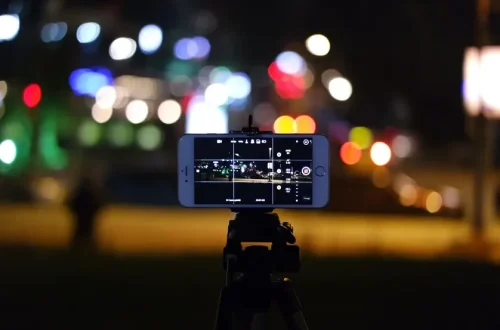
Long exposure shots are highly susceptible to failure due to tiny vibrations. Even a slight tremor can ruin a multi-second exposure, making the image appear blurry or creating artifacts in composite images. If you do not have a tripod, you must find ways to stabilize the device manually.
To ensure sharp images, employ these stabilization techniques:
- Brace the phone against a rock or a stable ledge.
- Use your backpack as a steady rest for the device.
- Use a self-timer to prevent the shake caused by your finger touching the screen.
- Utilize the volume-button shutter as a physical remote release.
If you are attempting a shot with a shutter speed slower than 1/30s, a stable surface is mandatory. For iPhone users wanting to simulate long exposure effects, shoot a Live Photo, then swipe up in the gallery and select the ‘Long Exposure’ option.
Common Pitfalls to Avoid on the Road
Certain habits can compromise image quality. Avoid the following mistakes to maintain high standards for your travel photography.
Avoid: Digital zoom, harsh LED flashes, and improper lens cleaning.
Avoid using digital zoom at all costs; it pixelates the frame and destroys detail. Instead, move closer to your subject. Furthermore, do not rely on the built-in LED flash for portraits. Smartphone flashes are harsh, unflattering, and have a very limited range of only 2-3 meters. For better results, seek out natural light or use a portable LED light source.
Finally, never use t-shirts or scratchy jeans to clean your lens. The oils and fibers from clothing can leave micro-scratches or a film that causes light to smear. Always carry a dedicated microfiber cloth to ensure your lens remains crystal clear.
FAQ
Should I use digital zoom while traveling?
No, digital zoom can damage image quality by pixelating the frame and making it look blurry or scratchy. It is better to move physically closer to your subject to maintain full sensor resolution.
Is the phone flash good for portraits?
Generally, no. Smartphone LED flashes are often harsh and unflattering, and they have a very limited range of only 2-3 meters. Natural light or diffused light sources are preferred for portraiture.
How can I get long exposure shots on an iPhone?
Shoot a Live Photo, then swipe up in the gallery and select the ‘Long Exposure’ option to simulate the effect, such as blurring water or moving clouds.