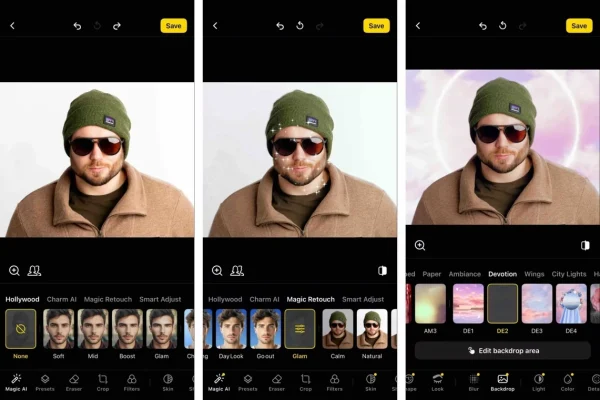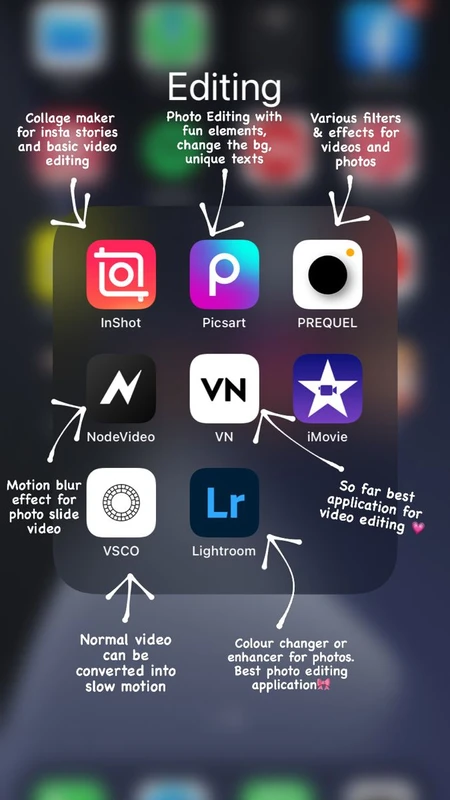
SnapRoamer.com – Mobile photo editing apps have become indispensable tools in modern photography, bridging the gap between casual creativity and professional-grade image manipulation. With advances in AI-powered editing and growing demands for seamless workflow integration, selecting the right app in 2026 hinges on understanding nuanced differences in features, platform support, pricing models, and usability. Professionals require robust RAW editing and cloud synchronization capabilities, while casual users often prioritize intuitive interfaces and aesthetic filters. This article provides an in-depth analysis of leading photo editing apps, helping users align their choice with their editing style, technical requirements, and budget constraints.
Choosing a photo editing app involves evaluating core criteria such as primary use case, platform compatibility, AI tools, and cost structures. Adobe Lightroom Mobile stands out for professionals due to its comprehensive RAW editing, desktop syncing through the Adobe Photography Plan, and AI-driven enhancement tools, despite export limits on its free tier. Conversely, Snapseed offers a compelling free option with a clean, ad-free interface supporting advanced features like healing and HDR, appealing to both novices and experienced users. VSCO distinguishes itself with film-inspired presets and a vibrant community, though it follows a subscription pricing model. Other notable apps like Picsart and Adobe Photoshop Express cater to social media content creators with template-driven workflows and AI-assisted edits, while Darkroom and Photomator focus on iOS-exclusive optimizations. Pixlr and Soda provide accessible cloud-based editing, complementing broader platform ecosystems.
Key Factors to Consider When Choosing a Photo Editing App
The decision matrix for selecting a photo editing app is multifaceted. Primary use case is paramount: professional photographers demand granular control over RAW files, color grading, and batch processing, whereas casual users may prioritize aesthetic filters and quick social media sharing. Platform compatibility significantly influences choice, with iOS and Android users facing different app availabilities and performance variations; cross-platform support enhances workflow flexibility.
Pricing models vary from completely free apps like Snapseed to subscription-based services such as Adobe Lightroom Mobile and VSCO. Subscription plans often unlock advanced AI features, cloud storage, and integration capabilities but require ongoing investment. AI capabilities are increasingly critical, offering automation for object removal, face retouching, and intelligent presets, though the sophistication of these tools differs widely between apps. Additionally, the learning curve impacts usability—apps like Snapseed balance complexity with user-friendly design, whereas Lightroom offers professional depth at the expense of steeper onboarding.
Detailed Overview of Leading Photo Editing Apps
Adobe Lightroom mobile remains the industry benchmark for professional mobile photo editing. It supports non-destructive RAW editing, provides seamless cloud synchronization with desktop Lightroom, and integrates AI features like Enhance Details and Auto Tone. However, its free tier restricts exports to JPG at lower resolutions, requiring subscription to the Adobe Photography Plan for full functionality. Users praise its comprehensive toolset but note the complexity may overwhelm casual editors.
Snapseed, developed by Google, is a standout free app with no ads and extensive editing tools. It supports RAW files, includes advanced features like Healing, Selective Adjust, and HDR Scape, and offers an intuitive interface accessible to beginners and pros alike. Its AI-powered features focus on enhancing image quality without overwhelming customization, making it a preferred choice for users seeking simplicity without sacrificing power.
VSCO emphasizes aesthetic appeal through its extensive library of film-like presets and filters that replicate analog effects. Its community features encourage sharing and discovery, fostering creative expression. VSCO operates on a subscription basis, unlocking advanced editing tools and premium presets. While less focused on RAW editing, it appeals to social media enthusiasts seeking consistent visual styles.
Picsart combines AI-assisted editing with social media integration, offering templates, background removal, and collaborative features. It supports both iOS and Android and includes a freemium model with ads, pushing users toward paid tiers for watermark removal and HD exports. Darkroom caters primarily to iOS users, offering a streamlined interface with powerful color grading and batch editing, ideal for professionals working on Apple devices. Photomator, another iOS-exclusive app, focuses on AI-based enhancements and intuitive controls, targeting photographers who desire speed and quality without complexity.
Adobe Photoshop Express provides essential editing tools with AI enhancements like one-touch corrections, suitable for quick edits but limited compared to Lightroom. Pixlr and Soda are accessible cloud-based editors offering basic retouching and filters, targeting casual users who value convenience and cross-device access.
Workflow Integration and Business Use
Professional photographers increasingly rely on integrated workflows that connect mobile editing with desktop environments and portfolio platforms. Adobe Lightroom Mobile’s cloud syncing to desktop Lightroom Classic and Lightroom CC streamlines editing continuity, enabling users to start edits on mobile and finalize on desktop. Additionally, Lightroom’s automatic synchronization with WordPress Imagely facilitates seamless portfolio updates, crucial for maintaining a professional online presence.
Workflow consistency ensures color accuracy and style uniformity, enhancing brand identity for photographers and content creators. Apps that support batch editing and export customization, such as Darkroom and Adobe Lightroom Mobile, further optimize efficiency. For business use, integration with cloud storage services like Google Photos and Apple Photos enhances backup reliability and sharing options, while platforms like Microsoft Photos offer basic editing and organizational tools aligned with Windows ecosystems.
AI in Photo Editing Apps
Artificial intelligence has transformed mobile photo editing by automating complex tasks and enhancing creative possibilities. AI-powered features include automatic subject detection, background replacement, face enhancement, and style transfer. Adobe Lightroom Mobile integrates AI-driven Auto Tone and Enhance Details, which improve image sharpness and dynamic range with minimal user input. Snapseed’s healing tool leverages AI for seamless object removal, while Picsart’s AI background removal and content-aware fill streamline social media content creation.
However, AI sophistication varies widely; some apps offer generic presets that may not adapt well to diverse images, while others provide customizable AI sliders and batch processing. User feedback indicates that excessive AI automation can sometimes reduce creative control, emphasizing the need for balance between AI assistance and manual editing capabilities.
Budget Considerations and Subscription Trade-offs
Budget constraints heavily influence app selection. Free apps like Snapseed and Google Photos provide robust tools without upfront costs, though they may lack advanced AI features or impose export limitations. Subscription apps such as Adobe Lightroom Mobile and VSCO offer premium features, cloud storage, and higher export quality but require monthly or annual fees. Adobe’s Photography Plan, for instance, bundles Lightroom Mobile, Lightroom Classic, and Photoshop desktop versions for approximately $9.99 per month, representing a strong value for professionals.
Subscription models provide continuous updates and feature enhancements, which free apps often lack. However, casual users or beginners may find paid plans unnecessary and prefer apps with generous free tiers. Transparent pricing and trial periods help users assess whether subscription benefits justify ongoing costs.
Recommendations Based on User Profiles
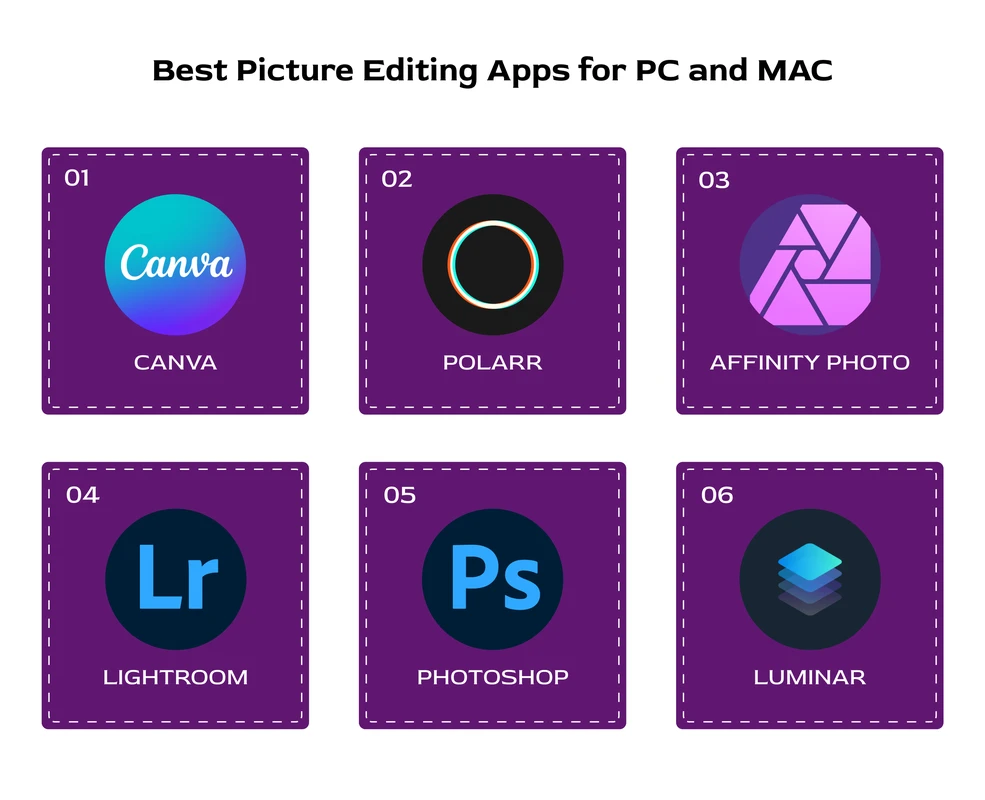
Professionals benefit most from Adobe Lightroom Mobile combined with Adobe Photoshop Express or desktop Photoshop, leveraging RAW editing, cloud sync, and extensive AI tools. Lightroom’s integration with desktop workflows and portfolio platforms supports comprehensive editing and distribution.
Social media creators should consider Picsart or VSCO, which offer AI-driven templates, filters, and community features that enhance brand consistency and content engagement. Picsart’s background removal and collage tools facilitate fast, eye-catching posts.
Casual users and beginners are well served by Snapseed, which balances ease of use with powerful editing capabilities without subscription fees. VSCO also appeals to this group due to its user-friendly interface and aesthetic filters.
Frequently Asked Questions
Which photo editing app is best for professional RAW editing on mobile?
Adobe Lightroom Mobile is widely regarded as the best mobile app for professional RAW editing due to its advanced tools, non-destructive workflow, and seamless cloud synchronization with desktop Lightroom.
Are there free photo editing apps with advanced editing features?
Yes, Snapseed offers a comprehensive suite of advanced editing tools, including RAW support, healing, and HDR effects, all without ads or subscription requirements.
How important is AI in choosing a photo editing app?
AI enhances editing efficiency by automating tasks like object removal and auto-tone adjustments, but its usefulness depends on the desired level of manual control and the sophistication of the AI implementation in the app.
Do subscription photo editing apps offer better value?
Subscription apps typically provide more advanced features, cloud storage, and regular updates, representing good value for frequent users and professionals, while casual users may find free apps sufficient.
Can photo editing apps integrate with online portfolios?
Yes, Adobe Lightroom Mobile integrates with portfolio platforms such as WordPress Imagely, enabling automatic synchronization of edited photos for professional online presentation.
For users navigating the evolving landscape of mobile photo editing in 2026, selecting an app aligned with personal workflow, skill level, and budget is crucial. Experimenting with free trials and exploring feature sets can reveal which app best complements individual creative processes. As AI continues to advance and platform ecosystems expand, editing apps will increasingly converge professional-grade capabilities with user-friendly design, supporting both casual photography enthusiasts and seasoned professionals alike.
For further insights and up-to-date app evaluations, consult comprehensive reviews from trusted sources like best photo editing apps guide and PCMag’s mobile photo editors review.