SnapRoamer.com – Effective lighting is crucial for phone photography, impacting image quality and mood. Using natural light strategically, avoiding harsh built-in flashes, and integrating external lighting with proper phone settings can dramatically enhance your photos.
How can you optimize phone camera settings for different external lighting types?
Adjusting phone camera settings like exposure, white balance, and HDR mode in coordination with external lighting types ensures balanced, well-lit images. Different lights require specific adjustments to avoid color casts and maintain detail.
In the default iPhone Camera app (iOS 16), you can adjust exposure by tapping the screen and sliding the sun icon up or down to increase or decrease brightness by up to ±2 stops. This helps compensate for different external lighting, such as LED panels or window light. For Android phones, the Samsung Galaxy S21 allows exposure adjustment within the Pro mode by dragging the EV slider from -2.0 to +2.0.
White balance often requires manual tweaking to match the color temperature of your light source. For example, tungsten bulbs emit warm light (~3200K), while daylight averages around 5600K. Using apps like ProCamera or Lightroom Mobile, you can set white balance by Kelvin values, ensuring skin tones and object colors appear natural. Counterintuitively, auto white balance can sometimes worsen color casts under mixed lighting, causing unnatural hues.
HDR (High Dynamic Range) mode is indispensable for scenes with high contrast, such as backlit portraits or sunset shots. Enabling HDR on the iPhone 14 Pro via Settings > Camera > Smart HDR can retain shadow and highlight detail. However, HDR may cause ghosting if subjects move during capture, so it is less effective for fast action shots.
Integrating external flashes triggered by Bluetooth significantly improves low-light photography. For instance, KobraTech recommends positioning an external flash unit at the side of your subject rather than front-facing, which produces softer, more flattering illumination. Pairing this with the phone’s native camera app or third-party apps that support manual shutter control can maximize results. Failure to synchronize flash timing can lead to uneven lighting or overexposure, so always test flash placement beforehand.
- Adjust exposure via iPhone Camera app: tap > slide sun icon ±2 stops
- Set white balance manually in ProCamera app: choose Kelvin from 2800K to 6500K
- Enable HDR in iPhone Settings > Camera > Smart HDR for high contrast scenes
- Use Bluetooth-triggered external flash positioned at subject’s side
- Avoid relying solely on auto white balance under mixed light sources
What are effective lighting setups for indoor phone photography?
Indoor phone photography benefits from using single side light sources, diffusing window light, and avoiding multiple simultaneous lights to preserve shadows and depth, creating dramatic and balanced photos.
Using one single light source from the side indoors creates dramatic and unique shots by emphasizing shadows and contours. KobraTech advises placing a lamp or LED panel (like the Pixel Portable Light) approximately 45 cm from the subject’s face at a 60-degree angle to achieve this effect. This setup enhances texture and depth without flattening the image.
Diffusing natural light with sheer curtains softens direct sunlight, preventing blown highlights and harsh shadows. Stephanie Kines recommends using white or off-white sheer curtains to filter sunlight, especially during midday hours when sunlight intensity can reach 10,000 lux or more. This approach avoids overexposure on skin and maintains detail in shadowed areas.
A common misconception is that turning on all available lights indoors will brighten photos. In reality, multiple simultaneous light sources drastically reduce shadow detail, resulting in flat, uninteresting images. KobraTech warns that this removes the dimensionality that shadows provide, making photos appear lifeless.
Failure modes indoors include harsh reflections from shiny surfaces and unwanted color casts from mixed light types, such as fluorescent and incandescent bulbs. Avoid these by choosing one dominant light source and adjusting white balance accordingly via your phone camera app’s settings menu (for example, in Samsung Camera > Settings > White Balance presets).
- Place single light source 45 cm from subject at 60° angle
- Diffuse window light with sheer curtains to soften intensity
- Avoid multiple lights on simultaneously to preserve shadows
- Adjust white balance to match dominant indoor light source
- Watch for reflections and color casts on shiny or mixed lighting surfaces
How do natural and artificial light compare for phone photography?
Natural light provides soft, accurate skin tones and organic quality to photos, while artificial light tends to be harsher, contrasty, and can distort colors, making natural light preferable when available.
| Lighting Type | Skin Tone Accuracy | Softness of Light | Portability | Price Range | Best Use Case |
|---|---|---|---|---|---|
| Natural Light | High (soft, accurate) | Soft and even | Unlimited (free) | Free | Portraits, landscapes |
| Built-in Phone Flash | Low (harsh, unflattering) | Harsh and direct | Built-in | Included with phone | Fill light (avoid when possible) |
| External Flash (Bluetooth Triggered) | Medium-High | Controlled, directional | Portable with battery | $50-$200 | Low light, controlled lighting |
| Portable LED Lights (Pixel, Yongnuo) | High (CRI 90+) | Soft with diffuser | Highly portable | $120-$400 | Content creation, fill light |
Natural light excels because it renders skin tones with minimal distortion, as Ashley McKee states, “Natural light is just that – natural… it brings a level of simplicity and an organic quality to photos.” In contrast, artificial light sources often create harsh shadows and exaggerated contrast, which can degrade image quality on phone sensors.
Counterintuitively, built-in phone flashes, despite their convenience, often worsen image quality due to their direct and intense illumination, which leads to overexposed highlights and unnatural shadows. Photographers should prefer natural light or portable LED panels whenever feasible, especially models with a CRI rating above 90, such as the GVM SD300B, to ensure color accuracy.
Failure with artificial lighting often occurs when mixing different color temperatures without adjusting white balance, resulting in unwanted color casts. To mitigate this, use manual white balance settings and consistent light sources during shoots.
What portable lighting equipment is best suited for phone photography?
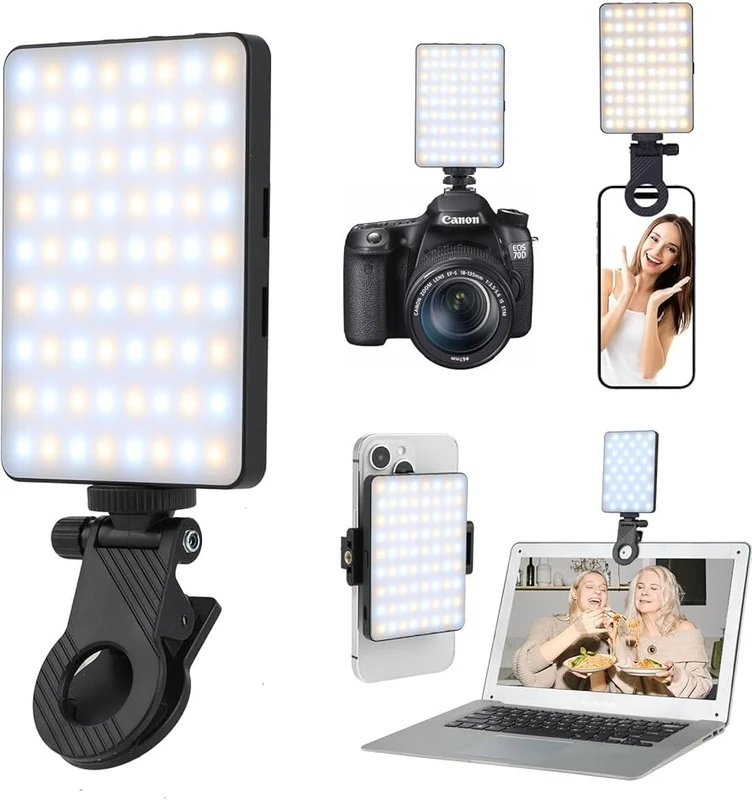
Portable LED lights like Pixel Portable Light, Yongnuo Ice Light, and Falconeyes RX18-TD offer versatile, high-quality lighting options for phone photography, balancing portability, color accuracy, and brightness.
Small portable LED lights such as the Pixel Portable Light and the Aputure M9 are highly pocketable and suitable for on-the-go content creators. The Pixel Portable Light features adjustable color temperature from 3200K to 5600K and includes a diffuser for soft light. The Aputure M9 weighs just 90 grams, making it ideal for travel.
Large LED panel lights like the Falconeyes RX18-TD provide soft, even illumination thanks to their 60×18 cm panel size. They operate at typical home power levels around 20% intensity for comfortable indoor shoots. These panels feature adjustable color temperature between 2800K and 6000K, which helps match ambient light conditions precisely.
| Model | Type | Color Temp. (K) | Price (USD) | Portability |
|---|---|---|---|---|
| Pixel Portable Light | Small LED | 3200-5600 | $150 | Highly portable, pocketable |
| Yongnuo Ice Light | Small LED | 3200-5600 | $120 | Portable handheld |
| Falconeyes RX18-TD | Large LED Panel | 2800-6000 | $400 | Less portable, requires stand |
| Aputure M9 | Small LED | 3200-5600 | $90 | Ultra-portable |
Counterintuitively, larger panels like the Falconeyes RX18-TD often produce softer light than smaller LEDs despite their increased size and power, which is beneficial for portraiture. However, their bulk and need for stands reduce portability. Smaller units like the Yongnuo Ice Light are easier to carry but may require additional diffusion to soften their harsher light.
Failure modes include battery life limitations; for example, the Yongnuo Ice Light provides approximately 2 hours of continuous use at full brightness. Carrying spare power banks or charging cables is essential during extended shoots.
How can you troubleshoot common lighting issues in phone photography?
Common phone photography lighting issues like flicker, color casts, autofocus struggles, and harsh shadows can be mitigated by adjusting lighting angles, using diffusers, stabilizing the phone, and enabling HDR mode.
Harsh built-in flash often produces unflattering shadows and overexposed highlights, as noted by KobraTech. To counter this, disable the built-in flash and use a Bluetooth-triggered external flash positioned at the side of your subject to create softer illumination.
Color casts caused by artificial lighting can be corrected by manually adjusting white balance in camera settings or using apps like Lightroom Mobile. For example, flickering fluorescent lights can introduce greenish tints, which require white balance correction to neutralize.
Improving focus and reducing camera shake in low light is critical. Place your phone on a stable surface or tripod and use the iPhone’s volume button or Bluetooth remote as a shutter release to avoid blur. Enabling HDR mode via Settings > Camera > Smart HDR improves dynamic range but can fail if subjects move during exposure.
- Disable built-in flash to avoid harsh shadows
- Use external flash triggered by Bluetooth for softer light
- Manually adjust white balance to fix color casts from artificial lights
- Stabilize phone with tripod or flat surface to reduce shake
- Enable HDR for high contrast scenes, but avoid with moving subjects
Warning: Flickering LED lights can cause banding in photos. If this occurs, change the light source or increase shutter speed in manual mode to reduce flicker visibility.
What are advanced lighting techniques for creative phone photography?
Creative lighting techniques include using color gels, mixing natural and artificial light, experimenting with angles and intensity, and employing portable lighting kits to create cinematic effects and moods.
Using color gels on portable LED lights allows you to add hues like blue or amber, transforming the mood of your photos. For example, placing a blue gel over a Pixel Portable Light can simulate evening lighting, while amber gels warm skin tones during indoor shoots.
Combining natural and artificial light sources offers nuanced control over lighting. Position your subject near a window for soft daylight, then use a Yongnuo Ice Light with adjustable intensity to fill shadows subtly. Adjust your phone’s white balance manually to balance the mixed light temperatures.
Soft light with large LED panels like the Falconeyes RX18-TD creates flattering portraits by evenly spreading light over the subject. Position the panel approximately 1 meter from the subject with a diffuser attachment to avoid hotspots. This technique is especially effective for close-up shots requiring smooth skin tones.
- Apply color gels to LED lights for creative color effects
- Mix natural window light with low-intensity artificial fill lights
- Use large LED panels with diffusers for soft, even lighting
- Experiment with light source angles to sculpt shadows and highlights
How can photographers with disabilities effectively set up lighting for phone photography?
Photographers with disabilities can use accessible tools like remote triggers, lightweight portable lights, and simplified setups to manage lighting effectively, ensuring creative control and ease of use.
Remote flash triggering via Bluetooth allows hands-free control of external lights, which is beneficial for photographers with limited mobility. KobraTech suggests pairing a Bluetooth flash trigger with a Pixel Portable Light or Yongnuo Ice Light to activate lighting without physical interaction.
Lightweight portable lighting options, such as the Aputure M9 (weighing 90 grams) and the Pixel Portable Light, offer easy handling and setup. Their compact size enables quick repositioning without strain. These lights also feature rechargeable batteries lasting up to 2 hours at full power, reducing the need for cumbersome power cables.
Simplified lighting setups involve using one main light source and minimal additional equipment. Position your phone on a tripod with a remote shutter button enabled (for iPhones, the volume + button or Bluetooth remotes), and arrange the light source at a fixed angle. This setup minimizes complexity and physical adjustments during shoots.
- Use Bluetooth remote triggers to control external lights
- Choose lightweight, pocket-sized LED lights for easy handling
- Mount phone on tripod and use remote shutter for hands-free shooting
- Limit lighting to a single source to simplify setup and adjustments
What ethical and environmental considerations should be kept in mind when using artificial lighting in public spaces?
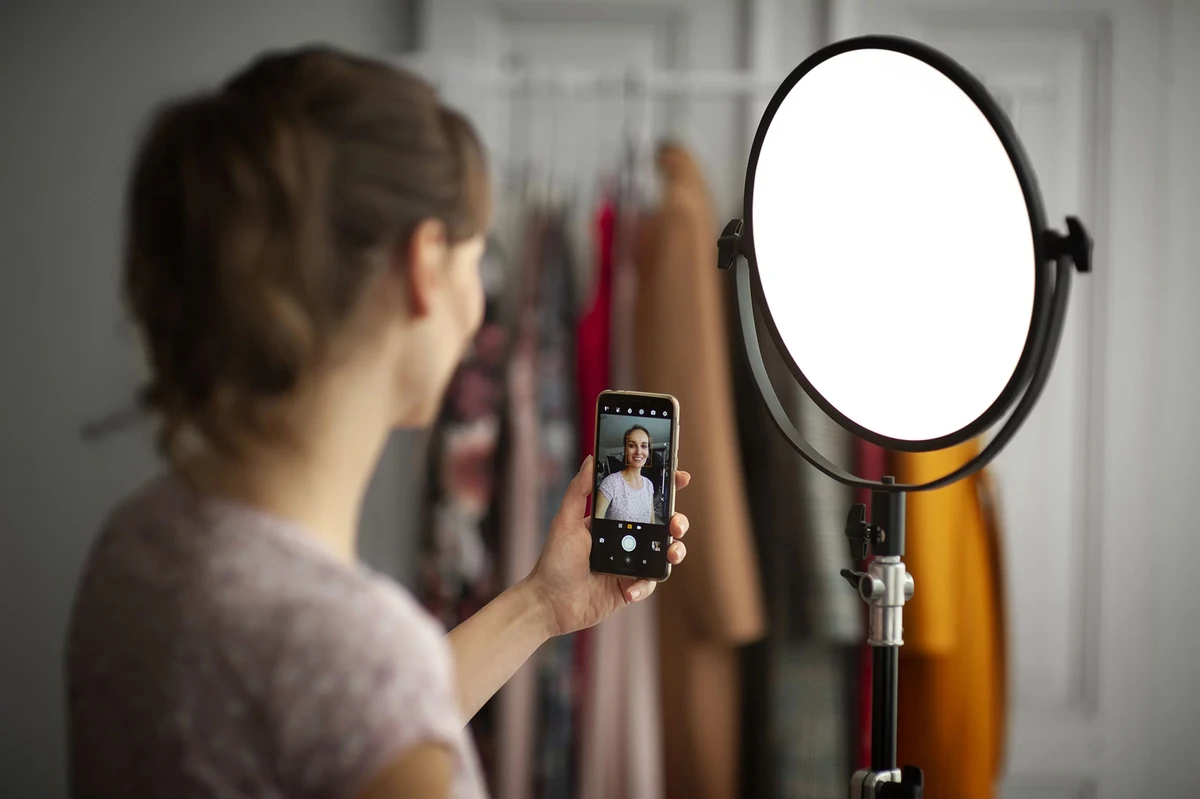
When using artificial lighting in public or sensitive environments, photographers should consider light pollution, privacy, and energy consumption to minimize environmental impact and respect others.
Minimizing light pollution involves using only necessary light intensity and directing lights away from unintended areas. For instance, portable LED lights like the Yongnuo Ice Light provide adjustable brightness down to low levels, helping reduce glare in public spaces.
Respecting privacy means avoiding intrusive lighting setups that disturb bystanders or invade private moments. Position your lights so they illuminate only your subject without spilling onto others, and seek permission when photographing in sensitive locations.
Energy-efficient lighting choices favor LED lights over traditional incandescent or halogen bulbs due to lower power consumption and longer battery life. For example, the Falconeyes RX18-TD operates efficiently at 20% power for typical indoor use, extending battery life and reducing environmental footprint.
- Adjust LED light brightness to minimize light pollution
- Direct lights to avoid illuminating bystanders or private areas
- Choose energy-efficient LED lights to reduce power usage
- Plan lighting setups mindful of local regulations on public lighting
FAQ
Why should I avoid using the built-in flash on my phone?
Built-in phone flashes often produce harsh, unflattering light that can ruin photo quality and create unwanted shadows or highlights. KobraTech states, “Flash technology on cell phones is still not that advanced, so using flash is best avoided. It’s outcome is usually unflattering and too harsh,” making external lighting a better alternative.
When is HDR mode most useful in phone photography lighting?
HDR mode helps balance exposure in high contrast scenes like backlit subjects or sunsets, preserving detail in shadows and highlights. The School of Photography notes, “HDR (High Dynamic Range) is a powerful tool in Smartphone Photography, especially for landscapes and bright skies,” but it may cause ghosting if subjects move.
How can I create dramatic indoor photos with limited lighting equipment?
Using a single side light source indoors and avoiding multiple simultaneous lights preserves shadow detail and adds depth, resulting in dramatic images. KobraTech advises, “Use one single light source from the side to create a dramatic and unique shot,” which is effective for mood and texture.
What portable lighting options are best for phone photography on a budget?
Affordable portable LED lights like the Yongnuo Ice Light offer good color rendering and portability at a lower price point. According to 1kCreatives, the Yongnuo Ice Light costs approximately $120 and provides adjustable color temperature and sufficient brightness for most phone photography needs.
How does natural light compare with artificial light for skin tone accuracy?
Natural light generally produces softer, more accurate skin tones, while artificial light can be harsh and cause color distortions. Ashley McKee explains, “Natural light is just that- natural… it brings a level of simplicity and an organic quality to photos,” making it preferable when available.