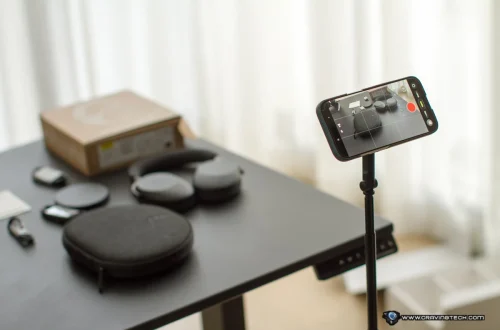
SnapRoamer.com – Smartphone tripods provide the essential stability needed to prevent camera shake during long exposures or video recording. Depending on your goals, you might choose a flexible model like a Joby GorillaPod for irregular surfaces or a rigid mini-tripod like the Manfrotto PIXI for tabletop stability.
According to Digital Camera World, “A properly sharp long exposure, for instance, can only be achieved with stable camera support (no matter what claims a manufacturer makes about stabilization).”
The Case Compatibility & Mounting Trap
Selecting mounting hardware requires matching the clamp to your specific device dimensions. Using a mount like the Joby GripTight One Mount requires careful installation to prevent the phone from twisting out or falling entirely.
Why your Otterbox case matters
Bulky protective cases, such as those from Otterbox, create a significant barrier for many standard spring-loaded clamps. If the case thickness exceeds the maximum opening width of the tripod mount, the clamp cannot apply sufficient pressure to secure the device. This often results in a failure mode where the phone slips or rotates mid-shot, potentially leading to hardware damage.
The center of gravity danger
Attaching external microphones, lights, or wide-angle lenses shifts your center of gravity. To prevent a setup from toppling, Ulanzi suggests using symmetrical accessory placement to maintain balance. An asymmetrical load can cause a mini-tripod to tip, particularly when the phone is in a vertical orientation.
Choosing Your Stability Profile: Vlogger vs. Photographer
Beginners should choose a flexible tripod (like Joby GorillaPod) for creative, off-angle shots on trees or signposts, or a rigid mini-tripod (like Manfrotto PIXI) for stable tabletop vlogging and product shots. Flexible models prioritize versatility, while rigid models prioritize weight capacity and stability.
smartphone tripods are uniquely built to function as selfie sticks or grab onto structures like signposts or trees, according to NYT Wirecutter. This distinguishes them from traditional full-size tripods, which are often too bulky for casual mobile use and are better suited for heavy DSLR setups.
The Flexible ‘Gorilla’ Approach
Flexible tripods feature articulated legs that wrap around irregular objects to enable creative camera placements where a traditional tripod cannot go. These models are ideal for hikers or travelers who need to secure their phone to a fence or a tree branch for a unique perspective.
The Rigid Mini-Tripod Approach
Rigid mini-tripods, such as the Manfrotto PIXI, offer a stable, unmoving base for tabletop work. These are preferred for vlogging or product photography where the camera must remain perfectly still on a flat surface. While less versatile in terms of mounting locations, they offer superior stability for stationary shots.
| Tripod Type | Best Use Case | Key Advantage | Typical Brand |
|---|---|---|---|
| Flexible (Gorilla-style) | Outdoor/Creative Angles | Wraps around structures | Joby, Apexel |
| Rigid Mini-Tripod | Vlogging/Tabletop | High stability on flat surfaces | Manfrotto, Ulanzi |
| Full-size Travel Tripod | Landscape/Long Exposure | Height and heavy load capacity | Peak Design, Benro |
The choice between these profiles depends on your primary environment. A vlogger working in a studio will find more value in a rigid Manfrotto setup, whereas a landscape enthusiast will benefit from the adaptability of a flexible Joby model.
Mastering Night Skies: The Smartphone 500 Rule
To prevent star trails in astrophotography, use the 500 Rule: divide 500 by your lens focal length and crop factor. This estimates the maximum exposure time allowed before the Earth’s rotation (360 degrees in 24 hours) causes visible blurring in your smartphone shots.
AstroBackyard notes that “the sky rotates 0.0042 arc degrees per second, or in simple words, 360 degrees in 24 hours.” This rotation means stars will appear as streaks rather than points of light if the shutter stays open too long during a long exposure.
Calculating your limit
The 500 Rule serves as an extremely useful reference point. To apply it, follow these steps:
- Identify your smartphone’s effective focal length.
- Divide the number 500 by that focal length.
- Adjust for your sensor’s crop factor if applicable.
Avoiding the ‘star trail’ pitfall
Exceeding your calculated exposure limit results in the star trailing pitfall. Instead of sharp celestial bodies, you will capture blurry, elongated streaks. While a tripod provides the base, mathematical precision is required to match the exposure to the Earth’s rotation.
Stability Hardware: Specs and Load Capacities
Hardware selection must account for specific load limits to prevent mechanical failure. Capacities vary significantly across brands, from lightweight mobile supports to heavy-duty travel models.
| Product/Model | Max Load Capacity | Manufacturer |
|---|---|---|
| EVO 2 Mini Tripod | 2.5 kg | Benro |
| KoalaPod | 1.5 kg | Benro |
| VEO 3GO 235AB | 4 kg | Benro |
| Travel Tripod | 20 lbs | Peak Design |
| PIXI Mini Tripod | 2.2 lbs | Manfrotto |
As shown above, capacity varies wildly. A Manfrotto PIXI is designed for lightweight mobile use with a 2.2 lbs capacity, whereas a Peak Design Travel Tripod is built for much heavier loads at 20 lbs. Using a device that exceeds these limits can cause the tripod to collapse or the legs to unscrew from the base during use.
The Beginner’s Failure Mode Checklist
Mechanical issues and environmental factors can cause equipment to fail in the field. Understanding these specific failure modes helps prevent damage to your mobile device.
- Check if legs are unscrewing from the base during positioning.
- Verify the phone is not dangling over one side of the tripod.
- Ensure all accessories are placed symmetrically to maintain balance.
- Confirm the clamp is tightened against the phone case.
Mechanical failures to watch for
One common failure mode is when legs begin unscrewing from the base, a phenomenon sometimes reported when using flexible tripods like the Apexel Gorilla Tripod while aggressively positioning the legs. Additionally, always ensure the tripod is fully locked; a loose joint can lead to the phone slipping out of the mount.
Environmental tipping hazards
Unstable terrain or wind can cause a tripod to topple. This risk is heightened when shooting in a vertical orientation on a small base like the Manfrotto PIXI. If the weight is concentrated on one side, the center of gravity shifts, making the setup highly susceptible to unexpected tipping.
Pro-Tips for Vibration-Free Shooting
Even with professional gear, human interaction can introduce instability. Vibrations from a finger touching the screen can ruin a shot if not managed correctly.
The Timer Trick
To eliminate touch-induced vibration, utilize the built-in self-timer on your smartphone. Ulanzi recommends a 3-second delay for general photography and a 10-second timer for group photos to ensure vibrations have fully dissipated before the shutter opens.
Remote vs. Touch
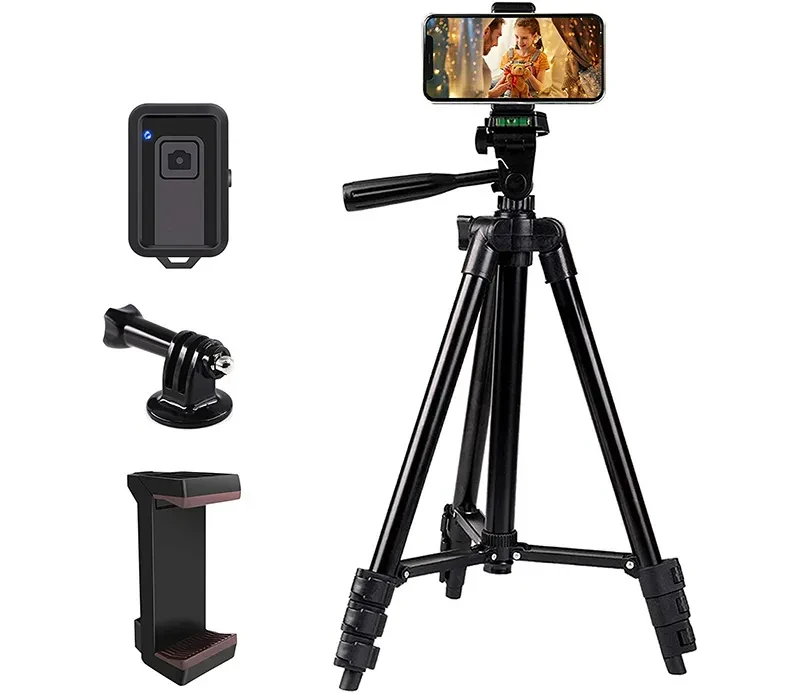
While timers are effective, using a Bluetooth remote is even better for avoiding vibration. According to Ulanzi, Bluetooth remotes work even better and can cost just a few dollars, providing a completely hands-off way to trigger the shutter. If a remote is unavailable, using Burst Mode can sometimes help capture a sharp frame amidst the micro-vibrations of a timed shot.
Budget vs. Investment: Brand Breakdown
The market offers a wide range of stability tools, from $10 entry-level components to premium professional gear. Selecting the right tier depends on your specific photography needs and budget.
| Brand | Approximate Price | Market Segment |
|---|---|---|
| CimaPro | 10 dollars | Entry-level/Mini ball heads |
| Ulanzi | Variable | Budget/Mid-range mounts |
| Manfrotto | 38 dollars | Mid-range/Reliable stability |
| Joby | 150 dollars | Premium/Specialized flexible |
Entry-level essentials
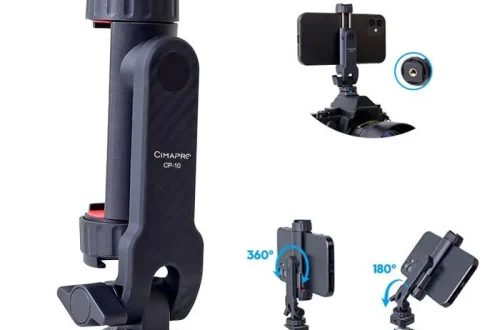
For those just starting, brands like CimaPro offer highly affordable components, such as the B-23 mini ball head for approximately 10 dollars. These are excellent for testing whether you prefer a rigid or flexible setup without a large financial commitment.
Premium stability
If your photography requires specialized features, such as the high-reach or unique grip of the Joby RangePod Smart Tripod—which can reach a height of 160 cm and costs around 150 dollars—the investment is higher. Premium brands focus on build quality and specific ergonomic advantages that budget models often lack.
Frequently Asked Questions
Can I use my phone tripod with a thick case?
Before purchasing, verify the maximum clamp width of your tripod. If you use a bulky case, the clamp may fail to apply enough pressure, which risks the phone falling or twisting out of the mount.
How do I prevent my phone from tipping over on a mini tripod?
To maintain stability, use symmetrical accessory placement and ensure the phone is not dangling over the edge of the tripod base, especially when using a vertical orientation.
Why is my long exposure photo blurry even with a tripod?
Blurry shots often result from vibrations or mathematical errors. To ensure clarity, follow the 500 Rule and use a 3 to 10-second self-timer or a Bluetooth remote to avoid the vibrations caused by touching the screen.