SnapRoamer.com – The best rooftop smartphone photography locations for travel combine panoramic city views, optimal lighting conditions, and accessibility. Iconic rooftops like London’s Sky Garden, Chicago’s Willis Tower Skydeck, and Tokyo’s Tokyu Plaza Ginza offer stunning backdrops. Mastering composition, lighting, and smartphone features enhances your rooftop shots.
The Sky Garden rooftop in London is 34 floors high and offers one of the most complete 360° skyline views in the capital.
What are the top rooftop locations worldwide for smartphone travel photography?
Top rooftop locations for smartphone travel photography include London’s Sky Garden with its 34-floor panoramic views, Chicago’s Willis Tower Skydeck on floor 103, Tokyo’s Tokyu Plaza Ginza rooftop for dynamic city and street scenes, and Minneapolis’s 1010 Ramp parking rooftop offering unique urban vistas.
London Rooftops Overview
London’s Sky Garden stands 34 floors above ground inside the “Walkie Talkie” building, providing an unrivaled 360° view of the city skyline in 2026. Other notable rooftops include The Garden at 120 (15 floors) and Horizon 22 (58 floors), both praised for their distinct vantage points. Visitors can access Sky Garden via the building’s public entrance and follow the path: Lobby > Elevator > Sky Garden. Despite its popularity, a common failure mode is overcrowding, which can limit spontaneous shots and force waiting times, especially during weekends.
Chicago Skyline Highlights
The Willis Tower Skydeck, located on the 103rd floor, offers breathtaking aerial views of Chicago’s downtown. Photographers recommend timing visits around sunset to capture the city’s golden light. Cindy’s Rooftop Bar also provides panoramic city scenes with the added advantage of casual seating and refreshments at 1121 Walker St, Houston, TX 77002. However, rooftop bars sometimes restrict tripod use, a limitation for smartphone stabilization accessories.
Tokyo’s Rooftop Photography Gems
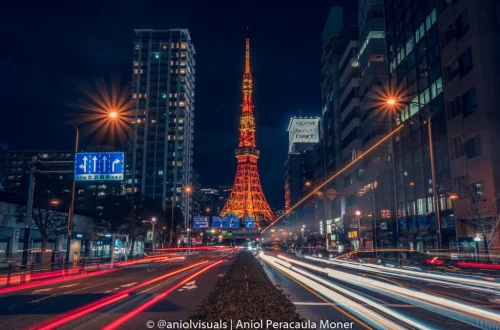
Opened in 2016, Tokyu Plaza Ginza rooftop is a prime location for capturing Tokyo’s bustling street crossings and architectural details. Situated in the Ginza district, it allows photographers to combine cityscape and street photography in a single frame. Unlike traditional observation decks, this rooftop is more intimate and accessible, but smartphone photographers should beware of lens flare caused by direct sunlight on reflective surfaces.
Unique Parking Rooftop Spots in Minneapolis
1010 Ramp – Lot 2039, located at 601 10th Ave S, Minneapolis, MN 55415, is a lesser-known parking rooftop offering unique urban perspectives. Scouted extensively in 2017, this location is lauded for its unobstructed views of the Minneapolis skyline. However, legal access can be tricky, requiring prior permission from property management. Some photographers mistakenly assume all parking rooftops are open to the public, which can lead to trespassing issues.
| Location | Height (Floors) | Key Features | Access | Best Time for Photos |
|---|---|---|---|---|
| Sky Garden, London | 34 | 360° panoramic skyline, free entry | Public observation deck via lobby elevator | Golden Hour |
| Willis Tower Skydeck, Chicago | 103 | High-altitude cityscape, glass ledge | Ticketed observation deck | Sunset |
| Tokyu Plaza Ginza Rooftop, Tokyo | N/A | Street crossing views, urban architecture | Public rooftop, opened 2016 | Morning & afternoon |
| 1010 Ramp – Lot 2039, Minneapolis | Parking rooftop | Unobstructed skyline, urban vibe | Permission required from management | Varies by sun position |
A counterintuitive insight is that some rooftop locations, despite their height, may offer obstructed or uneven views due to neighboring structures, as seen in London’s One New Change rooftop (6 floors), which is less favored compared to Skyline 22 or Sky Garden. Additionally, some rooftops restrict professional equipment, which breaks when attempting to use tripods or gimbals without permission.
How can photographers legally and safely access rooftops for smartphone photography?
Photographers should research local laws, seek permissions from building owners or management, and prioritize safety by using designated observation decks or public rooftop bars. Avoid trespassing and consider liability and accessibility to prevent accidents during rooftop photography.
Permission and Legal Considerations
Tom Ryaboi, a City Rising videographer, emphasizes the importance of obtaining explicit permission before accessing rooftops. Legal access often involves contacting building management or utilizing public spaces like Cindy’s Rooftop Bar in Chicago. In some cities, rooftop photography without consent can lead to trespassing charges or fines. Photographers should verify permissions well in advance and respect posted signage.
Safety Tips and Avoiding Common Pitfalls
Safety is paramount. Photographers should avoid rooftops without guardrails or secure barriers. Using observation decks with clear access routes minimizes risks. A frequent failure mode is underestimating wind speeds at high altitudes, which can cause smartphone shake or accidents. Always secure smartphones with wrist straps or use stable surfaces. Avoid flash indoors on rooftops as it creates harsh reflections and spoils images.
Rooftop Access Challenges and Solutions
Not all rooftops are open to the public; many require reservations or tickets. For example, Sky Garden allows free entry but mandates advance booking online. When access is restricted, rooftop bars provide legal alternatives with stunning views. To plan visits, photographers can use apps like PhotoPills to identify building access points and sun positioning. Ignoring these steps often leads to wasted trips or denied entry.
- Always check building management websites or call ahead for access policies.
- Use observation decks or rooftop bars where tripods and equipment are allowed.
- Carry identification and explain your photography purpose if questioned.
- Wear non-slip shoes and avoid edges without barriers.
- Use smartphone camera app shortcut: open Camera > Settings > Grid to enable composition guides.
What smartphone-specific challenges arise in rooftop photography and how can they be overcome?
Smartphone rooftop photography faces challenges like lens flare, limited dynamic range, and stabilization issues. Using HDR mode for landscapes, avoiding flash, leveraging Night Mode, and stabilizing the phone with tripods or surfaces improve photo quality significantly.
Managing Lens Flare and Exposure
Lens flare occurs when sunlight hits the camera lens directly, causing bright spots or haze. Photographers can mitigate this by positioning themselves so the sun is behind a building or object, a technique recommended by French Touch Photography. Additionally, using your smartphone’s lens hood or shading the lens with your hand can reduce flare. exposure compensation settings help balance bright skies and darker foregrounds.
Using HDR and Night Modes Effectively
Enabling HDR mode on smartphones like the iPhone 12 Pro (with 12-megapixel ultra-wide, wide, and telephoto lenses) enhances dynamic range, especially for cityscapes with contrasting light. However, HDR should be avoided when photographing people to prevent unnatural skin tones. Night mode is crucial for rooftop shots after sunset. The Google Pixel 8Pro’s 2025 update greatly improves low-light performance, capturing details without excessive noise.
Avoiding Flash and Stabilization Tips
Using flash on rooftops often results in harsh, unnatural lighting and should be avoided, especially indoors. Instead, stabilize your phone using small tripods or steady surfaces. A common mistake is handheld shooting without stabilization, which causes blur. For iPhone users, enable the shortcut: Settings > Accessibility > Touch > AssistiveTouch to customize stabilization gestures. Avoid backgrounds with distracting elements like ‘bunny ears’ behind subjects that break composition integrity.
Shortcut: Enable HDR by opening Camera app > tap HDR icon > set to ‘On’ or ‘Auto’ for optimal exposure balance.
How do lighting conditions and time of day impact rooftop smartphone photography?
Lighting conditions like Golden Hour and sunset provide soft, warm light ideal for rooftop photography. Choosing rooftops based on sun position—morning or sunset—and avoiding harsh midday light enhances photo quality and depth.
Golden Hour Advantages
Golden Hour, occurring shortly after sunrise or before sunset, bathes rooftops in warm, diffuse light. According to Expat Explore, this soft lighting reduces harsh shadows and highlights architectural textures beautifully. Photographers consistently report improved color saturation and mood during these times. Planning rooftop visits around Golden Hour maximizes image impact.
Sun Position for Optimal Rooftop Shots
French Touch Photography advises positioning oneself so the sun is either in front (behind buildings) or behind the photographer, depending on the desired effect. Morning light favors east-facing rooftops, while sunset favors west-facing ones. Ignoring sun position leads to poorly lit subjects or blown-out skies, a common failure mode. Photographers should use apps like PhotoPills to track sun trajectory for specific rooftops.
Common Lighting Mistakes to Avoid
Midday sun creates harsh, direct light that flattens detail and causes overexposure. Avoid shooting between 11 a.m. and 3 p.m. when possible. Using the smartphone’s exposure lock feature (tap and hold on screen in Camera app) can help maintain consistent lighting. Flash should be avoided during daytime rooftop shoots to prevent unnatural highlights.
What compositional techniques improve smartphone rooftop travel photos?
Using the rule of thirds, capturing unique low-angle architectural details, and employing panoramic mode help create balanced and visually intriguing rooftop smartphone photos that stand out.
Rule of Thirds Explained
The Rule of Thirds divides the frame into a 3×3 grid. Placing key elements along grid lines or intersections creates balanced compositions. Expat Explore highlights this as one of the best techniques for smartphone photographers. On iPhones and Androids, enabling grid lines can be found under Camera app > Settings > Grid. Avoid centering subjects rigidly to prevent static images.
Creative Angles and Architectural Details
Shooting from low angles reveals overlooked features like cornices, skylights, and rooftop equipment, according to Tamron Americas. These perspectives add depth and uniqueness to rooftop photos. Experimenting with tilts and framing can transform typical skyline shots into artistic images. Be mindful of distortion caused by ultra-wide lenses and correct in post-processing if needed.
Using Panoramic Mode for Wide Views
Panoramic mode captures expansive cityscapes beyond standard frames. This mode is especially effective on rooftops like Sky Garden where 360° views are possible. Smartphone users should hold their device steady and follow the on-screen guide to avoid stitching errors. Panoramas can sometimes break when moving subjects or wind cause blur, so timing is key.
- Enable grid lines: Camera > Settings > Grid
- Try low-angle shots to reveal details
- Use panoramic mode for sweeping city views
Which smartphone models and apps best support rooftop travel photography?
Smartphones like the Google Pixel 8Pro and iPhone 12 Pro excel in travel photography with advanced cameras and features such as portrait mode and HDR. Apps like PhotoPills assist in planning astrophotography and optimizing shot timing.
Top Smartphone Models for Travel Photography
The Google Pixel 8Pro, updated in 2025, delivers superior image processing, night mode, and HDR capabilities, making it ideal for rooftop photography under varying light conditions. The iPhone 12 Pro, with its 12-megapixel triple rear cameras, popularized Portrait Mode, enhancing depth and subject focus. Both phones allow RAW shooting for advanced editing.
Photography Apps for Planning and Editing
PhotoPills is widely regarded as “the photographer’s Swiss Army knife,” according to Pete DeMarco. It offers augmented reality tools to visualize sun and Milky Way positions, critical for rooftop and night sky photography. Other apps include Lightroom Mobile for editing and Snapseed for fine adjustments.
Using Advanced Camera Features on Smartphones
Utilize built-in features such as manual exposure control, white balance adjustments, and focus locking. For example, iPhone users can tap and hold a focus point to lock exposure during rooftop shoots. Both iOS and Android allow quick toggling of HDR and night modes via the camera interface, streamlining workflow on location.
How do rooftop photography locations compare to other elevated vantage points for smartphone travel photos?
Rooftops provide unique urban perspectives and cityscape views often inaccessible elsewhere. Compared to hills, observation decks, or drones, rooftops offer closer proximity to architectural details and dynamic street scenes, though accessibility and legal issues vary.
Rooftops vs Hills and Observation Decks
Rooftops like London’s Sky Garden (34 floors) offer panoramic urban views not achievable from natural elevations like hills. Observation decks such as Chicago’s Willis Tower Skydeck (103 floors) provide similar height but with formalized access and facilities. According to Trevor Sherwin, Horizon 22 rooftop offers cleaner compositions compared to Lookout at 8 Bishopsgate, which suffers from obstructions.
Drones vs Smartphone Rooftop Photography
Drones capture aerial cityscapes but face restrictions in urban airspace and require permits. Rooftops circumvent these issues, offering legal, stationary vantage points. Ryan Stanikk notes rooftop bars enable focused views towards landmarks, such as the Giralda, impossible with drones due to flight limits.
Accessibility and Legal Considerations
While hills and public observation decks are generally accessible without permissions, many rooftops require owner consent. Legal hurdles and safety concerns make rooftops less accessible but more exclusive for smartphone photographers seeking unique shots.
| Location/Device | Type | Key Features | Accessibility | Best Use Case |
|---|---|---|---|---|
| Sky Garden, London | Rooftop | 360°, free entry | Public, booking required | Urban panoramas |
| Lookout at 8 Bishopsgate, London | Observation Deck | Partial obstructions | Public | City views |
| Horizon 22 Rooftop, London | Rooftop | Clean, expansive views | Permission required | Photography |
| Drone (Xiaomi 15 Ultra) | Device | Aerial shots, portability | Restricted urban airspace | Wide aerial photos |
| DSLR (Canon R5) | Device | High image quality | Portable but bulky | Professional travel photos |
What weather conditions affect rooftop smartphone photography and how can photographers adapt?
Fog, rain, and smog can reduce visibility and alter colors in rooftop photos. Photographers should check weather forecasts, use lens hoods or covers, adjust exposure settings, and embrace atmospheric effects creatively.
Impact of Fog and Smog
Fog and smog diffuse light and obscure distant cityscape details. While this reduces clarity, it can add mood and depth when used intentionally. Photographers should increase exposure slightly on smartphones and use post-processing to enhance contrast.
Handling Rain and Moisture
Rain presents challenges for smartphones, which are vulnerable to moisture. Using weather-sealed phone models or protective cases is advisable. Carrying microfiber cloths to wipe lenses between shots prevents water spots. Photographers should also avoid open-edge rooftops during storms for safety.
Creative Use of Weather Effects
Atmospheric conditions can enhance storytelling. For instance, the diffused light from fog softens harsh shadows, and wet surfaces reflect city lights attractively at night. Adjusting white balance and exposure compensation on the smartphone camera helps capture these effects authentically.
- Check weather apps before rooftop visits.
- Use lens hoods or DIY covers to shield from rain.
- Adjust exposure using Camera app slider.
How can photographers post-process rooftop smartphone photos on mobile devices?
Mobile editing apps enable adjustments like exposure, contrast, and color correction to enhance rooftop photos. Step-by-step workflows include cropping for composition, applying filters judiciously, and sharpening details without overprocessing.
Recommended Mobile Editing Apps
Adobe Lightroom Mobile offers professional-grade editing with exposure, contrast, and color controls. Snapseed provides intuitive tools for selective adjustments and healing. Both support editing RAW files from smartphones like the Google Pixel 8Pro.
Basic Post-Processing Workflow
Start by cropping photos to improve framing using the Rule of Thirds grid. Next, adjust exposure and contrast to balance shadows and highlights. Apply vibrance and saturation tweaks to restore colors affected by atmospheric haze. Finally, sharpen details carefully to avoid noise amplification.
Avoiding Common Editing Mistakes
Overusing filters can lead to unnatural images. Avoid excessive sharpening that introduces grain, especially in night photos. Consistently back up original photos before editing. Use the Camera app’s “Edit” shortcut for quick tweaks without third-party apps.
- Use Lightroom Mobile for exposure and color correction.
- Crop using built-in grid guides for composition.
- Apply sharpening sparingly to maintain quality.
What ethical and privacy considerations should rooftop smartphone photographers keep in mind?
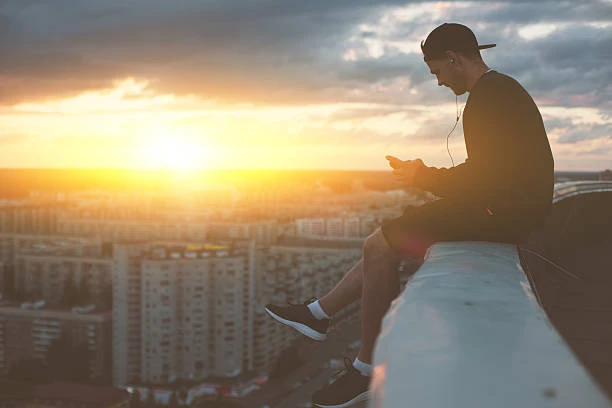
Photographers should respect privacy by avoiding intrusive shots of people without consent, especially from elevated rooftops. Awareness of local laws on photographing private property and public spaces helps maintain ethical standards.
Privacy Laws and Respecting Subjects
Elevated vantage points risk capturing individuals unaware of being photographed. Many jurisdictions require consent for identifiable photos taken from private property. Using zoom lenses responsibly and avoiding intrusive framing helps maintain respect.
Ethical Rooftop Photography Practices
Adhere to posted building rules and avoid trespassing. Obtain permissions when photographing on private rooftops. Sharing photos on social media should consider blurring faces or avoiding sensitive subjects. Ethical conduct ensures continued access to rooftop locations and community trust.
FAQ
What is the best time of day for rooftop smartphone photography?
Golden Hour and sunset provide soft, warm light ideal for cityscape rooftop photos, enhancing colors and reducing harsh shadows, according to multiple sources including Expat Explore and French Touch Photography.
How can I avoid lens flare when shooting on rooftops with my smartphone?
Consider sun position and use techniques like shooting with the sun behind buildings or using lens hoods; avoid direct sunlight hitting the lens. Positioning the sun behind you or obscured by structures reduces flare significantly.
Are there smartphone apps that help plan rooftop photography sessions?
Yes, PhotoPills is highly recommended for planning astrophotography and landscape shots using augmented reality and timing tools, lauded as “the photographer’s Swiss Army knife” by Pete DeMarco.
What are legal considerations for accessing rooftops for photography?
Always obtain permission from building owners, use public observation decks or rooftop bars, and avoid trespassing to ensure safety and legality, as advised by rooftop photography professionals like Tom Ryaboi.
Can smartphone cameras match DSLR quality for rooftop travel photos?
High-end smartphones like Google Pixel 8Pro and Xiaomi 15 Ultra offer impressive image quality and portability, making them strong alternatives for travel photography, especially when paired with apps and accessories.