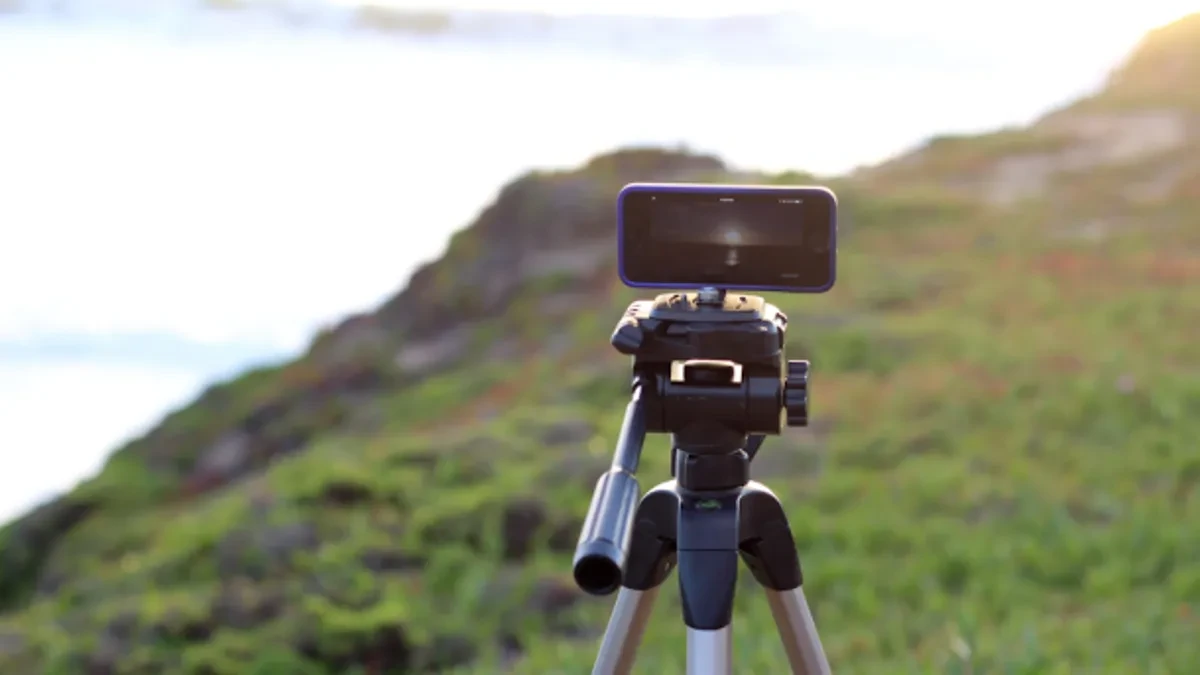
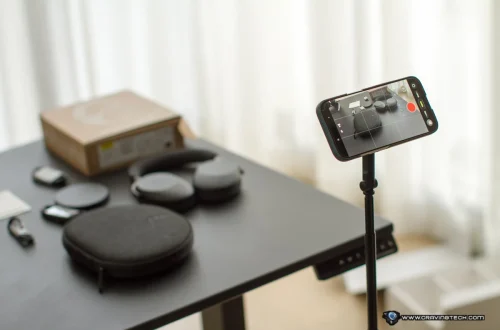
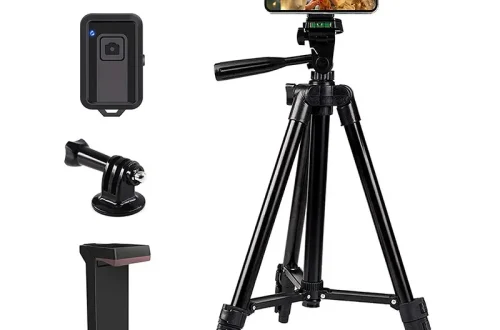
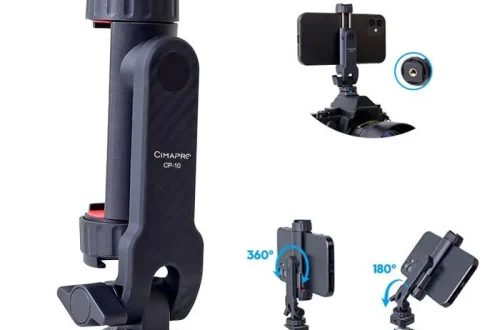
SnapRoamer.com – Using a tripod for smartphone photography fundamentally enhances image and video quality by providing stability and precision control over framing and exposure. Properly mounting your smartphone on a tripod with an adjustable adapter, setting the tripod on a stable surface, and using timer or remote shutter functions minimizes camera shake that often degrades smartphone photos and videos. Incorporating additional accessories like bubble levels and weight hooks further optimizes stability, especially under challenging environmental conditions. This tutorial delivers detailed, step-by-step guidance on how to efficiently set up and utilize a smartphone tripod—whether for iPhone or other models—to elevate your mobile photography and videography.
Attaching Your Smartphone to the Tripod
A secure attachment is the first critical step for tripod-assisted smartphone photography. Most modern tripods come with adjustable mounts or adapters designed to accommodate varying smartphone sizes and cases.
Select a compatible adjustable mount: Choose a tripod with a spring-loaded or screw-tightened clamp that can firmly grip your phone without damaging it. For example, many iPhone tripods feature mounts sized for phones up to 3.5 inches wide, but check your device dimensions to ensure compatibility.Remove bulky cases or lenses if necessary: While some mounts accommodate phones with slim cases, thick protective cases or external wide-angle lenses may prevent secure fitting. Temporarily removing these can provide a snugger and safer attachment.Attach external lenses before mounting: If you use clip-on wide-angle or macro lenses, attach them to your phone first. This avoids shifting the lens alignment after mounting, which can affect image quality.Tighten the mount securely: Once the phone is positioned, tighten any screws or clamps to prevent movement. Test stability by gently shaking the mounted phone; it should remain firmly in place.Check camera app compatibility: Some advanced camera apps can detect when the phone is mounted on a tripod and adjust settings like stabilization and exposure accordingly.This setup ensures a solid foundation for stable photography and videography.
Setting Up the Tripod for Stability
Achieving maximum stability requires careful tripod placement and leg adjustment.
Choose a flat, stable surface: Place the tripod on level ground free from vibrations or movement. Avoid soft surfaces like sand or loose gravel unless additional weighting is applied.Extend tripod legs evenly: Adjust each leg length to maintain a level platform. Most tripods have leg locks or flip clamps for secure adjustment.Use the built-in bubble level: Many smartphone tripods include a bubble level to help align the platform horizontally. Adjust leg lengths until the bubble centers within the level indicator.Add weight for wind resistance: For outdoor shoots or uneven terrain, attach sandbags or other weights to the tripod’s center hook. This prevents tipping or shaking caused by wind or accidental contact.Avoid overextending legs: Extending legs beyond their midpoint reduces stability. Keep the tripod height within recommended limits for maximum steadiness.These techniques collectively reduce camera shake and ensure sharper images and smoother videos.
Optimizing Tripod Height and Angle
Adjusting height and angle affects both composition and comfort during photography.
Set tripod height to eye level: Positioning the camera at eye level helps capture natural perspectives, especially for portraits and street photography.Experiment with creative angles: For dynamic shots, lower the tripod for ground-level perspectives or raise it above head height for overhead views. Flexible tripod mounts or ball heads facilitate quick angle changes.Maintain balance on uneven terrain: When shooting on slopes or rocky ground, keep the tripod legs spread wide for a low center of gravity and adjust leg lengths independently to level the platform.Use adjustable tripod mounts: Ball heads or pan-tilt heads allow precise camera angle control. Loosen and tighten knobs to smoothly adjust the phone’s tilt and rotation.Lock all adjustments firmly: Ensure all knobs and clamps are tightened securely to prevent camera drift during long exposures or video recording.Proper height and angle selection enhances creative expression and technical quality.
Using Timer and Remote Shutter Functions
Minimizing shutter-induced camera shake is essential for crisp results.
Use the camera timer: Most smartphone camera apps offer 3-second or 10-second timers. Set the timer after composing the shot, then press the shutter button. The delay allows vibrations to subside before capture.Pair with a Bluetooth remote shutter: Wireless remote shutters connect via Bluetooth and enable shutter release without touching the phone. This is ideal for self-portraits, group photos, or time-lapse sequences.Check remote shutter compatibility: Verify your phone model supports Bluetooth shutter remotes. Some third-party remotes work universally, but check for app-specific requirements.Test remote response: Before shooting, confirm that the remote communicates promptly with your smartphone and triggers the shutter without lag.Use remote shutter apps: Some apps integrate remote shutter functions with additional camera controls, such as exposure lock and burst mode, enhancing versatility.These tools effectively eliminate blur caused by physical contact during capture.
Enhancing Composition and Framing
Thoughtful composition elevates smartphone photography beyond technical adequacy.
Activate gridlines in camera settings: Grid overlays based on the rule of thirds help position subjects and horizons more pleasingly.Frame your shot carefully: Use the tripod’s stable platform to fine-tune framing and avoid rushed compositions.Check backgrounds thoroughly: Clear distracting elements or clutter from the frame to maintain focus on the main subject.Use wide-angle lenses for groups or landscapes: Attaching a clip-on wide-angle lens expands the field of view, allowing more content in tight spaces.Adjust lighting setup: Position yourself or additional lights to avoid harsh shadows or blown highlights, optimizing exposure and color rendition.Consistent framing techniques improve both visual impact and viewer engagement.
Tripod Techniques for Different Photography Scenarios
Smartphone tripods adapt to various creative needs.
Self-portraits and group photos: Use wide-angle lenses and Bluetooth remotes for effortless group shots without awkward arm extensions.Video content creation: Position tripods to stabilize footage, complementing lighting setups for consistent exposure. Use camera apps with manual focus and exposure controls.Creative shooting angles: Employ flexible or pocket tripods to mount phones on uneven surfaces or unconventional positions, enabling unique perspectives.Time-lapse and long exposures: Secure the tripod firmly and use timer or remote shutter modes to avoid shake during extended captures.macro photography: Combine tripod stability with external macro lenses for detailed close-ups.Adapting tripod use to specific scenarios broadens creative possibilities.
Maintenance and Safety Tips
Proper care prolongs equipment lifespan and ensures reliability.
Inspect all parts regularly: Check mounting clamps, leg joints, and locking mechanisms for wear or damage before each shoot.Clean tripod and mounts: Remove dust, sand, and moisture to prevent corrosion or mechanical failure.Store in protective cases: Use padded bags or cases to avoid physical damage during transport.Avoid overtightening screws: Excessive force can strip threads or break plastic components.Secure in transit: When traveling, detach the phone and pack separately to avoid damage.Routine maintenance safeguards your investment and performance.
Troubleshooting Common Issues
Phone slipping in mount: Recheck clamp tightness and clean contact surfaces; consider a different mount size or brand if persistent.Unstable tripod on uneven ground: Use sandbags or reposition tripod legs wider for better grip.Bluetooth remote not connecting: Verify battery power, reset Bluetooth pairing, or test on another device.Blurry images despite tripod use: Ensure timer or remote shutter is active; check focus and exposure settings.Inconsistent video stabilization: Use camera apps with electronic stabilization and avoid excessive tripod movement.Addressing these common problems maintains shooting efficiency.
Forward-Looking Considerations for Smartphone Tripod Use
As smartphone cameras evolve with higher resolution sensors and computational photography, using a tripod remains vital for unlocking their full potential, especially in low light and complex compositions. Emerging tripod designs integrating smart leveling systems and app-controlled adjustments promise even more precise control. Mobile photographers should explore advanced accessories like Bluetooth remote shutters with gesture control and multi-lens attachments to push creative boundaries. Investing time mastering tripod setup and usage will continue to yield dividends in image quality and creative versatility.
For detailed expert advice and product reviews on smartphone tripods and accessories, refer to Ulanzi’s smartphone tripod guide and Sandmarc’s iPhone tripod tutorial.
—
FAQ

How do I attach my smartphone securely to a tripod?
Use an adjustable tripod mount designed for smartphones that clamps firmly around your phone without causing damage. Remove bulky cases if they obstruct the mount. Tighten screws or clamps securely and test stability by gently shaking the phone in the mount.
What is the best way to avoid camera shake when using a smartphone tripod?
Use the camera’s timer function or a Bluetooth remote shutter to trigger the shutter without touching the phone. Weighting the tripod with sandbags or using a bubble level to ensure stability also minimizes shake.
Can I use external lenses with a smartphone tripod?
Yes, but attach external lenses like wide-angle or macro lenses to your smartphone before mounting it on the tripod to maintain proper alignment and secure fit.
How do I achieve the best composition using a smartphone tripod?
Enable gridlines in your camera app to apply the rule of thirds, clean the background, and experiment with different tripod heights and angles for creative framing.
What should I do if my tripod feels unstable on uneven ground?
Adjust the tripod legs independently to level the platform, spread the legs wider for a lower center of gravity, and add weight such as sandbags to the tripod’s center hook for added stability.
—
This comprehensive tutorial equips you with practical techniques and expert-backed advice to maximize your smartphone tripod’s effectiveness for photography and videography, ensuring consistently sharp, well-composed, and professional-looking results.