SnapRoamer.com – Exposure in smartphone photography fundamentally determines how much light reaches the camera sensor, directly impacting the brightness, contrast, and detail within images. Proper exposure control is crucial for capturing high-quality photos, especially when shooting in varied lighting conditions. Unlike traditional photography, where photographers often rely on dedicated gear, smartphone users face unique challenges and opportunities due to smaller sensors and integrated computational technologies. Mastering exposure adjustment—through manual settings or computational photography—unlocks the potential for sharper, more balanced photographs across diverse scenarios, from bright daylight to challenging low-light environments.
Modern smartphones incorporate a blend of hardware controls and AI-driven enhancements to optimize exposure automatically. However, understanding manual exposure principles empowers users to override automatic settings, enabling creative control and improved results. This article examines how exposure influences smartphone photography, explores manual exposure techniques, evaluates computational photography’s role, and highlights practical tools and best practices to elevate photo quality.
Understanding Exposure and Its Impact on Smartphone Photography
Exposure in photography refers to the total amount of light the camera sensor captures during an image capture. It is primarily controlled by three interrelated parameters: ISO sensitivity, shutter speed, and aperture. In smartphones, aperture is typically fixed due to hardware constraints, placing greater emphasis on ISO and shutter speed adjustments. Exposure determines image brightness and affects the visibility of details in shadows and highlights.
Excessive exposure results in overexposed images, where highlights lose detail and appear washed out. Conversely, underexposure causes images to be too dark, obscuring shadow details. The balance of exposure affects dynamic range—the camera’s ability to record bright and dark areas simultaneously. Smartphones often compensate for limited dynamic range through HDR (High Dynamic Range) modes, which merge multiple exposures to retain detail across tonal extremes.
Smartphone camera sensors are smaller than those in DSLRs but benefit from advanced computational techniques that simulate features like exposure bracketing and noise reduction. The sensor’s ability to capture light varies between devices, with flagship models such as the iPhone 13 Pro and newer Android phones incorporating larger sensors and improved pixel technology, enhancing exposure performance.
Manual Exposure Control on Smartphones: Techniques and Tools
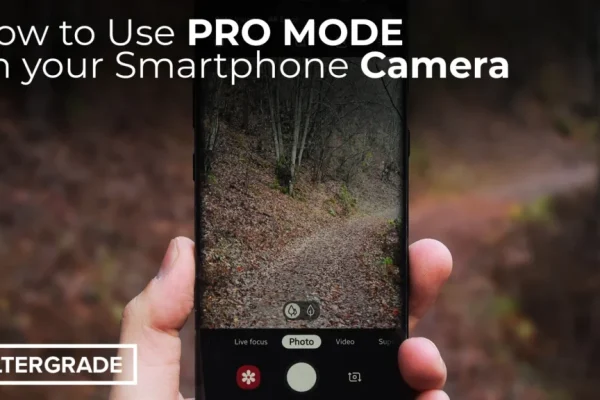
Most smartphones default to automatic exposure, but users can access manual control through camera apps or built-in pro modes. The simplest manual exposure adjustment is the tap-and-slide method: tapping on a subject to focus and then sliding a brightness indicator to increase or decrease exposure compensation. Exposure compensation modifies shutter speed or ISO to brighten or darken images without changing focus.
In pro or manual modes, users can independently adjust ISO, shutter speed, and sometimes aperture (on select devices). ISO controls sensor sensitivity to light; increasing ISO brightens images but introduces noise and grain. Shutter speed determines how long the sensor is exposed to light; slower speeds allow more light in but require stabilization to avoid blur. Aperture, fixed on most smartphones, controls the lens opening size, influencing depth of field and exposure but is typically non-adjustable.
Exposure compensation differs from ISO in that it adjusts exposure globally, balancing the entire frame’s brightness, while ISO alters sensor sensitivity, affecting noise levels. Mastering these controls enables photographers to tailor exposure for specific lighting conditions, achieving optimal brightness and detail.
Enhancing Low-Light Smartphone Photography with Exposure Adjustments
Low-light environments challenge smartphone cameras due to limited sensor size and fixed apertures. Manual exposure control becomes critical to improve image quality without relying on flash, which can produce harsh lighting and potential skin health concerns. Night modes, which combine longer exposure times with computational stacking, significantly enhance low-light photography.
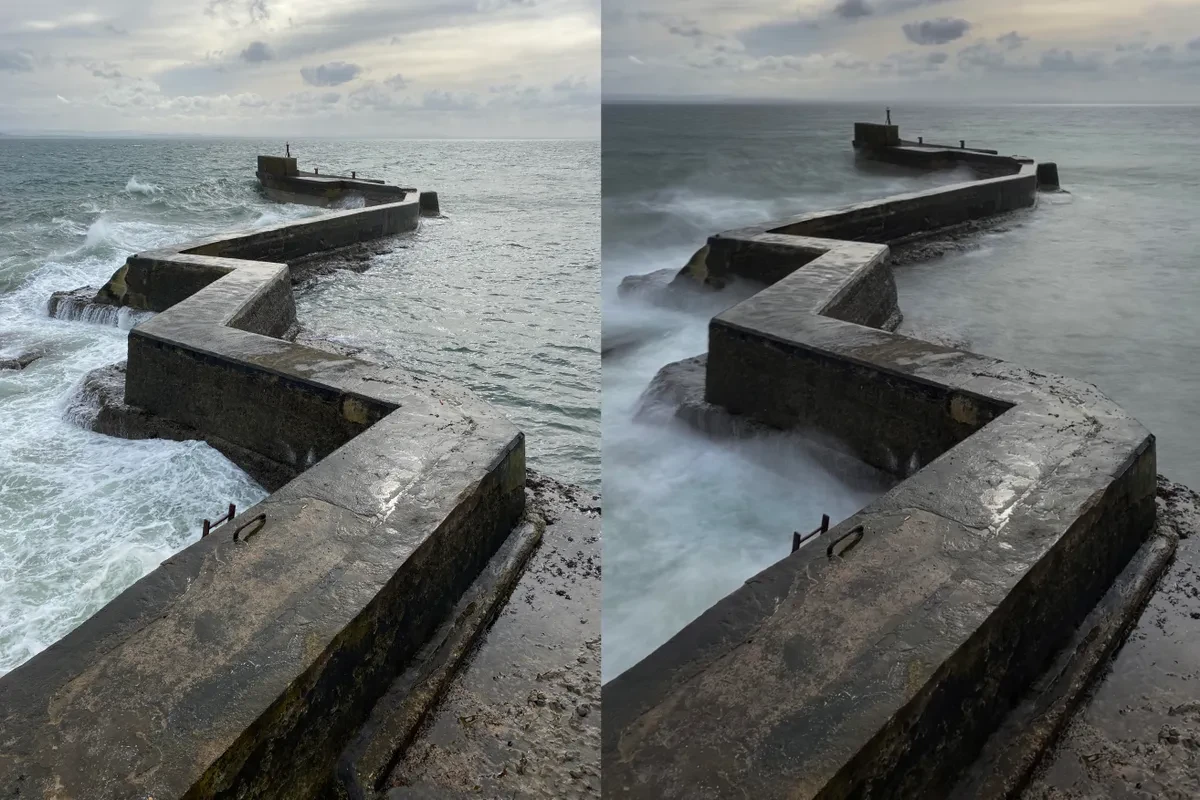
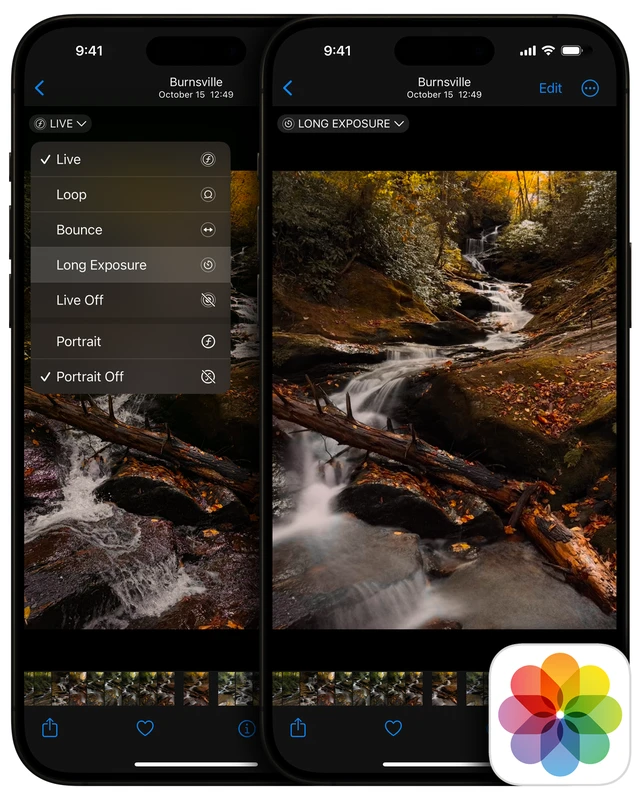
Using longer shutter speeds captures more light, but requires stabilization tools such as tripods or steady surfaces to prevent blur caused by hand movement. Leveraging available light sources—natural moonlight or artificial street lamps—can enrich image tone and reduce noise. Adjusting ISO carefully avoids excessive grain while allowing sufficient brightness.
Computational photography algorithms merge multiple frames with varying exposures, reducing noise and enhancing clarity. For example, HDR night modes synthesize short and long exposures to preserve details in highlights and shadows. AI-driven noise reduction further refines images, balancing exposure without compromising texture or sharpness.
Smartphone Photography Apps for Precise Exposure Management
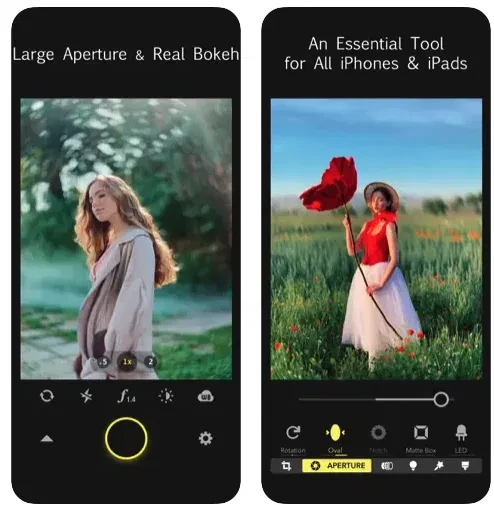
Specialized camera apps provide DSLR-like manual control over exposure parameters, broadening creative possibilities beyond default smartphone camera settings. Adobe Lightroom Mobile offers granular control over ISO, shutter speed, and exposure compensation, coupled with RAW capture and advanced editing tools. Camera+ 2 provides manual focus and exposure control, including exposure bracketing and custom white balance.
ProCamera is favored for its intuitive interface allowing real-time exposure adjustments and low-light capabilities. VSCO combines exposure controls with artistic filters and editing features, popular among mobile photography communities. Halide Mark II stands out with focus peaking, depth capture, and a histogram display to monitor exposure levels precisely.
These apps enable photographers to experiment with exposure creatively, customize settings for specific lighting, and capture RAW files for professional-grade post-processing—a significant advantage over default camera apps.
Computational Photography and AI Enhancements in Exposure Optimization
Smartphones employ computational photography to overcome hardware limitations, using AI to simulate complex exposure adjustments. Unlike the human eye, which adapts instantly to light changes, smartphone sensors capture a static exposure per frame. AI algorithms analyze scenes to optimize exposure dynamically, enhancing shadow detail and preserving highlight information.
Depth maps generated by dual or multi-camera systems facilitate selective exposure adjustments and background blur effects (bokeh), improving subject isolation. Image stabilization technologies—both optical and electronic—allow longer exposure times without blurring, critical for low-light shots.
AI-driven exposure compensation adjusts multiple parameters simultaneously, balancing ISO and shutter speed to minimize noise and motion blur. Some smartphones use machine learning models trained on vast image datasets to predict optimal exposure for diverse scenes, including portraits, landscapes, and night photography.
Despite these advances, manual control remains essential for photographers seeking creative control or working in unconventional lighting conditions where AI may misinterpret the scene.
Health and Technical Considerations in Exposure Management
Frequent use of selfie flash, especially LED-based ones, exposes skin to intense light pulses, potentially contributing to skin irritation or damage over time. Users should moderate flash use and prefer natural or ambient lighting when possible.
Increasing ISO to brighten images in low light enhances sensor sensitivity but also amplifies electronic noise, manifesting as grainy textures that degrade image quality. A balance between ISO and shutter speed must be struck to maintain clarity. Excessively long exposure times risk motion blur unless stabilized.
Understanding these trade-offs assists photographers in making informed exposure decisions that optimize image quality while mitigating adverse effects.
Practical Tips for Optimizing Exposure in Smartphone Photography
Applying compositional tools such as gridlines and the rule of thirds guides framing while adjusting exposure to prioritize important scene elements. For portraits, slightly underexposing prevents skin highlights from blowing out, preserving natural tones.
In high-contrast scenes, exposure compensation can balance bright and dark areas, or HDR mode may be employed to capture extended dynamic range. Avoiding overexposure protects highlight details, while preventing underexposure maintains shadow information.
Regularly reviewing histograms—available in advanced apps—helps detect clipping in highlights or shadows, enabling precise exposure corrections. Combining manual controls with computational enhancements yields the best results.
FAQ
How does exposure compensation differ from ISO in smartphone photography?
Exposure compensation adjusts the overall brightness of an image by altering shutter speed or aperture settings without changing sensor sensitivity, while ISO directly increases the sensor’s sensitivity to light, affecting noise levels. Exposure compensation modifies the image tone globally, whereas ISO impacts image grain and detail.
Can manual exposure improve low-light smartphone photos without using flash?
Yes, manual exposure allows longer shutter speeds and optimized ISO settings, capturing more light and reducing reliance on flash. Stabilization tools help prevent blur during extended exposures, enabling clearer, brighter low-light photos.
What role does AI play in smartphone exposure optimization?
AI analyzes scene lighting and dynamically adjusts exposure parameters, combining multiple frames and reducing noise. It enhances shadow detail and highlights preservation, simulating professional exposure techniques automatically.
Are there health risks associated with using the smartphone selfie flash frequently?
Prolonged exposure to intense LED flash can cause skin irritation or damage over time. It is advisable to limit flash use and leverage natural or softer lighting alternatives for selfies.
Which smartphone photography apps offer the best manual exposure control?
Apps like Adobe Lightroom Mobile, Camera+ 2, ProCamera, VSCO, and Halide Mark II provide comprehensive manual exposure controls, RAW capture, and advanced editing features, allowing users to fine-tune ISO, shutter speed, and brightness for professional results.
—
Exposure management remains a cornerstone of smartphone photography quality and creativity. As device capabilities evolve, blending manual controls with sophisticated AI-driven computational photography will continue to empower users. Photographers should embrace both technical understanding and practical experimentation, leveraging apps and stabilization tools to master exposure in diverse lighting conditions. Future smartphone cameras are poised to integrate even more intelligent exposure systems, enhancing image fidelity while preserving artistic flexibility.
For further exploration of professional smartphone photography techniques and exposure management, visit Adobe’s guide to capturing professional photos with smartphones and review insights on sensor light capture in low-light environments at The Conversation’s analysis of phone camera light sensitivity.