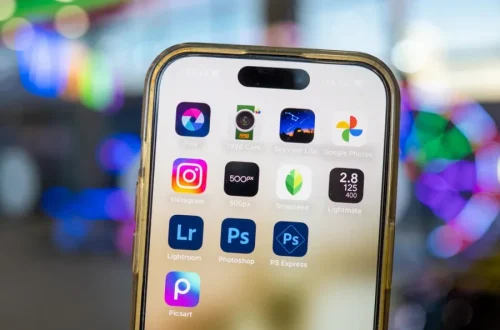
SnapRoamer.com – Smartphone photography has evolved dramatically with AI-powered photo editing apps that bring professional-quality enhancements within reach of casual users and enthusiasts alike. Leading apps such as PhotoDirector, Adobe Lightroom, Snapseed, Picsart, and Remini provide diverse AI-driven tools including beauty retouching, background removal, selective local adjustments, and photo restoration, making advanced editing accessible on both iOS and Android platforms. This article delves into the capabilities of these top apps, highlights essential editing features, compares pricing and availability, and explores practical applications and future trends shaping mobile photo enhancement.
Top AI-Powered Smartphone Photo Editing Apps
PhotoDirector by Cyberlink stands out for its robust AI beauty tools that include skin smoothing, virtual makeup application, and body reshaping features like waist slimming. Beyond static images, PhotoDirector also supports video editing, allowing users to apply similar enhancements frame-by-frame. Its AI-driven filters and scene recognition simplify complex edits, delivering professional results with minimal manual input. The app is available on both iOS and Android, offering a freemium model with in-app purchases unlocking advanced features and effects.
Adobe Lightroom Premium represents a professional-grade photo editor incorporating advanced local adjustment tools such as selective contrast, exposure, and color masking. A significant innovation is its AI-powered Generative Remove feature, which intelligently eliminates unwanted objects or distractions from images. Lightroom’s cloud-based ecosystem facilitates seamless syncing across mobile and desktop, supporting photographers who require precise control and non-destructive workflows. The app requires a subscription, with plans including cloud storage and access to the full suite of Adobe Creative Cloud tools.
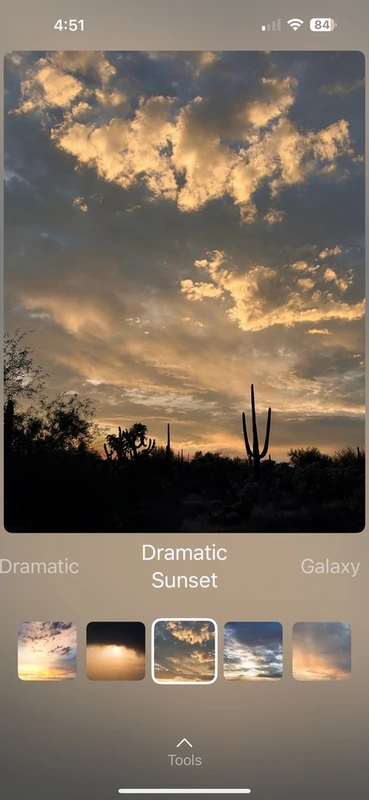
Snapseed, developed by Google, remains popular due to its comprehensive free feature set and intuitive interface. Its standout capability is selective adjustment, enabling users to fine-tune brightness, contrast, saturation, and structure in specific photo areas without the need for paid upgrades. Snapseed also includes a wide range of filters and healing tools, making it a versatile choice for beginners and intermediate users who seek powerful editing without subscription barriers.
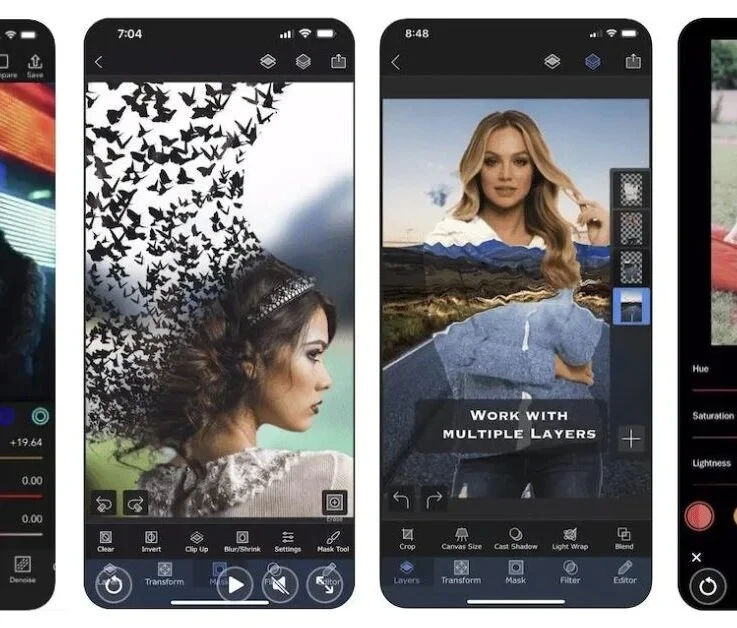
Picsart combines extensive photo editing tools with a vibrant social sharing platform, encouraging creative collaboration and content discovery. Its AI text-to-image generation allows users to create unique graphics, while traditional editing features include background removal, beauty retouching, and layered compositions. The app offers both free and premium tiers, with the latter unlocking additional effects, templates, and ad-free usage. Available on iOS and Android, Picsart integrates social media sharing directly, making it ideal for influencers and content creators.
Remini specializes in AI-powered photo restoration and enhancement, using neural networks to unblur, dehaze, and upscale old or low-resolution photos to HD quality. This app is particularly valued for reviving vintage portraits and damaged images, with results that often rival professional restoration. Remini operates on a freemium basis, offering free daily enhancements with subscription plans for unlimited access and batch processing.
Core Features Defining Modern Photo Editing Apps
AI beauty and retouching tools have become standard elements, enabling users to smooth skin, remove blemishes, apply virtual makeup, and adjust facial features with precision. PhotoDirector’s virtual makeup kits and skin tone adjustments exemplify these capabilities, while Picsart offers AI beauty filters that adapt to individual photos for natural results.
Localized editing features such as selective contrast and exposure adjustments empower users to modify specific photo regions without affecting the entire image. Adobe Lightroom’s masking and Snapseed’s selective tool provide granular control over shadows, highlights, and color saturation, supporting nuanced photo enhancements.
Background removal and replacement have gained popularity, especially for social media content and product photography. Apps like Picsart and PhotoDirector leverage AI segmentation to isolate subjects, allowing seamless background swaps with customizable templates or user-imported images.
Photo enhancement and restoration functions address challenges like blurriness, haze, and low resolution. Remini leads in this domain, employing AI algorithms to restore clarity and detail in vintage or poor-quality photos, effectively turning old memories into sharable high-definition images.
Filters, presets, and special effects remain crucial for creative expression. From retro and vintage styles to HDR and glitch effects, all top apps include extensive libraries of customizable filters. These tools facilitate rapid stylistic adjustments suited for social media aesthetics or artistic projects.
Social sharing and collaboration features distinguish apps like Picsart, which integrates community engagement directly within the platform. Users can publish edited images, participate in challenges, and utilize AI-generated content to enhance creativity and reach wider audiences.
Cross-Platform Compatibility and Pricing Models
All leading photo editing apps discussed are available for both iOS and Android, ensuring broad accessibility. Adobe Lightroom Premium extends its ecosystem to desktop, providing professional users with seamless workflows across devices.
Pricing models vary widely, reflecting differences in feature sets and target users. Snapseed remains entirely free with no subscription, while Remini and PhotoDirector adopt freemium approaches with optional subscriptions unlocking unlimited enhancements and premium effects. Adobe Lightroom operates primarily on a subscription basis, with monthly or annual plans that include cloud storage and access to Adobe’s Creative Cloud suite. Picsart offers both free access and a premium tier with expanded creative tools and ad-free experience.
Cloud storage integration is a key differentiator for apps like Lightroom, enabling automatic backup and synchronization of edited photos across devices. This feature supports professional workflows and ensures user data security, aligning with the demands of serious photographers and content creators.
Practical Applications and User Experience
Enhancing selfies and portraits is a common use case for AI-driven beauty editors. PhotoDirector’s skin smoothing and makeup application streamline the process, allowing users to produce polished images suitable for personal or professional use rapidly.
Creating social media-ready images benefits from apps that combine quick editing tools with preset filters and direct sharing. Picsart’s integrated social platform and Snapseed’s easy-to-use selective adjustments facilitate fast turnaround times, supporting content creators who prioritize workflow efficiency.
Restoring vintage photographs is a specialized task where Remini excels. Users seeking to digitize and enhance family archives or historical images find significant value in its AI restoration tools, which can recover fine details lost to aging or poor original capture quality.
Editing photos on the go demands intuitive interfaces and responsive performance. Apps like Snapseed and PhotoDirector offer streamlined user experiences with minimal learning curves, enabling casual users to achieve impressive results without professional training.
Emerging Trends in Smartphone Photo Editing
AI integration continues to advance, moving beyond basic retouching toward fully automated smart editing that adapts to individual style preferences and subject matter. This trend promises to reduce manual input further while maintaining high-quality results tailored to user needs.
Video editing features are increasingly incorporated into traditionally photo-centric apps. PhotoDirector’s video enhancements represent early adoption of this integration, suggesting a future where mobile editing platforms offer comprehensive multimedia capabilities.
Personalized AI enhancements that learn from user behavior and editing history are poised to become standard. Such developments will enable apps to suggest edits, filters, and adjustments uniquely suited to each user’s aesthetic, streamlining the creative process.
Comparative Overview of Leading Apps’ Features
The following table summarizes key capabilities among the top smartphone photo editing apps, illustrating their strengths and focus areas.
| App | AI Beauty Tools | Selective Adjustments | Background Removal | Photo Restoration | Social Sharing | Platform Availability |
|---|---|---|---|---|---|---|
| PhotoDirector | Skin smoothing, virtual makeup, body reshaping | Yes | Yes | Limited | Basic sharing | iOS, Android |
| Adobe Lightroom Premium | Advanced retouching | Advanced masking and local adjustments | No | No | Cloud sync & sharing | iOS, Android, Desktop |
| Snapseed | Basic retouching | Selective brightness, contrast, saturation | No | Limited | Export & share | iOS, Android |
| Picsart | Beauty filters and AI enhancements | Yes | AI background removal | No | Integrated social platform | iOS, Android |
| Remini | No | No | No | AI-powered photo restoration | Basic sharing | iOS, Android |
FAQ
What is the best free photo editing app with AI features?
Snapseed is widely regarded as the best free photo editing app offering AI-powered selective adjustments and a wide range of filters without requiring subscriptions or in-app purchases.
Which app offers the most advanced AI beauty tools?
PhotoDirector provides one of the most comprehensive AI beauty toolsets, including virtual makeup, skin smoothing, and body reshaping, making it ideal for users focused on portrait enhancements.
Can I remove backgrounds automatically on my smartphone?
Yes, apps like Picsart and PhotoDirector offer AI-powered background removal tools that automatically detect and isolate subjects for easy background replacement or editing.
How do AI-powered photo restoration apps work?
Apps like Remini use neural networks trained on large datasets to analyze and reconstruct low-resolution or blurred images, enhancing clarity and detail to produce high-definition results.
Are these photo editing apps available on both iOS and Android?
Most leading apps, including PhotoDirector, Adobe Lightroom, Snapseed, Picsart, and Remini, are available on both iOS and Android platforms, ensuring broad compatibility.
The dynamic landscape of smartphone photo editing continues to be shaped by innovations in AI technology, blending ease of use with powerful capabilities. As apps expand their features to include video editing and personalized AI enhancements, users can expect increasingly seamless and creative workflows on mobile devices. Staying informed about these developments allows photographers and content creators to leverage the best tools available for producing compelling visual content.
For further insights into top photo editing software, visit Cyberlink’s comprehensive guide and PCMag’s expert reviews.