SnapRoamer.com – Smartphone camera tripod mounts range from compact mini-stands to motorized gimbals like the DJI Osmo Mobile 6. Choosing the right hardware depends on your specific application: vlogging may require subject tracking, while astrophotography demands high-stability tripods for long exposures.
Professional testing in diverse environments reveals that even the best mounts can fail if they don’t account for phone weight and case thickness.
The Stability Trap: Why Your Phone Might Still Tip Over
Stability issues usually stem from two factors: an improper center of gravity and excessive weight. When using extendable tripods, the height increases the leverage on the base; if the phone is too heavy or the tripod is too narrow, it will tip. Always ensure your mount’s payload capacity exceeds your phone’s weight.
The Physics of the Tip-Over
The “Center of Gravity” trap occurs when mounting a heavy smartphone on an extended arm, causing mini-tripods to tip forward. This failure mode is common when users attempt to use a mini tripod with a pro-level DSLR equipped with a large zoom lens, an action that exceeds the intended design of compact mobile gear. Even a 100g grip, such as the Jeebel Magnetic Phone Camera Grip, can shift the balance of a lightweight stand. Practitioners report that stability decreases as height increases due to the increased leverage on the base.
Warning: Always verify the maximum payload of your mount before use. Overloading a mini tripod with a heavy “Pro Max” or “Ultra” smartphone can result in immediate equipment failure and device damage.
How to use counterweights to stabilize extendable arms
To prevent a device from toppling, users can implement counterweight techniques. If using an extendable arm, attaching a small weight to the opposite side of the mounting point can offset the leverage created by the phone’s weight. For professional setups, ensuring the base width is sufficient for the device’s center of gravity is the primary defense against accidental falls.
Case Compatibility: The Hidden Obstacle to Secure Mounting
Case compatibility is a primary cause of mounting failure. Thick, rugged cases, such as those produced by Otterbox, often interfere with the clamp width of universal mounts or prevent MagSafe mounting from achieving a secure, reliable connection. Even if a mount claims universality, the physical dimensions of the case can prevent the clamp from locking properly.
Universal Clamp Width Limits
Most universal mounts are designed for a specific range of phone widths. Many mounts are optimized for devices between 56 mm and 91 mm in width. If a smartphone is encased in a heavy-duty protective shell, it may exceed these limits, preventing the user from engaging the locking mechanism. This often results in a loose fit that risks the device sliding out during a shot.
MagSafe vs. Traditional Clamps: The Rugged Case Dilemma
MagSafe technology offers a streamlined alternative to traditional mechanical clamps, but it introduces a new challenge. While a Moment Tripod Mount for MagSafe provides a secure hold, it requires the removal of most third-party cases. Traditional clamps are more versatile for different cases but can lead to accidental button presses—such as the volume or power buttons—if the clamp is tightened too aggressively against the device’s side profile.
Choosing Your Gear by Persona: Vlogger to Astrophotographer
Select your mount based on your primary goal: Solo Vloggers should prioritize AI-driven gimbals like the Insta360 for subject tracking; Astrophotographers need high-stability tripods for long exposures; and Travelers should look for ultra-portable MagSafe solutions like Moment or Studio Neat Glif.
| User Persona | Recommended Gear Type | Key Feature | Top Brand Example |
|---|---|---|---|
| Solo Vlogger | AI-driven Gimbal | Subject Tracking | Insta360 |
| Astrophotographer | High-stability Tripod | Long Exposure Support | Manfrotto |
| Minimalist Traveler | MagSafe Mount | Portability | Moment |
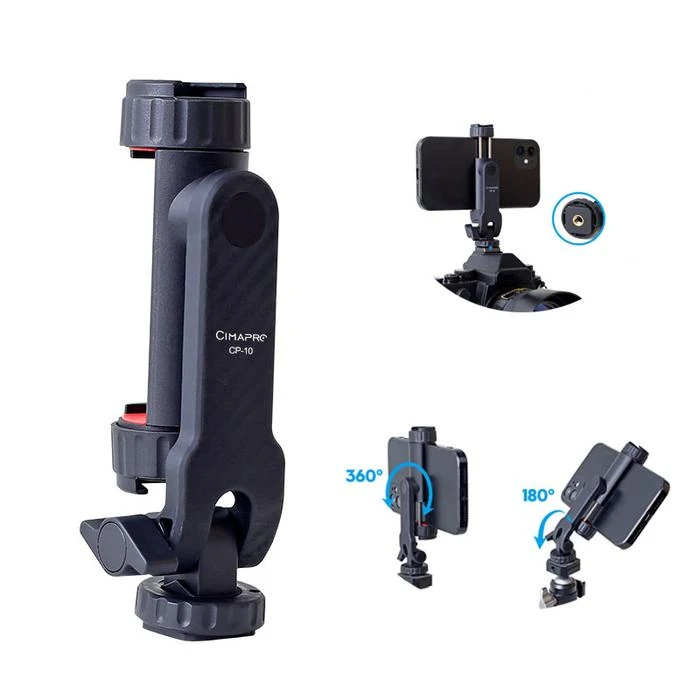
Different photographic disciplines require specific hardware, such as the 365-degree spin capability found in some independent camera mounts.
The Solo Content Creator: AI and Tracking
For creators working alone, AI-driven tracking is essential. The Insta360 Flow 2 Pro features Deep Track 4.0 technology, which allows the camera to follow a subject automatically. Users can initiate this by dragging a finger across the person or object in the app’s live view. This automation ensures the subject remains centered in the frame without a second operator.
The Night Sky Specialist: Stability and Long Exposure
Astrophotography requires absolute stillness to capture light trails or star patterns. This discipline relies on long exposure photography, where the camera remains steady for extended periods. High-stability tripods are necessary to prevent any micro-vibrations that would blur the stars. In these scenarios, even a slight breeze can ruin a multi-second exposure.
The Minimalist Traveler: MagSafe and Portability
Travelers prioritize weight and ease of use. Solutions like the Studio Neat Glif or the Moment Tripod Mount for MagSafe allow for quick attachment and detachment. These mounts are designed to be extremely portable while providing a secure hold for modern smartphones, eliminating the need for bulky mechanical clamps during transit.
Gimbals vs. Traditional Tripods: When to Upgrade
A gimbal — a pivoting suspension device that mechanically stabilizes a camera — can replace an expensive tripod or dolly and make cinematic video effects accessible to anyone.
Mechanical Stabilization vs. Static Support
While traditional tripods provide a fixed base for high-resolution photography, gimbals like the DJI Osmo Mobile 6 use motors to counteract movement. This mechanical stabilization is essential for achieving smooth, cinematic video.
The Trade-off: Weight and Battery Life
Upgrading to a gimbal introduces new requirements for power and weight management. Unlike a static tripod, a gimbal requires battery life to operate its motors. Users must also account for the weight of the smartphone; for example, the Jeebel Magnetic Phone Camera Grip has a weight of 100g, which must be balanced within the gimbal’s motor capacity to avoid overheating or rapid battery drain.
Pro-Audio Integration: Avoiding Handling Noise
The placement of your mount can impact audio quality. Improper positioning often leads to “handling noise,” where vibrations are captured by the device’s microphone array.
The Vibration Problem
Vibrations from a user’s hand or a lightweight setup, such as the Ulanzi vlog tripod, can travel directly into the phone. To mitigate this, practitioners recommend using a tripod or a gimbal to isolate the phone from direct contact.
Mounting External Microphones
To achieve professional audio, users often mount external microphones. When integrating audio, ensure the mount allows for clear access to the phone’s microphone ports. If using a tripod like the Ulanzi MT-44, check that the microphone placement does not interfere with the tripod’s physical footprint or the phone’s ability to stay securely clamped.
FAQ
How do I prevent vibration in my long exposure shots?
Set your camera timer to at least 3 seconds before each shot. This delay stops vibrations from your finger pressing the shutter button, ensuring the image remains sharp during long exposure photography.
Can a mini tripod support a heavy smartphone?
Mini tripods are best suited for lighter camera kits. If using a heavy “Pro Max” or “Ultra” model, ensure the tripod has a wide enough base to prevent tipping and check the manufacturer’s payload capacity.
What is the benefit of a gimbal over a tripod?
A gimbal provides mechanical stabilization that can replace a tripod or dolly, making cinematic video effects accessible by smoothing out movement during handheld filming.