SnapRoamer.com – smartphone photography lighting has evolved from simple flash use to sophisticated setups involving high-CRI LED panels, ring lights, and three-point lighting techniques. To achieve professional results, creators must balance portable hardware like Lume Cube or GVM lights with smartphone-specific software controls to manage exposure and color temperature. High-end LED panels like the GVM PRO SD300B now offer a Color Rendering Index (CRI) of 97+, ensuring natural skin tones even on small mobile sensors.
The Mobile Rigging Guide: Mounting Lights Without the Risk
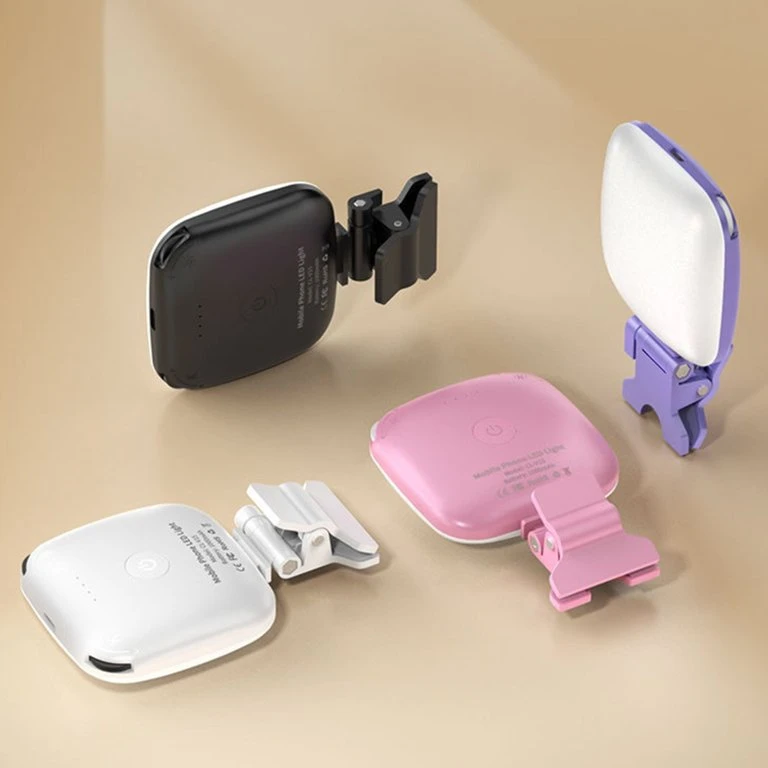
To mount lighting tools safely on a smartphone, creators should use dedicated smartphone cages or rigs equipped with cold shoes. This prevents balance issues and stability loss, allowing for secure attachment of clip-on micro LEDs or stand-mounted panels without risking a drop.
Hardware: Cages vs. Clamps
Using a standard clamp to attach heavy lighting to a mobile device often leads to a critical failure mode: the phone tipping forward due to an uneven weight distribution. Brands like Ulanzi provide specialized accessories designed to mitigate this risk. While a simple clamp might suffice for a lightweight LED, a full cage provides multiple mounting points that distribute the load more effectively.
Stability and Center of Gravity
Achieving stability requires understanding how accessories affect the device’s balance. A common misconception is that any light will work as long as it is attached; however, mounting a heavy panel on one side of a phone without a counterweight or a dedicated rig will cause the device to wobble during video capture. Practitioners should prioritize the following hardware configurations:
- Smartphone cages with integrated cold shoes for side-mounted LEDs.
- Tripod-mounted light stands to keep the weight entirely off the mobile device.
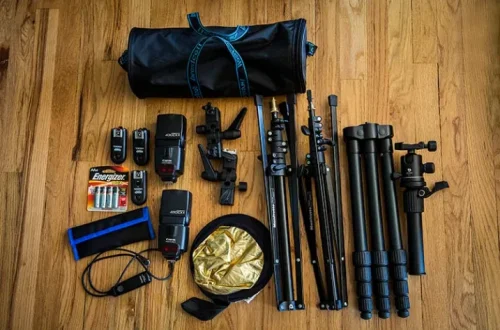
- Ball heads for adjustable angles without stressing the phone’s chassis.
Sensor-First Lighting: Managing Noise and Contrast on Mobile
Mobile sensors are significantly smaller than those found in DSLR or mirrorless cameras, making them highly sensitive to lighting environments. Emma Baker notes that improper lighting management often leads to digital artifacts that are difficult to correct in post-production.
The Shadow Noise Trap
A major pitfall in mobile photography occurs when creators attempt to compensate for underexposed shadows by increasing digital brightness. According to iphonephotographyschool.com/common-mistakes, this practice introduces heavy grain and noise into the image. Instead of fighting darkness with software, it is more effective to use physical light to fill those areas. If a subject is backlit without a proper setup, the camera’s auto-exposure may leave the face in deep shadow.
Overcoming Auto-Exposure Algorithms
Smartphone software is designed to make every scene look “correct” to the average user, which often results in flat, uninteresting images. To gain professional control, users must override these algorithms. One effective method is to use the manual exposure adjustment: touch and hold on the screen to lock focus and exposure, then drag the sunshine icon up or down to adjust brightness. This prevents the camera from constantly shifting exposure when the light source or subject moves slightly.
Mastering Three-Point Lighting for Mobile Content
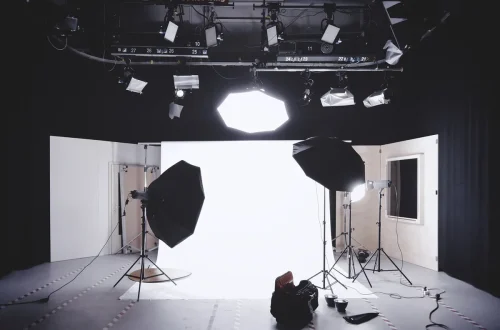
Three-point lighting uses a key light to define form, a fill light to soften shadows, and a backlight to create separation. For mobile creators, the most effective setup uses a 45-degree key light angle and a 2:1 key-to-fill ratio to create professional depth.
Think Branded Media states: “Three-point lighting is a fundamental technique in videography and photography that uses three light sources to illuminate a subject.” This method prevents flat, two-dimensional visuals by creating the contrast and depth necessary for high-quality content.
The Key Light Angle (15° to 70°)
The placement of your primary light source dictates the mood of the shot. StudioBinder notes that “The key light’s angle can range from 15 and 70 degrees, with 45 degrees being most commonly used.” An angle of 30 degrees is often considered the optimum for casting a shadow on one side of the face to create dimension. Moving the light closer to the 15-degree mark creates more dramatic, high-contrast lighting, while moving toward 70 degrees results in a softer, more even look.
Achieving the 2:1 Ratio
To maintain a professional look, creators should manage the relationship between their lights. A standard approach is to use a 2:1 ratio, where the key light is twice as bright as the fill light. This ensures that while shadows are softened, they are not completely erased, which preserves the subject’s facial structure. For those building a home studio, a mid-range budget of $150–$400 is typically sufficient to acquire a functional three-point setup.
Hardware Showdown: Continuous LED vs. Strobe Lighting
Choosing between continuous and strobe lighting depends on whether the priority is video production or high-speed still photography. WaldoPro explains: “Continuous lighting is like having a bird in hand; you can see exactly what you’re getting before you snap the shot, and it won’t cost you an arm and a leg like strobes.”
| Feature | Continuous LED | Strobe/Flash |
|---|---|---|
| Motion Capture | Ideal for video; shows real-time light fall. | Can freeze high-speed motion. |
| Visibility | What you see is what you get. | Requires pre-visualization. |
| Monitoring | Allows real-time monitoring. | Difficult to preview shadow depth. |
While continuous lights like the Lume Cube Panel Pro 2.0 provide a 10W output and approximately 2 hours of runtime at full brightness, they cannot freeze motion like a strobe. Conversely, strobes are highly effective for capturing fast-moving subjects, but they lack the real-time monitoring capabilities of LED panels.
Real-time Monitoring Benefits
Continuous lighting, such as the options provided by GVM or Lume Cube, allows creators to see exactly how light falls on a subject before pressing the shutter. This is particularly useful for mobile users who may struggle with complex lighting math. You can adjust the color temperature—for example, the Lume Cube Cordless Ring Light Pro offers a range of 3,200 to 5,600 K—to match your environment instantly.
Motion Freezing Capabilities
For specific photography needs, strobes remain superior. Because a strobe light only lasts for a fraction of a second, it can freeze motion that would appear blurred under continuous light. However, for the vast majority of mobile content creators focused on social media video, the versatility of continuous LED remains the industry standard.
Essential Smartphone UI Controls for Lighting Pros
Professional lighting is useless if the smartphone software fights against the hardware. Emma Baker highlights that understanding the interface is as important as the lights themselves.
Shortcut: Touch and hold the screen to lock exposure and focus; then drag the sunshine icon up or down to adjust brightness.
Locking Exposure and Focus
One of the most common failure modes is “hunting,” where the camera constantly refocuses or changes brightness because it detects a change in light. By using the manual exposure adjustment (Touch and hold screen), you force the sensor to respect your lighting setup. This is critical when using high-output lights like the Lume Cube Cordless Ring Light Pro, which can output 1,500 lumens and significantly alter the sensor’s perceived brightness.
Using the Grid for Alignment
For subjects like flat lays or product photography, alignment is key to a professional look. You can enable this by navigating to SETTINGS > CAMERA > GRID. This provides alignment crosses in the center of the display, ensuring your subject is perfectly centered relative to your lighting sources.
Common Lighting Pitfalls to Avoid
Avoiding common mistakes can immediately elevate mobile photography from amateur to professional. Based on insights from Emma Baker and iphonephotographyschool.com/common-mistakes, creators should watch for these specific issues:
- Direct Sunlight: Avoid using direct sunlight for portraits, as it creates harsh shadows and causes subjects to squint. Instead, seek “Open Shade” under trees or buildings.
- Head-on Flash: Avoid using the on-camera flash directly in front of a subject, which causes washed-out skin tones and red-eye.
- Backlighting Errors: Do not place your subject with their back to the main light source without a fill light, or their face will be cast in shadow.
- Over-editing: Avoid applying excessive filters that overpower the natural skin tones provided by high-CRI lights.
FAQ
What is the best angle for a key light?
The most commonly used key light angle is 45 degrees, though the effective range falls between 15 and 70 degrees depending on the desired shadow depth.
Why is CRI important for smartphone photography?
A high Color Rendering Index (CRI) of 97+ ensures that skin tones appear natural and vibrant rather than looking greenish or washed out on the sensor.
How can I avoid harsh shadows in outdoor mobile shots?
Avoid direct sunlight which causes squinting and hard lines; instead, use ‘Open Shade’ by finding locations like under trees or buildings where light is filtered.