SnapRoamer.com – Efficient packing of smartphone photography gear for travel requires choosing specific lightweight items such as the APEXEL clip-on lenses and a Gorilla Pod tripod, both known for portability. Utilizing a SanDisk portable 500GB SSD connected directly to an Android phone via the included cable enables efficient image storage and retrieval without bulky equipment. Combining these with protective gear like the Lifeproof FRE Case ensures your smartphone is safeguarded against drops and water, making your setup ready for various shooting conditions while minimizing weight.
One way to pare down size is to use your smart phone to drive image retrieval and storage. On a recent trip I used a SanDisk portable 500GB SSD which came with the right cord to connect to my android phone. (Bill)
How can I pack smartphone photography gear efficiently into carry-on luggage?
Efficient carry-on packing focuses on essentials such as a smartphone equipped with APEXEL clip-on lenses, a compact Gorilla Pod tripod, and a SanDisk portable 500GB SSD for backups. Protective measures include using padded inserts like the Safe Passage Reel Briefcase inside a ThinkTank Airport Commuter backpack to secure gear without excessive bulk. Organizing cables with reusable ties and prioritizing frequently used items in top compartments streamlines access during travel.
Packing checklist for carry-on
Start by assembling the following essentials: your smartphone, a set of APEXEL clip-on lenses, a Gorilla Pod compact tripod, a SanDisk portable 500GB SSD for backups, charging cables, and a Lifeproof FRE waterproof case. Carry a Bluetooth remote shutter with a 30 ft wireless range for hands-free shots. Bring cable ties to bundle cords neatly, ensuring quick access.
Using padded inserts in regular backpacks
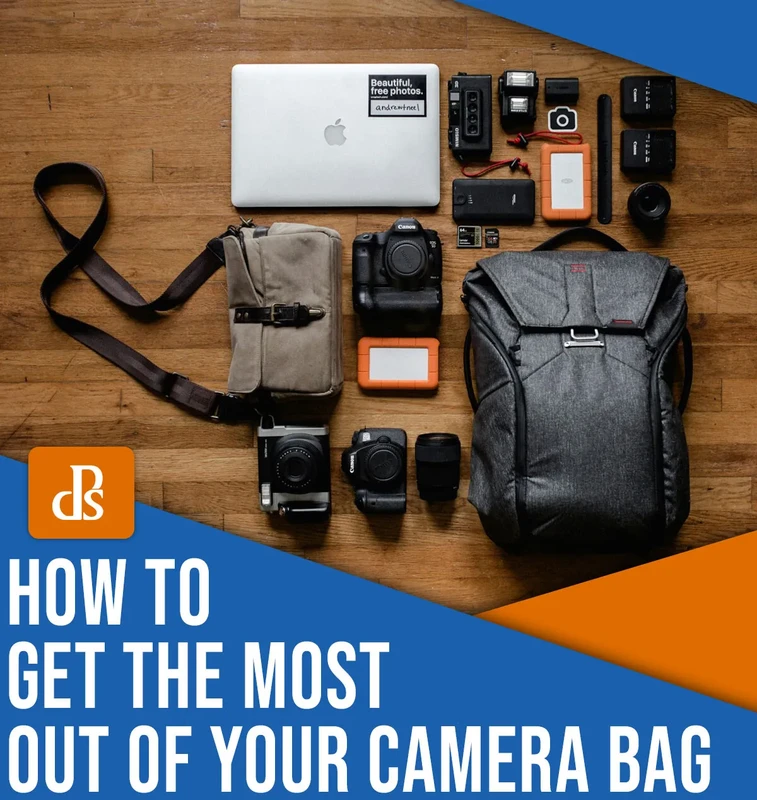
Instead of bulky camera cases, use padded inserts like the Safe Passage Reel Briefcase inside your regular lightweight backpack, such as the ThinkTank Airport Commuter. This approach protects gear without adding excessive bulk or weight. David Saucedo warns that padding your gear with clothes alone risks damage; investing in dedicated padded inserts can prevent costly breakage during travel.
Space-saving packing tips
- Place frequently used items, such as your smartphone and clip-on lenses, in top compartments for quick retrieval.
- Bundle cables with reusable cable ties and tuck them into small pouches to avoid tangling.
- Stack flat items like the portable SSD and battery banks next to the backpack’s back panel to maintain balance.
- Use compression packing cubes for clothing to free up more space for gear.
- Pack heavier gear closest to your back to avoid discomfort during extended walking or hiking.
Shortcut: On iPhones, enable the grid via Settings > Camera > Grid to compose shots efficiently while traveling.
A common misconception is that rolling bags ease travel with photography gear; however, Charles reports that lightweight backpacks outperform rolling bags on foot or hiking trips, offering better mobility and comfort. A failure mode to note: overpacking with bulky cases can exceed carry-on limits or cause physical strain.
What are the best power management strategies for smartphone photography gear on long trips?
Effective power management on long trips involves carrying multiple fully charged power banks along with a universal travel adapter that accommodates 15 different electrical outlet plugs and 8 voltage variations worldwide. Organize your charging cables in labeled pouches and use shorter cables for daily charging and longer ones at lodging. These steps help maintain continuous power for devices like your smartphone and portable SSD.
Packing extra batteries and adapters
Bring multiple fully charged power banks alongside your smartphone charger. Since there are 15 different electrical outlet plugs and 8 voltage variations worldwide, carry a universal travel adapter to ensure compatibility. This avoids situations where your gear remains unusable due to incompatible power sources.
Cable organization tips
Use labeled cable organizers or zip pouches to separate charging cables for your smartphone, SSD, and tripod batteries. This prevents last-minute scrambling. Wind cables tightly but without strain to avoid fraying. Pack shorter cables for daily use and longer cables for stationary charging at accommodations.
Using solar and portable chargers
Solar chargers provide backup power when electricity access is uncertain. Choose foldable solar panels rated for at least 10W output. Pair with a high-capacity power bank (minimum 20,000 mAh) to store solar energy. This setup extends shooting time during extended outdoor trips. Beware that solar charging efficiency varies with weather; always have a wired backup.
Shortcut: On Android, activate Power Saver mode via Settings > Battery > Power Saver to extend smartphone usage during shooting.
Contrary to popular belief, relying solely on your smartphone’s internal battery risks running out of power mid-shoot. A failure mode includes power banks not charging properly due to incompatible cables or poor contact, so test all chargers before departure.
Which smartphone photography accessories are compatible with popular phone models and how do I avoid pitfalls?
Accessory compatibility depends on phone model specifics. For instance, the Olloclip 3-in-1 Essential Lens Kit fits iPhone 12/13/14 models perfectly due to their triple-lens layout but requires an adapter for Samsung Galaxy S21/S22, which may cause minor vignette. APEXEL clip-on lenses offer universal fit but can cause lens shading on Samsung Galaxy ultra-wide cameras. Always test attachments pre-trip to prevent issues like shading or looseness.
Compatibility matrix overview
| Accessory | iPhone (12/13/14) | Samsung Galaxy S21/S22 | Google Pixel 6/7 |
|---|---|---|---|
| Olloclip 3-in-1 Lens Kit | Fully compatible; fits triple-lens layout | Compatible with adapter; minor vignette possible | Compatible; requires clip adjustment |
| APEXEL Clip-on Lenses | Universal fit; secure attachment | May cause lens shading on ultra-wide | Works well; watch for looseness |
| Lifeproof FRE Case | Model-specific fit; full protection | Limited models; check fit carefully | Not officially supported |
| Gorilla Pod Tripod | Compatible with smartphone mount | Compatible with universal mount | Compatible; mount needed |
| Bluetooth Remote Shutter | Range 30 ft; works with iOS | Works with Android; verify pairing | Compatible; test before trip |
This matrix helps avoid the common failure mode of lens shading or attachment looseness. For example, APEXEL lenses can cause shading on Samsung Galaxy ultra-wide lenses, so test pre-trip. Charles stresses testing gear with your specific phone model to prevent surprises.
Common attachment issues
Clip-on lenses may detach if phone cases are too thick or uneven. To prevent this, remove thick cases or use slim protective covers compatible with lenses. Misalignment leads to blurry photos; carefully align and test focus before travel. Bluetooth remotes can fail pairing, so keep spare batteries and re-pair via Settings > Bluetooth if needed.
Testing gear pre-trip
Test all accessories at home under various lighting and shooting conditions. Use the Halide app to shoot RAW images and verify lens clarity and alignment. Update Bluetooth device firmware regularly. Carry backup clip-on lenses or remotes when possible to mitigate equipment failures on the road.
How do I troubleshoot common smartphone photography gear failures during travel?
Common issues include battery drain, lens detachment, app crashes, and connection failures. Carry multiple power banks and spare batteries to avoid sudden shutdowns. Secure clip-on lenses by removing thick cases and checking fit. For app crashes, especially with Halide, keep apps updated and reboot or reinstall as necessary. Always back up photos frequently to safeguard data.
Battery and power issues
Carry multiple power banks and fully charged batteries to counter battery drain. If your smartphone suddenly shuts down, check power settings and disable background apps. Use Settings > Battery > Battery Usage on iPhone to identify power-hungry apps. Avoid using low-quality cables that can cause intermittent charging.
Lens attachment problems
Lens detachment can occur if clip-on lenses are improperly fitted. Remove thick phone cases and check for secure fit. In case of lens scratches, carry a microfiber cloth for cleaning. Loose lenses may cause blurry images or fall off, so always test attachment before shooting.
App crashes and software fixes
Halide and other advanced camera apps occasionally crash on certain OS versions. Keep apps updated via App Store or Google Play. If crashes persist, reboot your phone or reinstall the app. Backup photos frequently to avoid data loss from sudden app failures.
Shortcut: On iPhone, force close misbehaving apps by swiping up from the bottom and holding, then swiping the app off the screen.
How can I integrate smartphone photography gear with other travel essentials without overpacking?
Integrate smartphone photography gear by selecting multifunctional items such as the Gorilla Pod tripod, which works with both smartphones and small cameras, and the Lifeproof FRE Case that provides waterproof and drop protection. Pack these in a versatile ThinkTank Airport Commuter backpack with padded inserts to combine camera gear and travel essentials efficiently. Prioritize gear you will actively use to reduce bulk.
Minimalist packing principles
APEXEL advises that minimalism means intentional packing, not fear-based hoarding. Skip extra straps, redundant filters, and backup gear “just in case.” Select only what you will actively use. This reduces physical strain during long days and speeds setup time. It also lowers risk of theft or damage.
Choosing multifunctional gear
Choose gear that serves multiple purposes: a Gorilla Pod tripod works with smartphones and small cameras; a Lifeproof FRE Case offers waterproofing and drop protection. A SanDisk portable 500GB SSD stores backups from multiple devices. This limits the number of separate items you need to carry.
Organizing for accessibility
Use a versatile backpack like the ThinkTank Airport Commuter, which accommodates camera inserts and travel essentials together. Pack gear in external pockets for easy access to your smartphone and lenses during transit. Prioritize packing gear by frequency of use—daily essentials on top, rarely used items deeper inside.
- Place smartphone and clip-on lenses in quick-access compartments.
- Store chargers and cables in labeled pouches.
- Keep tripod secured but reachable.
Shortcut: On Android, use the “Favorites Tray” in the camera app to quickly switch between lenses or modes.
Minimalist setups are sometimes misunderstood as restrictive, but the APEXEL Official states, “Minimalism isn’t about limitations—it’s about freedom and focus.” Overpacking causes fatigue and slows photography workflow, a common failure mode avoided by these principles.
What security measures protect smartphone photography gear during travel beyond general theft prevention?
Protect gear by using padded inserts such as the Safe Passage Reel Briefcase inside inconspicuous bags like regular backpacks or briefcases. Carry expensive gear in carry-on luggage to avoid checked baggage risks, and secure bags with TSA-approved locks. When possible, store extra memory cards and cameras in hotel safes to reduce theft risk.
Using padded inserts in regular bags
Instead of eye-catching camera bags, use padded inserts like the Safe Passage Reel Briefcase inside a regular backpack or briefcase such as the Safe Passage Reel Briefcase. This reduces the risk of theft by blending in with everyday luggage. David Saucedo emphasizes that proper padding prevents gear damage without attracting attention.
Carry-on vs checked luggage strategies
Always pack your most expensive and necessary gear in your carry-on bag to avoid loss or damage during checked baggage handling. Use TSA-approved locks on your carry-on for additional security. Store extra memory cards, camera bodies, and lenses in hotel safes when not in use, as recommended by professional photographers.
Data encryption and backup security
Encrypt photo backups on portable SSDs using software like BitLocker or VeraCrypt. This protects sensitive images in case of loss or theft. Use apps like Google Photos with two-factor authentication to secure cloud backups. Keep backup drives separate from your main gear to reduce simultaneous loss risk.
Shortcut: Enable two-factor authentication for Google Photos via Account Settings > Security > 2-Step Verification.
How does packing smartphone photography gear compare to traditional DSLR or mirrorless gear for travel?
Smartphone photography gear weighs under 2 lb including clip-on lenses and a compact tripod, fitting easily into a regular backpack like the ThinkTank Airport Commuter. In contrast, an entry-level DSLR with a kit lens weighs about 1.5 pounds alone, and adding lenses and protective Pelican cases significantly increases total weight, making smartphones more portable for travel and hiking.
Portability and weight comparison
Smartphone setups typically weigh under 2 lb including clip-on lenses and compact tripod. In contrast, an entry-level DSLR with kit lens weighs about 1.5 pounds alone. Adding extra lenses and protective Pelican cases increases total weight significantly. Portability advantages make smartphones ideal for hiking and crowded urban travel.
Image quality and control differences
DSLRs provide full manual control and superior image quality, especially in low light. Smartphone apps like Halide allow manual mode and RAW shooting, improving phone photo quality but not matching DSLRs. Spontaneity is better with smartphones since they are always at hand and quicker to use.
Packing complexity and security
DSLR gear requires multiple protective cases such as Pelican cases, lens pouches, and often rolling bags or dedicated backpacks. Smartphones fit comfortably in everyday backpacks with padded inserts like the Safe Passage Reel Briefcase, reducing cost and theft risk. DSLR setups demand more careful packing to avoid damage during transit.
| Aspect | Smartphone Photography Gear | DSLR/Mirrorless Gear |
|---|---|---|
| Portability and Weight | Under 2 lb, fits in regular backpack | 3–7 lb with lenses and cases; bulky |
| Image Quality | Good with manual apps; limited sensor size | Superior, full manual control |
| Control and Flexibility | Manual mode via apps like Halide | Full manual control and interchangeable lenses |
| Packing Complexity | Simple; padded inserts in carry-on | Complex; requires multiple protective cases |
| Security | Low profile; easy carry-on packing | High risk; bulky cases attract attention |
Shortcut: Use the Halide app’s manual focus slider (available on iOS) to precisely control focal distance when shooting on smartphone.
Contrary to some expectations, smartphones outperform DSLRs in portability and ease of use during travel, while DSLRs excel in image quality but impose heavier packing and security challenges.
How can I protect and use smartphone photography gear effectively in extreme travel environments?
Protect gear in harsh conditions by using the Lifeproof FRE Case for water and drop resistance, and store equipment in a PRO Waterproof Backpack 30L, priced around $329 USD, to guard against rain and dirt. Use lens covers to prevent scratches on clip-on lenses. Manage temperature exposure by avoiding direct sunlight and humidity, employing silica gel packets in padded pouches to absorb moisture.
Waterproofing and physical protection
Use Lifeproof FRE Case for your smartphone to protect against water, dust, and drops. Pair with a PRO Waterproof Backpack 30L, priced around $329 USD, to shield all gear from rain and dirt. Include lens caps or covers to prevent scratches and debris on clip-on lenses.
Temperature and humidity management
Avoid leaving gear in direct sunlight or high humidity for extended periods. Sudden temperature changes risk condensation inside lenses or devices. Store gear in insulated pouches inside your backpack. Dry silica gel packets can absorb moisture effectively.
Power management in extreme conditions
Cold weather rapidly drains battery life. Carry multiple power banks and keep them warm close to your body. Use solar chargers as backup but do not rely solely on them. Charge devices fully each evening to prevent power failure during daytime shoots.
Shortcut: On iPhone, enable Low Power Mode via Settings > Battery during cold weather to extend battery life.
What are effective strategies for syncing and managing photo backups across multiple devices and cloud platforms during travel?
Efficient photo backup involves connecting a SanDisk portable 500GB SSD directly to your smartphone using compatible cables and transferring images daily with free file transfer apps. Organize backups in dated folders every one to two days to track transfers. Use Google Photos for cloud backup with automatic syncing whenever Wi-Fi is available, secured by two-factor authentication.
Using portable SSDs and file transfer apps
Connect a SanDisk portable 500GB SSD directly to your Android or iPhone using compatible cables. Use free file transfer utilities to move photos from smartphone memory to SSD daily, organizing folders by date for easy retrieval. This reduces the risk of losing photos if the phone is damaged or lost.
Cloud backup apps and offline syncing
Google Photos offers automatic photo backups whenever Wi-Fi is available. Enable Settings > Backup & Sync and verify uploads occur nightly. When offline, photos store locally and sync once reconnected. Use two-factor authentication for security. Keep multiple backup copies on different media.
Organizing backup directories
Create a new folder on your SSD or cloud storage every 1-2 days, as Bill recommends. This helps track transferred images and prevents overwriting. Label folders with clear date stamps (e.g., 2024-06-15). Maintain a spreadsheet or notes to log backup status and locations.
Shortcut: In Google Photos, access Settings > Backup & Sync to toggle automatic backups.
Relying solely on cloud backups risks data loss if connectivity is poor; combining physical SSD backups with cloud syncing mitigates this failure mode.
What accessibility considerations should photographers with disabilities keep in mind when packing and using smartphone photography gear?
Photographers with disabilities should select lightweight gear such as the Olloclip 3-in-1 Essential Lens Kit and Gorilla Pod tripod, both designed for portability and ease of handling. Use accessible apps like Halide, which offers voiceover support and large interface buttons. Organize gear in a ThinkTank Airport Commuter backpack with padded straps and multiple compartments for ergonomic carrying and quick access.
Lightweight gear selection
Choose items like the Olloclip 3-in-1 Essential Lens Kit and Gorilla Pod tripod, both designed for portability and ease of use. Avoid heavy or bulky gear that can cause fatigue or require complex setup. Prioritize minimalist gear setups to reduce physical strain during travel.
Accessible smartphone apps
Apps like Halide offer manual shooting with straightforward interfaces accessible via voiceover and large buttons. Use shortcuts and presets to minimize repetitive adjustments. Enable accessibility features under Settings > Accessibility to customize controls for your needs.
Ergonomic packing and carrying
Use backpacks such as the ThinkTank Airport Commuter with padded straps and waist belts for better weight distribution. Organize gear in compartments for quick retrieval to avoid bending or awkward movements. Secure clip-on lenses in easy-to-reach pouches. As Sunny Sports notes, the biggest advantage of a smartphone is that it’s always with you, simplifying usage for all photographers.
- Pack gear in lightweight, padded bags.
- Label compartments for easy identification.
- Use wrist or neck straps for smartphones to reduce drops.
Shortcut: On iPhone, enable Voice Control via Settings > Accessibility > Voice Control to operate camera hands-free.
Counterintuitively, some may assume heavier gear provides stability for disabled users, but lightweight, ergonomic setups minimize strain and improve shooting comfort, avoiding common failure modes of fatigue and dropped equipment.
FAQ
What are the must-have smartphone photography accessories for travel?
Essential accessories include clip-on lenses like Olloclip or APEXEL, a compact tripod such as Gorilla Pod, a protective case like Lifeproof FRE, and portable storage devices like SanDisk 500GB SSD.
How can I prevent data loss of photos during travel?
Use multiple memory cards kept separately, back up photos nightly with apps like Google Photos, and transfer images to portable SSDs regularly.
Is it better to carry smartphone gear or a DSLR for travel photography?
Smartphones offer portability, spontaneity, and ease of editing, while DSLRs provide superior image quality and manual control but require heavier, more complex packing.
How do I protect my smartphone photography gear from theft?
Carry gear in padded inserts within non-camera-specific bags, keep expensive gear in carry-on luggage, use TSA-approved locks, and store gear securely in hotel safes.
What are tips for managing power for smartphone photography gear on long trips?
Pack extra batteries, bring travel adapters for different outlet types, use portable power banks or solar chargers, and organize cables efficiently.