SnapRoamer.com – Symmetry remains one of the most compelling compositional elements in smartphone photography, offering a visual balance that appeals instinctively to the human eye. Capturing symmetrical shots effectively requires deliberate positioning, careful stabilization, and leveraging both native smartphone features and specialized apps to refine and enhance the symmetry in post-processing. Centering the subject along the symmetry axis using grid overlays and level indicators combined with steady shooting techniques forms the foundation for high-quality symmetrical images. Advancements in computational photography and AI-assisted editing tools now empower photographers to achieve precision and creative effects beyond natural symmetry, expanding the artistic possibilities of smartphone photography.
Smartphone photography’s evolution has introduced tools such as grid lines, level indicators, and manual exposure controls that facilitate precise alignment essential for symmetrical composition. Tripods and stabilizers play a crucial role in minimizing blur and tilt, ensuring the symmetry remains visually intact. Editing applications ranging from Adobe Project Indigo’s manual capture features to Pixlr’s creative enhancements allow photographers to adjust contrast, sharpness, and color balance, further emphasizing symmetrical elements. Additionally, apps like KaleidaCam enable the creation of artificial symmetry, pushing creative boundaries within mobile photography. This comprehensive guide explores practical techniques, recommended tools, and expert insights to master symmetrical smartphone photography from capture to post-processing.
Understanding Symmetry in Smartphone Photography
symmetry in photography refers to a balanced arrangement where elements on one side of an axis mirror those on the other, creating harmony and visual impact. It can be classified mainly into three types: horizontal symmetry, where the left and right halves reflect each other; vertical symmetry, which involves mirroring along the horizontal axis; and radial symmetry, where elements radiate evenly from a central point. Each type evokes different emotional responses and compositional dynamics. Horizontal symmetry often conveys formality and stability, vertical symmetry can evoke calmness and order, while radial symmetry creates a sense of motion and focus.
In smartphone photography, symmetry is a powerful tool to communicate balance and structure, frequently used in architectural shots, reflections on water surfaces, and carefully composed portraits. Unlike traditional photography where bulky equipment may limit composition flexibility, smartphones offer real-time grid overlays and instant feedback, enabling photographers to experiment with symmetrical frames dynamically. Nevertheless, capturing true symmetry demands conscious alignment and stabilization to avoid subtle tilts or misalignments that disrupt the visual balance.
Preparing to Capture Symmetrical Shots with Your Smartphone
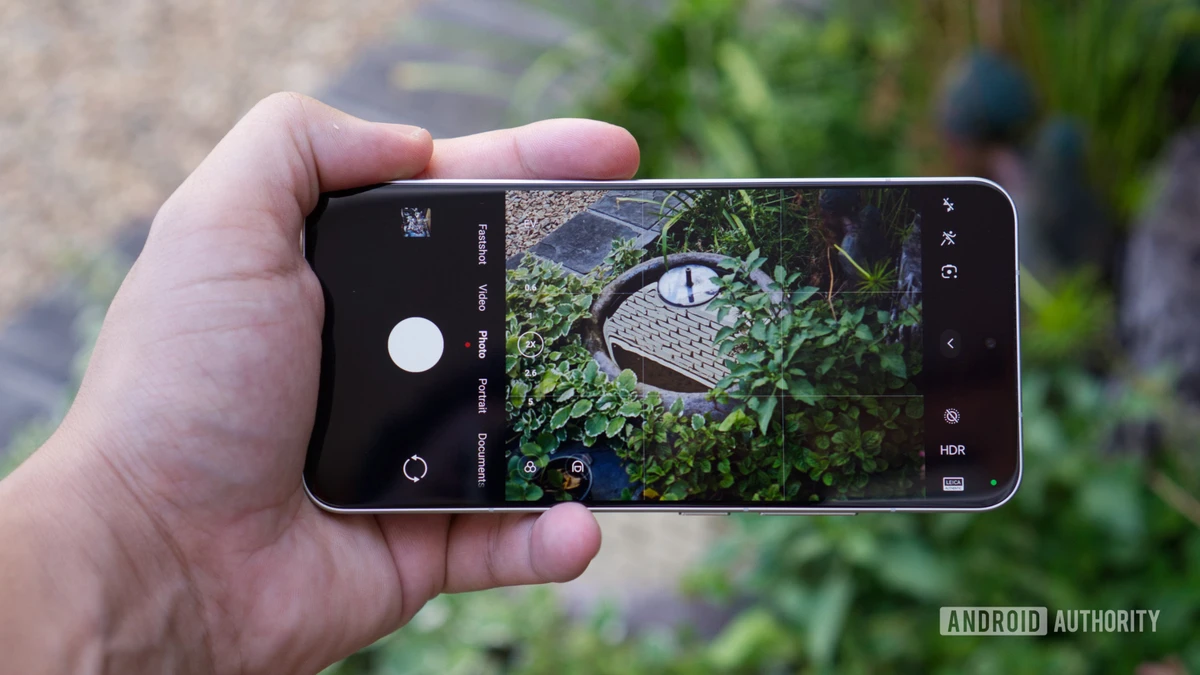
Achieving precise symmetry starts with correct physical positioning of the smartphone relative to the subject. Photographers should position themselves centrally to the symmetry axis, making sure the subject is aligned with the smartphone’s grid lines. Many smartphones provide a 3×3 grid overlay based on the rule of thirds, but for symmetry, the central vertical or horizontal grid line serves as the primary guide. Activating the level indicator feature, which shows real-time tilt information, helps maintain horizontal or vertical alignment, crucial for architectural or landscape symmetry.
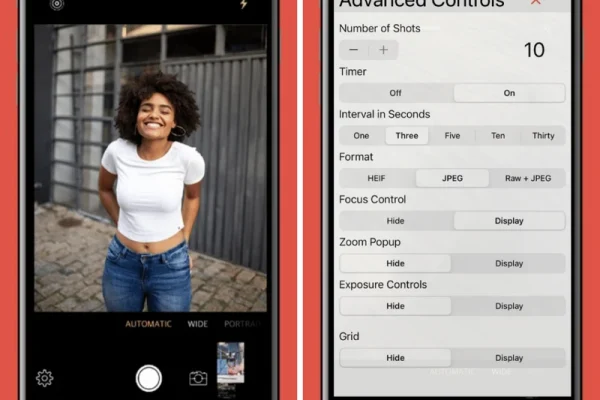
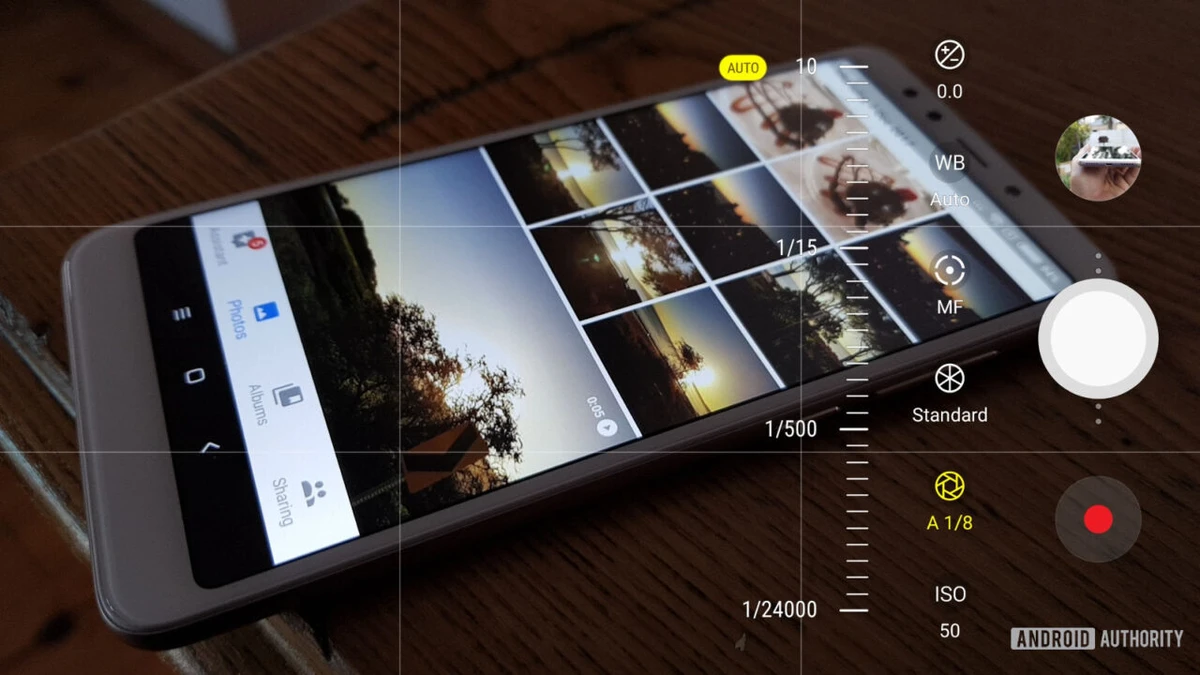
Stabilization is equally vital. Using a tripod designed for smartphones reduces camera shake and allows for exact framing adjustments. Tripods with adjustable heads enable fine-tuning of angles, essential when capturing radial or complex symmetrical patterns. In the absence of a tripod, resting the device on flat surfaces or employing smartphone stabilizers can mitigate hand tremors. Manual focus and exposure controls available in apps like Adobe Project Indigo grant further control, allowing photographers to lock focus precisely on the symmetry line and balance exposure evenly across both halves of the frame.
Composition Techniques to Emphasize Symmetry
Centering the subject along the symmetry axis is fundamental but not sufficient alone for compelling symmetrical photography. Visual weight—affected by color, texture, and lighting—must be balanced on both sides. For instance, a brightly colored object on one side should be counterbalanced by a similarly weighted element or pattern on the opposite side to maintain harmony beyond mere mirroring.
While the rule of thirds is a staple in general photography composition, symmetrical shots often require breaking this rule by placing the main subject dead center to emphasize balance. However, subtle deviations in placement can introduce dynamic tension, enhancing the visual interest without sacrificing symmetry. Leading lines, such as converging architectural elements or patterned floors, guide the viewer’s eye towards the symmetry axis and reinforce the compositional framework, making the image more engaging.
Photographers should also consider the background and peripheral details, ensuring they contribute to or do not detract from the symmetry. Patterns, reflections, and repetitive elements can amplify symmetry, especially in landscape and architectural photography, where natural or man-made structures offer abundant symmetrical opportunities.
Recommended Smartphone Apps for Symmetry Capture and Editing
Smartphone applications enhance both the capture and post-processing phases of symmetrical photography. Adobe Project Indigo stands out for its manual capture capabilities, offering granular control over focus, exposure, and shutter speed, which are critical for aligning symmetrical compositions accurately. Its interface supports grid overlays and level indicators, facilitating precise framing.
Facetune and YouCam Makeup, primarily known for portrait enhancements, include features to subtly adjust facial symmetry, making them valuable for portrait photographers aiming to perfect natural symmetry. For creative editing, Pixlr offers a robust suite of tools including contrast adjustment, sharpness refinement, and artistic filters that emphasize symmetrical details.
Composition Cam is a specialized app that provides customizable overlay grids and frames designed specifically for symmetrical shots, allowing users to visualize and plan their composition before shooting. For photographers interested in experimental symmetry, artificial symmetry apps like KaleidaCam and MirrorArt generate kaleidoscopic and mirrored effects, expanding creative possibilities beyond natural symmetry.
Post-Processing Techniques to Refine Symmetry
Post-processing plays a crucial role in enhancing the perceived symmetry of smartphone images. Adjusting contrast and sharpness can accentuate the division between mirrored halves, making symmetry more pronounced. Color correction ensures that hues are balanced on both sides, preventing one half from visually overpowering the other.
Minor asymmetries caused by natural imperfections or shooting angles can be corrected by selectively cloning or warping image sections using advanced editing tools. AI-assisted features in modern apps automate these corrections by detecting asymmetrical areas and suggesting refinements, reducing manual effort while improving accuracy.
Edge refinement is particularly important in symmetrical photography to avoid distracting irregularities along the symmetry line. Blurring or smoothing transitions where the two halves meet can create a seamless effect, especially when working with artificially generated symmetry.
Creative Applications and Practical Examples of Symmetry
Symmetry is widely applied in architectural photography, where buildings, bridges, and interiors provide clear symmetry lines. Photographers often use the smartphone’s grid overlays to align structures precisely, capturing imposing façades and reflective surfaces. Landscape photography benefits from natural symmetrical elements such as reflections on lakes or evenly spaced trees, where the symmetry creates tranquil and immersive visual experiences.
In portrait photography, frontal alignment combined with facial symmetry enhances the subject’s features and creates a formal, polished look. Smartphone apps that adjust facial symmetry can subtly improve portraits, particularly in selfies or professional headshots.
Reflections on glass, water, or polished surfaces serve as natural symmetry subjects, doubling the visual information and adding depth. Experimenting with angles—such as shooting from low or high perspectives—can transform ordinary symmetrical scenes into dynamic compositions, offering fresh views and creative effects.
Best Practices for Capturing Symmetrical Smartphone Photos

Maintaining lens cleanliness is fundamental, as smudges or dust can blur symmetrical details and reduce image clarity. Natural light is preferable for symmetry as it provides even illumination; photographers should be mindful of lighting angles to avoid harsh shadows that disrupt visual balance.
Experimentation with various symmetrical patterns, including radial and diagonal symmetry, helps develop an intuitive eye for balance and composition. Regular practice with different subjects and settings improves the ability to anticipate and capture symmetry effectively.
Using a combination of stabilization tools, precise framing features, and post-processing applications ensures the best results. Photographers should also remain open to creative experimentation, integrating artificial symmetry effects when appropriate to expand their artistic repertoire.
FAQ
How do I use grid lines to improve symmetry in smartphone photography?
Grid lines divide the frame into sections, typically based on the rule of thirds. For symmetry, focus on aligning the subject along the central vertical or horizontal grid line. Activating grid overlays in your camera settings helps position elements precisely and maintain visual balance.
What smartphone apps are best for editing symmetrical photos?
Apps like Adobe Project Indigo offer manual capture controls, while Pixlr provides extensive editing options including contrast and sharpness adjustments. For facial symmetry, Facetune and YouCam Makeup are effective, and KaleidaCam or MirrorArt allow creative artificial symmetry effects.
Why is stabilization important for symmetrical shots?
Symmetry relies on precise alignment and sharpness. Hand tremors or slight tilts can disrupt the visual balance, making images appear off-center or blurry. Using tripods or flat surfaces stabilizes the smartphone, ensuring clean, sharp symmetrical photos.
Can I create symmetrical effects artificially using smartphone apps?
Yes, apps like KaleidaCam and MirrorArt use computational photography to generate artificial symmetry, producing kaleidoscopic or mirrored images that go beyond natural symmetry and offer creative visual effects.
How does lighting affect symmetrical photography?
Even lighting enhances symmetry by reducing shadows and highlights that can unbalance the image. Natural light is preferred, and photographers should position the subject and smartphone to minimize disruptive shadows and maintain uniform illumination across symmetrical halves.
For further details on smartphone apps tailored for symmetry photography, readers can consult this comprehensive app guide. Additional compositional strategies are detailed in the resource available at iPhone Photography School’s symmetry tutorial.
The integration of precise capture techniques with powerful editing tools positions smartphone photographers to excel in symmetrical photography, blending technical mastery with creative experimentation. As smartphone camera technology continues to advance, the ability to capture and enhance symmetry will play an increasingly prominent role in mobile photography artistry.