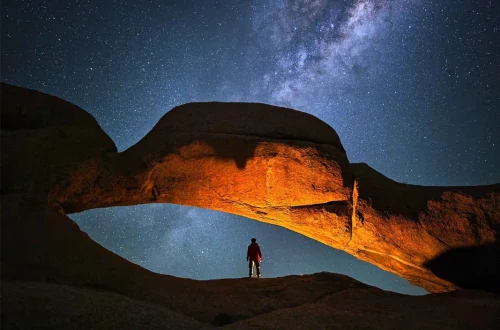
SnapRoamer.com – Smartphone photography has surged in popularity, driven by continuous advancements in camera technology and user-friendly features. Yet, the quality of smartphone images hinges significantly on lighting conditions and how photographers leverage them. Understanding nuanced lighting techniques, from natural to artificial setups, along with mastering smartphone camera settings such as ISO sensitivity and Night Mode, can transform ordinary shots into visually compelling images. Industry experts like Scott Bourne emphasize that lighting remains the single most crucial factor influencing photo quality, underscoring the need to harness light effectively across diverse environments.
Natural light is universally regarded as the optimal lighting source for smartphone photography, offering a spectrum of moods and tonal qualities. The golden hour—shortly after sunrise or before sunset—provides warm, diffused illumination that enhances skin tones and landscape vibrancy without harsh shadows. This time frame offers soft light with a warm hue, reducing digital noise by enabling smartphones to operate at lower ISO settings. Overcast conditions also create favorable soft lighting, minimizing contrast and preventing blown highlights typically caused by direct sunlight. Conversely, midday sun produces intense, directional light that often results in unflattering shadows and highlights, complicating exposure balance for smartphone sensors with limited dynamic range.
Indoor and artificial lighting demand a different approach to achieve balanced, aesthetically pleasing results. Utilizing diffused lighting methods, such as positioning subjects near windows with sheer curtains or employing white sheets as light modifiers, softens harsh light and diminishes stark shadows. Side lighting relative to the subject can accentuate textures and depth, while backlighting introduces dramatic silhouettes or rim lighting effects when managed carefully. Direct flash from smartphones frequently causes red-eye and flat, harsh illumination, which professionals recommend avoiding. Instead, controlling exposure manually when possible—adjusting brightness and ISO—helps maintain detail in both highlights and shadows under variable indoor lighting conditions.
Smartphone camera settings play a pivotal role in adapting to lighting environments. ISO sensitivity adjusts the camera sensor’s responsiveness to light; higher ISO values allow shooting in dim conditions but increase digital noise, while lower ISO offers cleaner images in bright settings. Night Mode, a feature increasingly sophisticated in recent smartphone models, employs longer exposure times combined with computational photography to enhance low-light capture. However, using Night Mode effectively requires device stability, making tripods or steady surfaces essential to prevent motion blur during extended exposures. Manual exposure controls available in select apps empower photographers to fine-tune brightness levels, reducing the risk of clipping highlights or crushing shadows.
Practical measures complement technical understanding to refine lighting outcomes in smartphone photography. Regularly cleaning the smartphone lens removes smudges and dust that degrade image sharpness and contrast. Employing tripods or stable mounts mitigates camera shake, particularly crucial in low-light or Night Mode scenarios. Experimenting with the angle of light sources and subject placement influences the presence of catchlights—reflections in the eyes that add vitality to portraits—and shadow patterns that contribute to image mood. Observing natural light changes throughout the day equips photographers to select optimal shooting windows, enhancing consistency and creativity in their work.
Specific types of smartphone photography present unique lighting challenges and opportunities. Portrait photography benefits from avoiding direct flash and instead relies on natural or diffused light to produce flattering skin tones and soft shadows. Positioning subjects to capture catchlights in the eyes enhances engagement and depth. Wildlife and landscape photography demand maximizing natural light to preserve details and colors, with caution against digital zoom to prevent loss of clarity. Indoor or showroom photography requires managing reflections from surfaces and controlling exposure to balance artificial lights while minimizing background distractions. Timed shots during less crowded periods further improve composition and focus.
Smartphone photography accessories significantly extend lighting control capabilities. Tripods provide essential stability for long-exposure shots and precision framing, supporting techniques like Night Mode and manual exposure adjustments. Portable external lighting or diffusers can supplement natural light, offering consistent illumination when ambient light is insufficient or uneven. Additionally, specialized apps grant manual control over camera parameters such as ISO, shutter speed, and exposure compensation, enabling photographers to tailor settings to lighting conditions beyond automatic modes’ limitations.
| Lighting Condition | Recommended Techniques | Camera Settings Impact | Accessory Suggestions |
|---|---|---|---|
| Golden Hour (Natural Light) | Utilize warm, soft light; position subject for flattering side lighting; avoid midline harsh shadows | Low ISO settings for clean images; automatic exposure often sufficient | Tripod optional; lens cleaning for clarity |
| Overcast Soft Light | Leverage diffused light for even exposure; avoid direct flash; capture textures | Moderate ISO; manual exposure helps balance brightness | Tripod for stability; apps for manual control |
| Indoor Artificial Light | Use diffusers (curtains, white sheets); position subject near windows; avoid direct flash | Manual ISO and exposure adjustments critical; Night Mode less effective | External diffusers; tripod recommended |
| Low Light/Night Mode | Steady device via tripod; avoid movement; experiment with exposure times | High ISO tolerance; longer shutter speeds; computational noise reduction | Tripod mandatory; apps with manual exposure controls |
| Portrait Lighting | Capture catchlights; soft side lighting; avoid harsh shadows | Manual exposure can enhance skin tones; low ISO preferred | Reflectors or diffusers; tripod for framing |
Lighting mastery in smartphone photography demands both an understanding of fundamental principles and hands-on experimentation. As Scott Bourne, a seasoned photography expert, notes, “The difference between a snapshot and a great photo often comes down to how light is used.” Jordi Chias, specializing in underwater smartphone photography, highlights the importance of adapting to unique lighting environments, emphasizing that even subtle diffused light can dramatically alter image quality. Observing the interplay of natural and artificial light sources, adjusting camera settings like ISO and exposure, and incorporating accessories such as tripods unlock new creative possibilities for smartphone photographers.
University of Washington Smartphone Photography Guide offers an extensive overview of lighting techniques and camera settings for amateurs and professionals alike. Similarly, Wandering iPhone’s portrait lighting tips provide practical advice on leveraging natural and artificial light to enhance smartphone portraits.
Understanding Natural Light in Smartphone Photography
Natural light sources vary in quality and intensity throughout the day, profoundly influencing smartphone image outcomes. The golden hour, a window of approximately one hour after sunrise and before sunset, bathes scenes in warm hues and soft shadows. This period reduces the need for high ISO sensitivity, lowering the incidence of digital noise and enabling the smartphone to capture finer detail. Photographers must consider the sun’s position to optimize side lighting, which sculpts facial features and landscape textures, avoiding the flatness that direct frontal light can produce.
Cloud cover diffuses sunlight uniformly, creating a soft illumination ideal for even exposure and subtle tonal gradations. Overcast days reduce contrast, making it easier to capture detail in both highlights and shadows without relying heavily on post-processing. However, photographers should be mindful of potential color temperature shifts toward cooler tones, which can be corrected via white balance settings or editing software. Conversely, shooting during midday presents challenges: harsh overhead light generates deep shadows and blown-out highlights, often necessitating the use of diffusers or seeking shaded areas to maintain image quality.
Indoor and Artificial Lighting Strategies
artificial lighting indoors typically involves multiple light sources with varying color temperatures, which complicates exposure and color balance. To mitigate harshness, diffusing light through translucent materials—such as curtains, white bedsheets, or commercially available softboxes—softens illumination and reduces sharp shadows. Positioning subjects adjacent to windows provides a natural light source that can be modulated with diffusers, enabling side or backlighting effects that enhance dimensionality.
Smartphone flashes, though convenient, often produce unflattering, direct light, causing red-eye and excessive contrast. Photographers are encouraged to disable flash and instead manipulate ambient light or introduce supplemental diffused lighting. Manual exposure controls available in many smartphone camera apps allow for fine-tuning brightness to accommodate mixed lighting scenarios, preventing overexposure or underexposure.
Optimizing Smartphone Camera Settings for Lighting
ISO sensitivity is a critical parameter in controlling image brightness and noise. Lower ISO values, typically ranging from 50 to 200 on modern smartphones, produce cleaner images with minimal grain, suited to well-lit conditions. As light decreases, increasing ISO boosts sensor sensitivity but introduces digital noise, which can degrade image quality. Night Mode compensates for low-light environments by capturing multiple frames over longer exposures and merging them computationally to enhance detail while limiting noise. However, the extended exposure duration necessitates device stabilization to avoid motion blur, with tripods being highly recommended.
Manual exposure adjustment empowers photographers to override automatic metering that may inaccurately assess complex lighting scenes. By controlling shutter speed and ISO, users can prevent blown highlights—areas of pure white lacking detail—and crushed shadows, where details are lost in darkness. These adjustments are particularly beneficial in high-contrast situations, such as backlit portraits or scenes containing both bright skies and dark foregrounds.
Practical Lighting Tips for Enhanced Smartphone Photography
Maintaining a clean lens is a fundamental yet often overlooked step that significantly affects image clarity and contrast. Fingerprints, dust, and smudges diffuse light entering the lens, diminishing sharpness and color fidelity. Utilizing a microfiber cloth to clean lenses before shooting is a best practice.
Stabilizing the smartphone using tripods or steady surfaces reduces shake-induced blur, especially critical during low-light or night mode photography. Experimenting with angles relative to light sources uncovers the best placement for catchlights—small reflections in the subject’s eyes that add life and depth to portraits. Adjusting the subject’s orientation to side or backlighting can create mood through shadows and highlights, enhancing three-dimensionality.
Photographers should observe the natural light pattern throughout the day to identify optimal shooting windows, combining this knowledge with manual camera controls and accessories to maximize results.
Lighting Approaches for Varied Smartphone Photography Genres
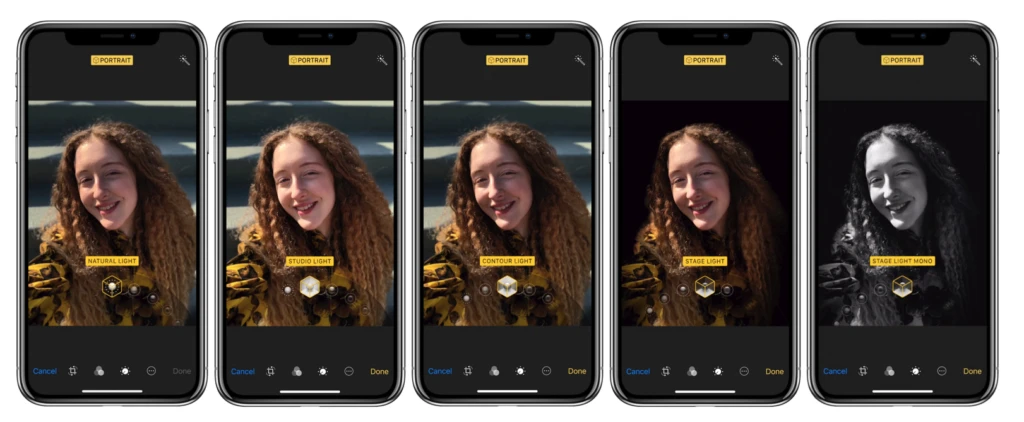
portrait photography seeks to flatter the subject by avoiding harsh direct light and utilizing soft, diffused sources that enhance skin texture and tone. Catchlights are critical in conveying emotion and engagement, therefore positioning the subject to face or partially face the light source is advised. Avoiding direct smartphone flashes prevents unnatural reflections and red-eye effects.
Wildlife and landscape photographers benefit from maximizing natural light, particularly during golden hours, when colors and details are most vivid. Given the limitations of digital zoom on smartphones, photographers should minimize zoom use to preserve image quality, focusing instead on framing and composition.
Indoor and showroom photography often involves complex lighting and reflective surfaces. Controlling reflections requires careful positioning and sometimes polarizing filters. Manual exposure settings help balance artificial lights, and timing shots during off-peak hours reduces distractions and allows more controlled compositions.
Smartphone Accessories for Lighting Enhancement
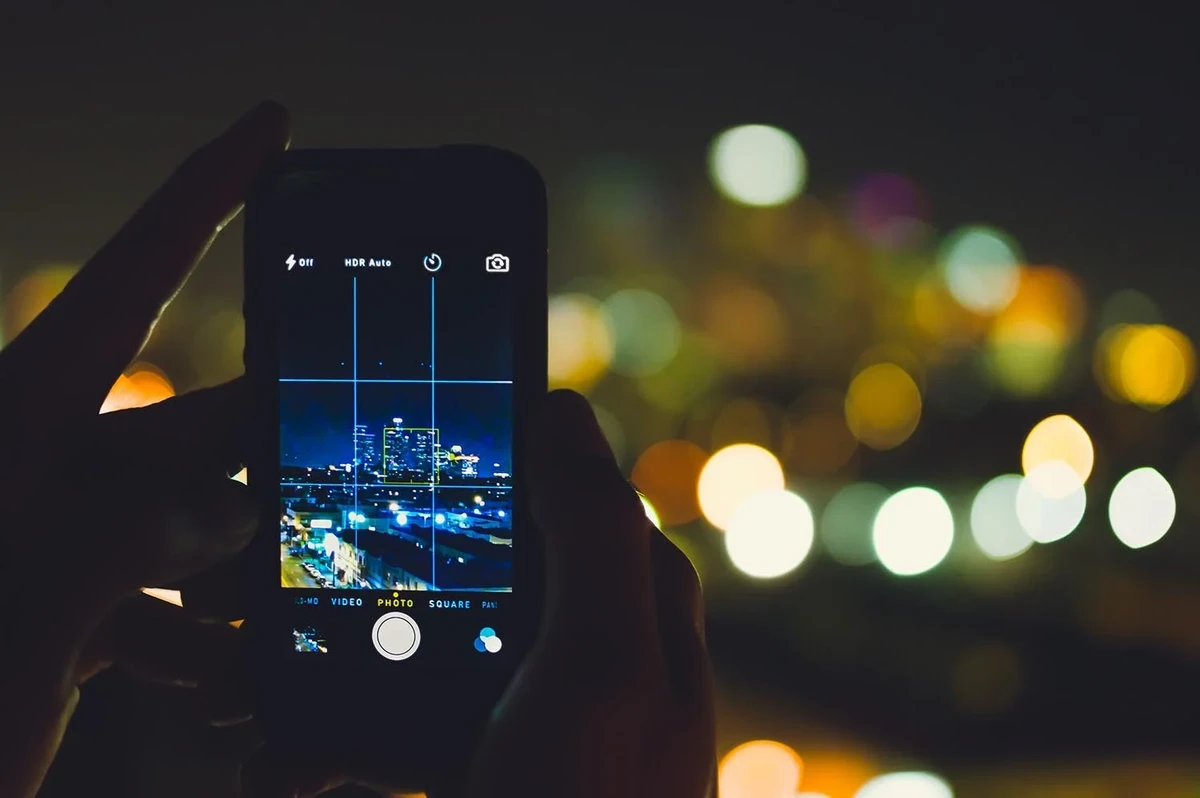
Tripods remain indispensable for achieving sharp images in low light by stabilizing the device during longer exposures. Compact and portable models designed for smartphones facilitate convenient use in diverse settings, from urban landscapes to indoor studios.
External lighting and diffusers, such as portable LED panels or clip-on diffusers, supplement ambient light, offering consistent illumination and enabling creative effects. These accessories help circumvent the limitations of smartphone flash and uneven indoor lighting.
Camera applications providing manual control over exposure, ISO, focus, and white balance extend the photographer’s ability to tailor settings precisely to lighting conditions. Leading apps often integrate histogram displays and real-time adjustments to optimize exposure and minimize noise.
FAQ
What is the best time of day for natural light smartphone photography?
The golden hour, shortly after sunrise and before sunset, is the best time for natural light smartphone photography. It offers warm, soft lighting that minimizes harsh shadows and enhances colors, producing flattering and visually appealing images.
How can I avoid harsh shadows when shooting with a smartphone indoors?
To avoid harsh shadows indoors, use diffused light by placing subjects near windows with sheer curtains or employing white sheets to soften light. Avoid direct smartphone flash and harsh overhead lights. Positioning the subject relative to the light source, such as side lighting, can also balance shadows.
When should I use Night Mode on my smartphone camera?
Night Mode is ideal in low-light environments where insufficient ambient light would otherwise cause blurry or noisy images. It uses longer exposure times and computational techniques to capture more detail but requires a steady hand or tripod to prevent motion blur.
How does ISO affect smartphone photography quality?
ISO controls the camera sensor’s sensitivity to light. Lower ISO values produce cleaner images with less digital noise, suitable for bright conditions. Higher ISO increases sensor sensitivity for low light but introduces noise, which can degrade image quality.
Are tripods necessary for smartphone photography?
While not always mandatory, tripods are highly recommended for stabilizing smartphones during low-light or long-exposure shots, such as those taken in Night Mode. They reduce camera shake, resulting in sharper images and improved overall quality.
Mastering lighting in smartphone photography hinges on a blend of understanding natural and artificial light sources, utilizing camera settings intelligently, and employing practical techniques supported by appropriate accessories. As smartphone cameras evolve, the interplay between hardware capabilities and lighting mastery will continue to define the boundaries of mobile photography creativity and quality. Continued experimentation and adaptation to varying light conditions remain essential for photographers aiming to elevate their smartphone imagery.