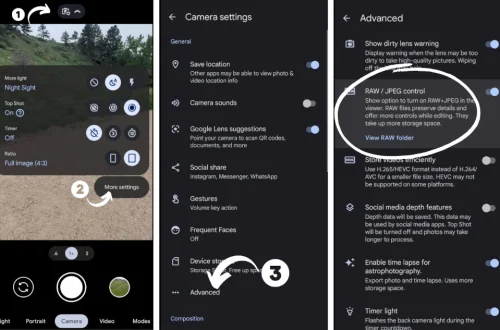
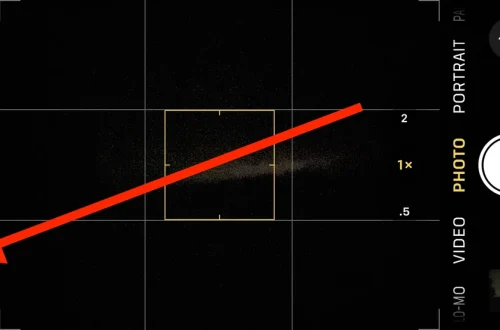
SnapRoamer.com – smartphone exposure settings critically influence the quality and impact of travel photography, where lighting conditions can vary dramatically from bright landscapes to dimly lit interiors. Optimizing these settings—including ISO, exposure lock, HDR, and night mode—empowers photographers to control brightness, reduce noise, and enhance detail, even without professional camera equipment. Practical use of stabilization and strategic positioning relative to natural or artificial light further refines image sharpness and composition. This article offers a detailed exploration of how travelers can master smartphone exposure settings to capture high-quality photos across diverse environments.
Exposure control on smartphones is essential for addressing common travel photography challenges such as harsh midday sun, shifting shadows, and low-light scenes in urban or indoor settings. Modern smartphones integrate computational photography techniques that automate many adjustments, but understanding manual controls and when to override automation provides significant creative advantage. Detailed insights into ISO management, exposure lock functionality, and the use of HDR mode enable users to balance highlights and shadows effectively. Coupled with night mode and stabilization techniques, these controls allow for superior image clarity and dynamic range in low-light and night photography.
Understanding Key Exposure Settings on Smartphones
ISO sensitivity defines the camera sensor’s responsiveness to light, directly affecting image brightness and noise levels. For travel photography, maintaining ISO between 100 and 400 is optimal, as lower ISO values minimize grain and preserve detail. Higher ISO values increase brightness but introduce noise, notably in shadowed areas or low-light environments. Many smartphones provide manual ISO adjustment within their camera modes, allowing users to tailor sensitivity to ambient light conditions.
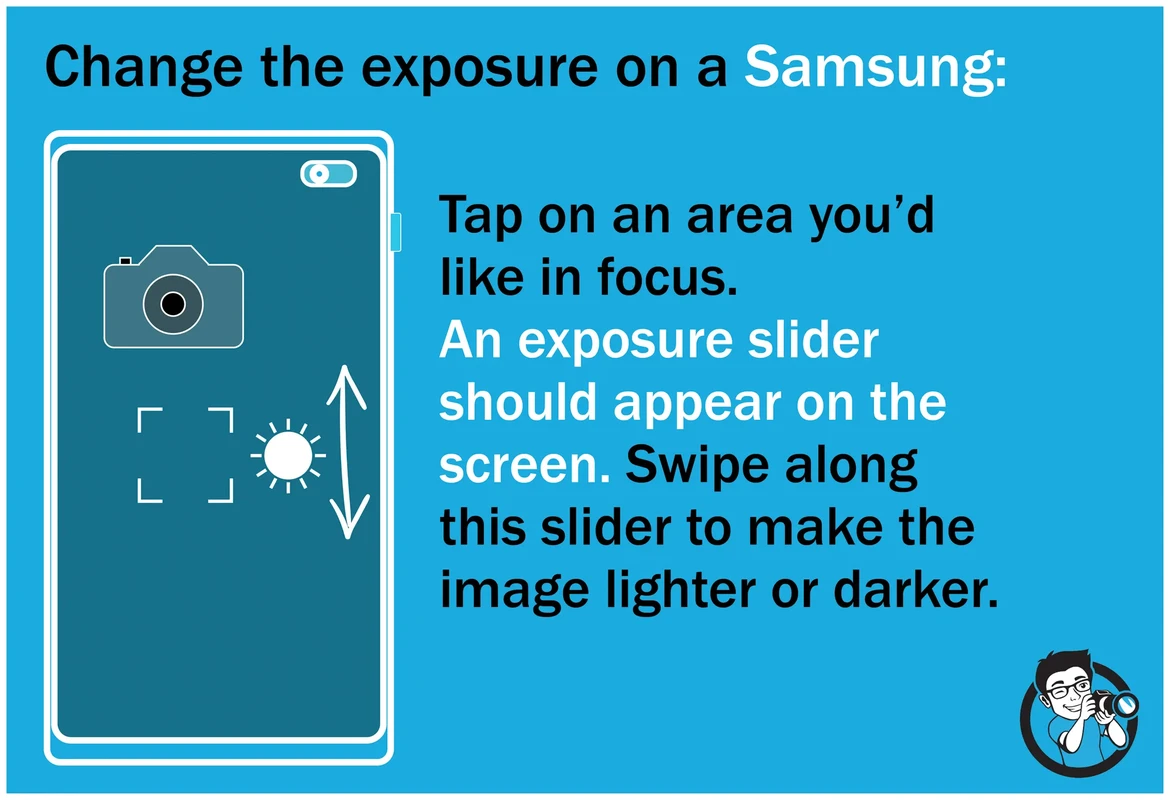
Exposure lock is a valuable feature that fixes the brightness level based on a specific area of the frame, preventing automatic readjustment during recomposition. For example, when photographing a monument with a bright sky, locking exposure on the monument ensures it remains properly lit without overexposing the background. This control is accessed by tapping and holding on the screen’s focal point in most camera apps, stabilizing brightness and aiding consistent exposure across multiple shots.
High Dynamic Range (HDR) mode is particularly beneficial in travel photography, where scenes often contain extreme contrasts between bright highlights and dark shadows. HDR combines multiple exposures into a single image, preserving detail across the tonal range. This mode excels in landscape shots with backlit subjects or sunset scenes, as well as in portrait photography under uneven lighting. However, HDR can sometimes introduce unnatural glow or ghosting in moving subjects, so manual toggling based on scene requirements is recommended.
Low-Light and Night Photography Techniques
Night mode leverages computational photography to capture brighter, clearer images in dim environments by combining multiple exposures over several seconds. This mode is invaluable for cityscapes, indoor events, or nighttime landscapes where traditional exposure settings would yield blurry or noisy results. It often requires the phone to remain stable during capture; thus, using a tripod or resting the device on a steady surface significantly improves outcomes.
Stabilization technology, including optical image stabilization (OIS) and electronic image stabilization (EIS), plays a critical role in reducing motion blur during handheld low-light photography. When these features are unavailable or insufficient, manual stabilization techniques—such as bracing the smartphone against a solid object or using a portable tripod—are essential. Combining stabilization with night mode minimizes image noise and increases sharpness.
Artificial and ambient light manipulation enhances depth and texture in low-light travel photos. Positioning subjects adjacent to street lamps, illuminated signage, or natural light sources like window reflections creates visually compelling contrasts. Understanding light direction and intensity allows photographers to emphasize contours and reduce flatness, which is often a challenge in low-light smartphone photography.
Utilizing Smartphone Camera Modes for Creative Control
Smartphone camera modes provide varying levels of control to suit different photographic contexts. Manual or pro modes enable adjustment of ISO, shutter speed, white balance, and focus, offering DSLR-like flexibility for experienced photographers. Portrait mode isolates subjects by simulating shallow depth of field, ideal for travel portraits and cultural candid shots. Landscape mode optimizes settings for wide, detailed vistas, enhancing clarity and color saturation.
Overriding automatic settings is advantageous in challenging lighting, such as backlit scenes or twilight landscapes. For instance, manually lowering ISO while extending shutter speed can capture more detail without excessive noise, provided stabilization is adequate. Conversely, in bright conditions, increasing ISO is unnecessary and may degrade image quality. Users should familiarize themselves with their smartphone’s specific camera mode capabilities, as these vary between iPhone, Android, and other brands.
Composition and Editing Tips for Travel Photos
Effective travel photography combines technical camera settings with thoughtful composition. Positioning subjects relative to light sources optimizes exposure and texture, whether shooting landscapes with the sun behind or portraits illuminated by soft ambient light. Candid shots capturing local cultures benefit from unobtrusive angles and rapid exposure lock to maintain consistent brightness despite spontaneous movements.
Photo editing apps on smartphones provide powerful tools for refining exposure, contrast, and color balance post-capture. Adjusting highlights and shadows can recover lost details, while fine-tuning saturation and warmth enhances the mood of travel scenes. Advanced apps also allow selective edits, such as brightening faces without affecting backgrounds, tailoring images for social sharing or professional portfolios. Editing directly on smartphones streamlines workflows, enabling immediate enhancement without transferring files to external devices.
Case Study: Capturing Landscape and Monument Photos with Exposure Adjustments
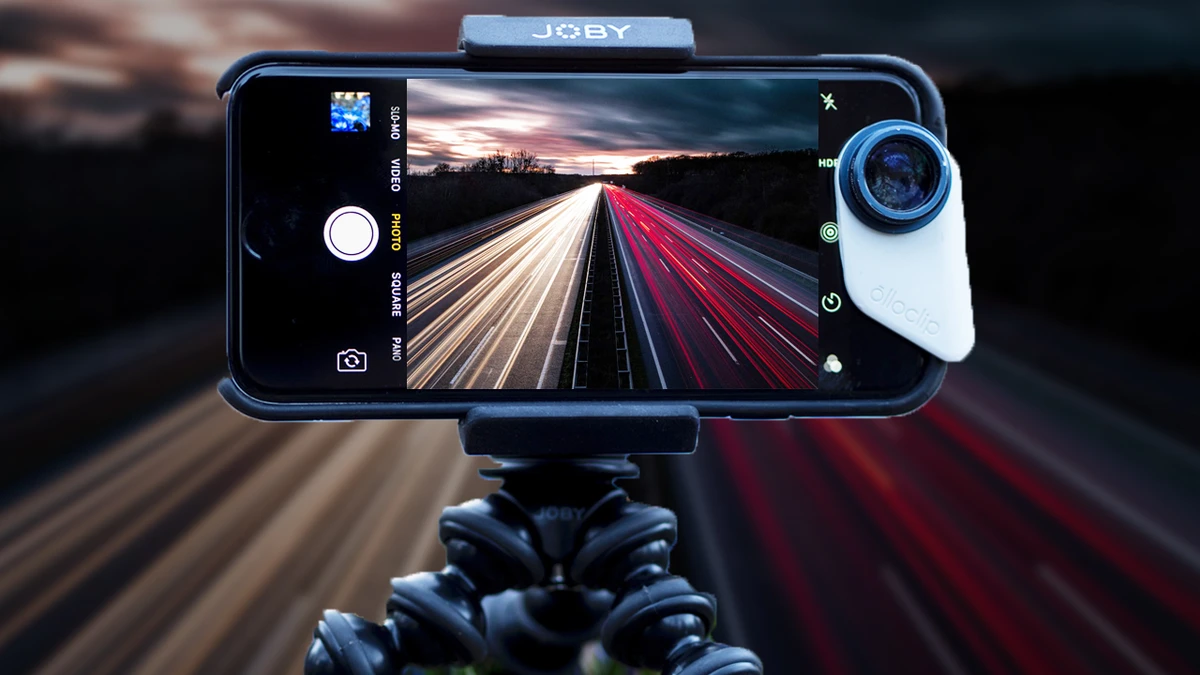
Consider photographing a historic monument at sunset—a scenario with high contrast between the illuminated sky and shadowed foreground. Locking exposure on the monument prevents it from appearing underexposed against the bright backdrop. Activating HDR balances the intense sky highlights with the darker stone details, preserving texture and reducing glare. If light levels drop further, switching to night mode combined with a stabilized phone enhances sharpness and brightness.
This approach was tested during travel to a heritage site with fluctuating weather and light conditions. Using a mid-range Android smartphone with manual camera mode, ISO was fixed at 200 to minimize noise, while shutter speed was extended to capture ambient twilight. HDR was toggled on for scenic compositions, while exposure lock ensured consistent brightness on subject faces during group portraits. Post-processing leveraged smartphone editing apps to fine-tune shadows and vibrancy, resulting in a balanced, visually rich photo series.
| Exposure Setting | Recommended Range/Use | Effect on Image | Best Use Case |
|---|---|---|---|
| ISO | 100-400 | Controls sensor sensitivity; low ISO reduces noise | Bright daylight, well-lit scenes |
| Exposure Lock | Manual activation | Fixes brightness on subject; prevents auto readjustment | Backlit subjects, uneven lighting |
| HDR Mode | On/Off manually | Balances highlights and shadows; extends dynamic range | Landscapes, sunset, mixed lighting |
| Night Mode | Auto/manual | Combines multiple exposures for brighter low-light images | Night scenes, indoor low-light |
| Stabilization | OIS/EIS or external support | Reduces motion blur, improves sharpness | Low-light, long exposure |
FAQ
How does ISO affect smartphone travel photography?
ISO adjusts the camera sensor’s light sensitivity. Lower ISO values (100-400) produce clearer images with less noise, ideal for well-lit travel scenes. Higher ISO brightens images but increases grain, which is often undesirable in detailed travel photos.
When should I use exposure lock on my smartphone?
Exposure lock is useful when photographing scenes with uneven lighting or backlit subjects. It fixes the brightness on a chosen area, preventing the camera from automatically adjusting exposure when recomposing, ensuring consistent lighting on key subjects.
What advantages does HDR mode offer in travel photos?
HDR mode merges multiple exposures to capture a wider dynamic range, preserving details in both bright highlights and dark shadows. This is especially helpful in landscapes, sunsets, or portraits with mixed lighting conditions.
How can I improve low-light travel photos using my smartphone?
Use night mode combined with stabilization techniques such as tripods or steady hand positioning. Night mode captures multiple exposures and computationally fuses them to create brighter, less noisy images in dim environments.
Are manual camera modes necessary for better travel photography on smartphones?
Manual modes offer greater creative control by allowing adjustments to ISO, shutter speed, and focus. While automatic modes suffice for casual use, manual settings enable photographers to optimize exposure and sharpness under complex lighting scenarios.
Optimizing smartphone exposure settings for travel photography involves a nuanced balance of technical adjustments and creative decisions. As computational photography evolves, leveraging manual controls such as ISO management, exposure lock, and HDR remains essential for achieving professional-quality images. Travelers who integrate stabilization methods and adapt to ambient lighting conditions will consistently produce sharp, vibrant photos that capture the essence of diverse locations. Future developments in AI-driven camera modes are expected to further simplify exposure optimization, but current best practices emphasize understanding and applying foundational exposure principles.
For more detailed guidance on night photography techniques with smartphones, visit PhotographyTalk’s smartphone night photography tutorial. Additional travel photography composition tips can be found at Smartphone Photography Training’s travel photo advice.