SnapRoamer.com – The best lighting for phone photography relies on mastering light direction and quality rather than relying on built-in flashes. For natural light, aim for the ‘Golden Hour’ (one hour after sunrise or before sunset) or use ‘Open Shade’ to avoid harsh shadows. For artificial light, use LED panels or diffused sources to prevent flat, unflattering images.
Great phone photos come from understanding light and composition, not having the latest device.
Overriding the Algorithm: Intentional Lighting vs. Computational HDR
To prevent your smartphone’s AI from ‘fixing’ your dramatic lighting, you must override computational HDR. Use the manual exposure slider—tap the subject and swipe up or down—to intentionally underexpose for silhouettes or deep shadows, preventing the software from artificially brightening dark areas.
Automated processing often prioritizes visibility over artistic intent. When capturing a sunset, the software may aggressively brighten the dark foreground, resulting in a washed-out image that lacks contrast.
Achieving a specific look requires manual intervention. For iPhone users, the process involves touching the screen until a yellow box appears, then swiping up or down to adjust the brightness. Android users can achieve similar results by holding a finger on the camera screen until a yellow circle appears, then swiping left or right to modify exposure.
Shortcut: Tap the subject on the screen to set focus and exposure, then drag the slider to adjust brightness manually.
How to force a silhouette
To create a silhouette, position the subject directly in front of the sun during the golden hour. Tap the screen to focus on the subject, then use manual exposure controls to underexpose the subject until they appear as a dark shape against the bright sky.
Preventing the ‘flat look’ caused by auto-HDR
Auto-HDR can eliminate the shadows that provide a sense of three-dimensional depth. By intentionally lowering the exposure, you preserve the shadows that define the contours of a face or an object.
The DIY Studio: Professional Results for $0
You can manipulate light effectively without an expensive equipment budget by using environmental observation and simple household items.
On overcast days, clouds act as a natural softbox. This provides even, diffused lighting that is perfect for portraits and close-ups while eliminating the harsh, high-contrast shadows seen in direct sunlight.
To improve your results without spending money, consider these methods:
- Use Open Shade: Find the edge of a shadow cast by a building or a tree to get soft, even light.
- Reflect light: Use a white piece of foam board or even a white t-shirt to bounce light back into the shadowed side of a subject’s face.
- Diffuse sunlight: If shooting in direct light, a thin white curtain can act as a makeshift diffuser to soften the incoming rays.
Direct sunlight casts hard lined shadows on a person’s face and it makes them squint. These harsh shadows can be difficult to correct in post-processing.
Mastering Natural Light: From Golden Hour to Open Shade
The “golden hour” (one hour after sunrise and before sunset) provides warm, soft lighting that flatters subjects and creates stunning backgrounds. Alternatively, use “Open Shade” from a tree or building to achieve even, diffused lighting.
This one-hour window after sunrise and before sunset offers a specific light quality. The sun’s lower angle stretches shadows and bathes the scene in a warm glow that is highly sought after for portraiture.
When the sun is at its zenith, photographers should seek Open Shade. Moving the subject into the shadow of a large object, such as a building or a dense tree, provides a much softer light than direct sunlight.
Professional Portrait Setups: Rembrandt, Loop, and Clamshell
Professional portraiture utilizes specific geometric relationships. To create depth, practitioners often utilize a 30-degree rule, positioning the light source at an optimum angle of approximately 30 degrees relative to the subject to cast intentional shadows.
The following techniques are industry standards for portrait lighting:
- Rembrandt Lighting: Position the light to create a small, characteristic triangle of light under the eye on the shadowed side of the face.
- Loop Lighting: Place the light slightly above and to the side of the subject to create a small, subtle shadow of the nose on the cheek.
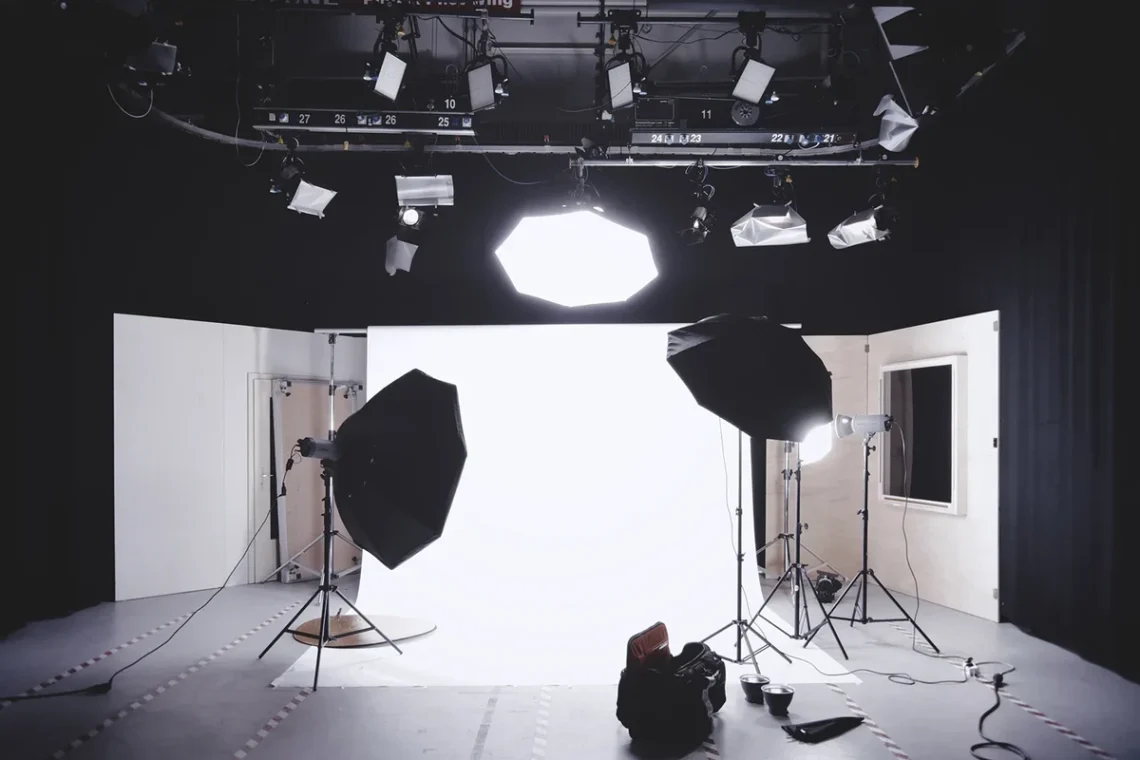
- Clamshell (Beauty) Setup: Place one light above the face and a reflector or second light below the face to minimize shadows, creating a bright, even look.
- Split Lighting: Divide the subject’s face exactly in half, with one side illuminated and the other in deep shadow for a moody effect.
- Rim / Backlighting: Place the light behind or slightly behind the subject to outline the edges with a glowing effect, separating them from the background.
Achieving the ‘Glow’ with Rim Lighting
rim lighting is effective for separation. By placing the light source behind the subject, you create a thin line of light along their silhouette, which adds a cinematic quality to the image.
The Hardware Guide: Choosing the Right Lighting Kit
Investing in dedicated hardware provides consistent control over color temperature and intensity. Options range from entry-level LED panels to professional kits.
Compare these lighting options based on their price points and primary use cases:
| Brand/Model | Estimated Price | Best Use Case |
|---|---|---|
| Generic LED Panels | $20 | Beginners and basic fill light |
| Yongnuo Version | $120 | Intermediate users seeking value |
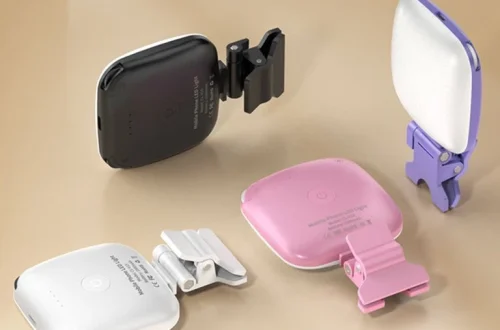
| Lume Cube | Varies | Compact smartphone accessories |
| Westcott Ice Light 2 | $400 | Professional-grade portraiture |
When selecting gear, consider the specific needs of your environment. For mobile-specific setups, Sandmarc offers accessories tailored for iPhone users. If you require more power, brands like Rotolight provide high-quality LED panels, while Godox is a recognized name for third-party flash equipment.
Common Lighting Pitfalls to Avoid
Technical errors can immediately degrade image quality. Watch for these specific issues to improve your mobile photography results:
Beyond the flash, watch for these specific issues:
- Mixed Light Sources: “Mixing hot and cold light sources often make the colors in your images look weird and unbalanced,” according to expertphotography.com.
- Perspective Distortion: As soon as you tilt your phone either downward or upward, you will get perspective distortion.
- motion blur: If you are shooting in heavy shade or at night, you’ll need to use a tripod to prevent image blur.
FAQ
Why does my phone flash make my photos look bad?
According to digital-photography-school.com, “The flash on your phone camera is not flattering for photos, whether you’re shooting in the daytime, late at night, landscapes, flowers, or portraits.”
How far should I stand from a subject for Portrait Mode?
For the best background blur (bokeh) effect, maintain a distance of 2-8 feet from your subject, as noted by printerpix.com.
Can I use artificial lights with my smartphone?
Yes, brands like Lume Cube and Sandmarc offer specific accessories, and you can also use LED panels from brands like Rotolight or Godox for more professional control.