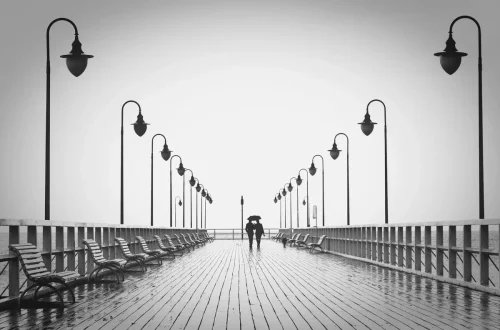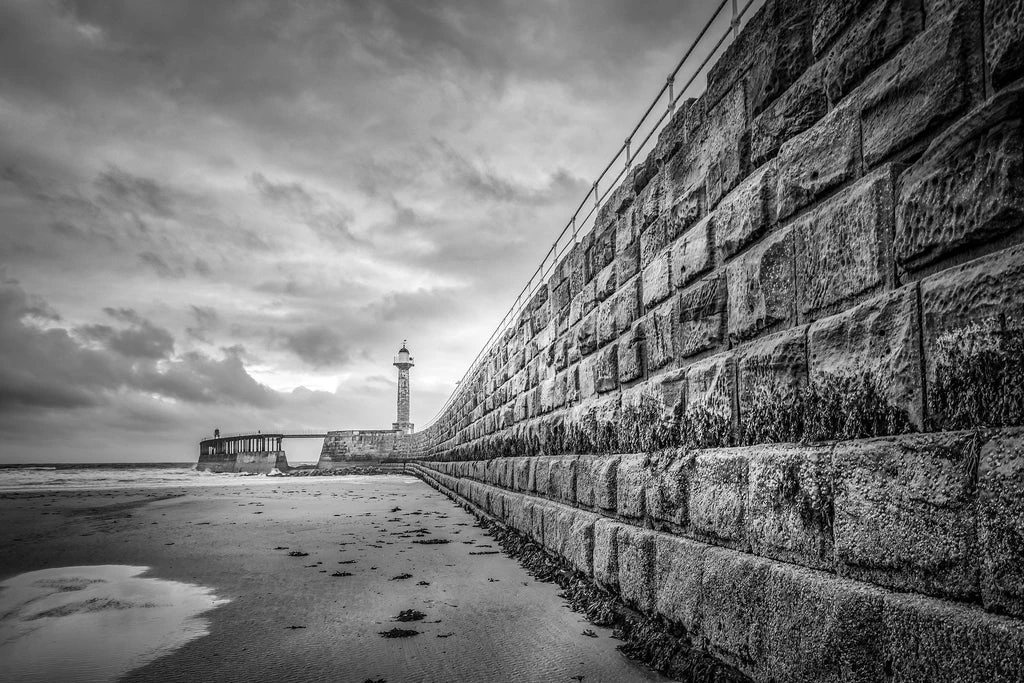
SnapRoamer.com – Leading lines are compositional paths—natural or man-made—that guide a viewer’s eye through a photograph toward a specific focal point or the heart of the image. By utilizing elements like roads, fences, or even light rays, photographers can create a sense of depth, movement, and intentionality in their work. Leading lines can be anything from a physical road or railroad tracks to repetitive objects and even human gestures.
The Psychology of Line Geometry: Beyond Simple Direction
Photographers utilize specific geometric orientations to trigger distinct visual responses. For example, as noted by the principles of composition, vertical lines are used to convey power and confidence, while diagonal lines are employed to emphasize movement and tension.
The Emotional Weight of Verticality
Vertical lines convey power and confidence. This is why photographers frequently utilize vertical leading lines in fashion photography, portraiture, and street photography to establish a sense of stature or dominance. A single vertical element can anchor a frame, providing a sense of height that contrasts with the horizontal world.
Diagonal Tension and Depth
Diagonal lines emphasize distance from the foreground to the background. Unlike static lines, diagonals introduce a sense of movement and change. A common failure mode occurs when a diagonal is too shallow; if the angle is nearly horizontal, the sense of depth is lost, and the line fails to pull the eye through the Z-axis of the image.
Horizontal Stability and the Horizon
Horizontal lines, which are most often centered at the horizon, convey a sense of stability in a composition. This orientation provides a calming effect in landscape photography.
| Line Type | Visual Impact | Psychological Association |
|---|---|---|
| Straight | Bold and direct | Order and structure |
| Curving | Graceful and flowing | Softness and elegance |
| Vertical | Height and stature | Power and confidence |
| Horizontal | Calm and wide | Stability and rest |
| Diagonal | Dynamic and deep | Movement and tension |
The table above categorizes how specific geometric orientations, such as the grace of curving lines or the directness of straight lines, dictate the viewer’s experience.
Invisible Leading Lines: Using Gaze, Gesture, and Light
Invisible leading lines are non-physical paths created by human elements or lighting. This includes ‘implied lines’ formed by a subject’s eye contact (gaze), body posture, or the direction of light rays and gradients that subtly pull the viewer’s attention toward a subject without a physical object being present.
Leading lines can be anything, including roads, lines of trees, or repetitive objects like railroad tracks. When multiple lines converge toward a vanishing point, they create a dramatic sense of depth. If a subject’s gaze is misaligned, the viewer’s eye will follow that gaze right out of the frame, a common error that breaks the composition’s cohesion.
Mastering Physical Paths: From S-Curves to Converging Lines
Physical leading lines add a sense of depth and a feeling of dimensionality to a composition. For instance, a staircase can connect the foreground to the background to build dimensionality in a 2D medium.
The Elegance of the S-Curve
Incorporate winding paths or roads to add elegance and flow. S-curves are slower than straight lines; they force the eye to meander through the frame, allowing the viewer to take in more of the environment before reaching the subject. This technique is highly effective in landscape photography where a river or a trail provides a natural, rhythmic guide.
Dramatic Depth via Converging Lines
When there is more than one leading line, they can converge toward a vanishing point which can be quite dramatic and eye-catching. This technique is often used in urban photography, such as with railroad tracks or the sides of tall buildings. Using a wide-angle lens can further amplify this effect, making the convergence appear more aggressive and the sense of depth more pronounced.
The Leading Lines Troubleshooting Guide: Fixing Common Failures
Technical errors occur when lines work against the subject. Common pitfalls include misaligned lines that lead away from the focal point or background elements creating “lines through the head” in portraiture.
- Misaligned lines: This occurs when the line leads away from the focal point instead of toward it, effectively “tricking” the viewer into looking at empty space.
- Too many lines: Multiple competing lines can confuse the viewer and fail to isolate a singular story, resulting in visual clutter.
- Lines through the head: In portraiture, background elements can create lines that appear to run through or originate from the subject’s head, creating an unflattering and distracting visual.
- Leading the eye out of the scene: If lines are not mindful of where they start or end, they may direct the viewer’s attention away from the subject and out of the frame entirely.
If you find yourself with a misaligned line after the shoot, you can often fix the error in post-processing. Use the crop tool to reframe the image so the line points toward the subject, or rotate the image to change the angle of entry.
Post-Processing Masterclass: Carving Lines in Camera Raw
Photographers can enhance composition during editing by using dodging and burning to make lines more prominent. This technique adds contrast to make subtle paths more visible.
Using Linear Gradients to Direct Focus
In professional editing software, linear gradients can be used to darken or lighten specific sections of the frame. By darkening the edges of a path or a road, you can increase its perceived contrast, making it a more prominent leading line that pulls the eye toward the center of the image.
Dodging and Burning for Line Prominence
Add contrast using dodging (lightening) and burning (darkening) techniques to make lines more prominent. For example, if a stone path is too flat, “burning” the shadows between the stones and “dodging” the highlights on the surface can create a high-contrast line that guides the eye with much more authority.
Shortcut: In many professional editing suites, the [ and ] keys are used to adjust brush size, while specific gradient tools can be activated to quickly apply directional exposure changes.
The AI-Era Fix: Generative Expand for Broken Lines
Modern AI tools have introduced a new way to handle compositional errors. If a leading line was accidentally cut off by the edge of the frame during the shoot, Generative Expand can be used to extend the scene, effectively “completing” the line and allowing it to enter the frame more naturally.
FAQ
How do I fix a leading line that points the wrong way?
Use the crop tool to reframe the image so the line points toward the subject, or rotate the image to change the angle of entry. This can often reposition the line to ensure it guides the eye toward your focal point rather than away from it.
What lens is best for leading lines?
wide-angle lenses are ideal because they exaggerate perspective and make diagonal lines and foreground elements more obvious. They pull foreground objects into the frame, creating a more dramatic sense of depth and making the convergence of lines more striking.
Can shadows act as leading lines?
Yes, high-contrast shadows can create dark, directional paths that guide the eye, especially effective in black and white photography. Shadows cast by buildings, trees, or fences can serve as powerful, non-physical lines that direct attention toward a subject.